Web Share API: Permission Boundaries and Safe Fallbacks
Build Web Share controls around capability checks, transient activation, validation, cancellation, and accessible fallback.
BotBrowser Team
Want the structured docs for Platform?
This article lives in the editorial library. For step-by-step setup, reference material, and ongoing updates, jump into the docs section.
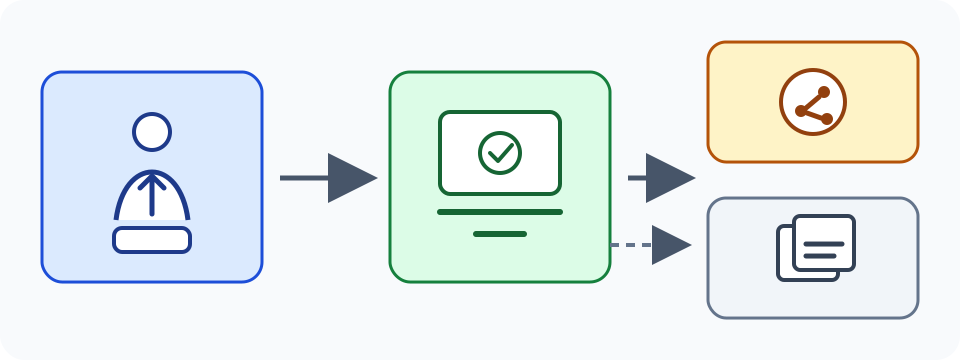
Web Share is a user-mediated browser handoff. A page proposes a title, text, URL, or supported files, and the browser may open an operating-system share surface after a person activates a visible control. The page does not choose a recipient, inspect the recipient list, or receive proof that another application completed delivery. BotBrowser can validate capability-aware share UI and fallback paths in controlled contexts, but it cannot select a user's share target, control the operating-system share sheet, or circumvent browser mediation.
TL;DR
- Feature-detect Web Share and keep a useful copy, download, or normal-link fallback.
- Call
navigator.share()only from a deliberate user action with transient activation. - Validate data with
navigator.canShare()when available, but do not treat it as delivery proof. - Handle cancellation and failure without erasing the user's task.
- Web Share does not enumerate recipients, grant permission, or establish identity.
Contents
- Capability and activation
- Data validation and privacy
- Cancellation and accessible fallback
- Testing with BotBrowser
- Permissions Policy and embedded contexts
- Frequently asked questions
- Conclusion
Capability and activation
The W3C Web Share specification and MDN Web Share API guidance describe a conditional capability. A secure context, browser policy, current document, and operating-system integration all affect availability. Test navigator.share at the point of use. A method that exists at load time can still reject later because the context, data, or activation is no longer acceptable.
Transient activation is short-lived. Put the call in the click or keyboard handler for the share button. Do not defer it through a timer, wait for an unrelated network request, or invoke it during page load. A visible action tells the person what will happen and gives the browser a valid activation chain. If preparation is expensive, prepare safe data before the click and perform only bounded synchronous validation inside the handler.
The activation boundary is not a permission grant. A resolved promise reports only the local handoff result exposed to the page; it does not prove that a native share surface was presented, that a recipient was selected, or that content was delivered. A cancellation is an ordinary outcome. Keep the page, current heading, form state, and initiating control intact when the handoff ends.
Capability checks should describe the product state, not a browser identity. “Share is available” can enable the control. “Share is unavailable here” can reveal copy and download alternatives. Do not turn a missing method, rejected promise, or different activation result into a user or device classification. Browser support changes across releases and contexts.
Data validation and privacy
Share data can include title, text, url, and files where the browser supports them. Build the proposed data from the current user-visible object. Keep URLs free of access tokens and private query values. Do not add account identifiers or hidden metadata because a field accepts arbitrary text. MDN Navigator.share() documents the method, while navigator.canShare() can check whether a proposed data set is accepted in the current context.
canShare() is a capability check, not a recipient check. It does not reveal which applications are installed, which contact will receive the data, or whether transfer will finish. Unknown dictionary members are ignored by the algorithm, so an extra field is not evidence that the whole object was rejected. Avoid using different canShare() results as a fingerprint. The same data set can be accepted in one browser context and rejected in another because of files, size, policy, or platform integration.
Keep authorization separate from sharing. A private document should not become public merely because a share button is visible. Re-check that the current user can read the object before constructing its URL or export. If a link expires, explain that scope before the handoff. A receiving service must authenticate every request independently; a share sheet result is not a server authorization signal.
Data minimization applies to analytics. Record a bounded outcome such as share-request-resolved, share-cancelled, share-rejected, copy-success, or download-started. Do not log raw text, private URLs, file contents, or a recipient name. Retain only the event fields needed to improve the feature, with a stated purpose and deletion period. The W3C Privacy Principles support purpose limitation and data minimization.
Cancellation and accessible fallback
The share promise can reject with AbortError when a person cancels or when no usable target is available. Treat that as a safe return to the current task, not proof of a user decision. Other errors can indicate invalid data, unsupported files, policy, or a platform failure. Show a concise status and keep copy, download, and normal-link actions available. Do not reload the page, clear a draft, or retry in a loop.
A fallback should preserve intent. Copy a deliberately chosen URL, download an authorized representation, or expose a normal link in the document. Give each action a visible label and keyboard path. If clipboard access fails, leave the URL selectable. If file generation is pending, show progress and a retry or cancel action. A missing share surface should never make essential content inaccessible.
Use accessible names, focus order, and status text. Return focus to the initiating control after cancellation unless the person moved elsewhere. Announce “Sharing cancelled” or “Copy link ready,” not a raw exception or private URL. Keep the fallback usable at zoom, with large text, high contrast, keyboard navigation, and a screen reader. An icon-only control needs an accessible name and tooltip; a primary action usually benefits from icon plus text.
Embedded and offline contexts need the same contract. An embedded component may have less control over its top-level document and may need to offer a normal link or download. An offline page can still copy a URL, while a generated export may wait for local preparation. Explain what remains local and what leaves the page. Do not assume a top-level share surface is available inside every frame.
Test long titles, non-Latin scripts, bidirectional text, and translated status messages. Do not use browser locale to choose a recipient or infer location. Keep the object being shared visible before activation, and preserve it when a handoff is cancelled. These interface rules are independent of whether a particular operating system displays one share sheet or another.
Testing with BotBrowser
BotBrowser supports validating capability-aware share UI and fallback paths in controlled contexts. The limitation is explicit: it cannot select a user's share target, control the operating-system share sheet, or circumvent browser mediation. A fixture can remove navigator.share, reject with AbortError, reject with another error, return different canShare() results, and assert visible copy or download behavior. It cannot prove recipient identity or delivery.
Use synthetic titles, URLs, files, and user actions. Record browser build, context type, secure-context state, activation path, proposed data class, promise result, visible fallback, and application revision. Do not record account names, private URLs, full exports, or recipient lists. Run the same fixture with the method absent, canShare absent, invalid data, cancellation, and a successful handoff request.
Interpret a successful test narrowly. It shows that the declared context accepted a request and that the page preserved its fallback state. It does not show that a target exists, that an operating system will present the same sheet later, or that another application completed a transfer. Repeat after browser, operating-system, or data-set changes. Keep production monitoring separate from compatibility evidence.
A practical decision contract.
Define the share object before wiring the button. Name the visible thing being shared, the data fields it needs, the authorization rule for each field, and the fallback that keeps the task possible. A product page may share its public canonical URL. A private workspace may need a short-lived, access-checked link or may need to offer an export only after the user confirms its scope. These are product decisions; the browser handoff does not make them automatically safe.
Keep one owner for preparing the representation. If a page constructs a file, it should state when the file is ready, whether it remains local until the person starts sharing, and how it is discarded after cancellation. If preparation fails, leave the original task readable and expose a retry. A disabled button without an explanation is not a fallback. A clear “Prepare download” or “Copy link” action gives the user an alternative without assuming a system share surface will appear.
Separate the control state from the result state. The control can be available, unavailable, preparing, or temporarily busy. The result can be cancelled, rejected, copied, downloaded, or awaiting a browser handoff. A resolved share promise should not be labeled “delivered,” because the page does not know what happened after the browser passed the request onward. A cancelled promise should return the control to its normal available state rather than leaving an error badge attached to the user's task.
Use one bounded path for each data class. A page URL can usually be checked immediately. A file can require a file-specific canShare() call and an accessible download alternative. Text may need a length or privacy review before it is proposed. When an item does not pass the current capability check, do not repeatedly alter it until the browser accepts it. Show the chosen fallback and let the user decide whether to copy a link, download a representation, or continue without sharing.
The share button should not quietly create a new account relationship. “Invite” may send a server-side request and needs separate authorization, confirmation, and audit rules. “Copy link” can remain local until the person pastes it elsewhere. “Download” creates a local file under the browser's normal controls. “Share” asks the browser to open a user-selected handoff. Grouping these choices visually can be useful, but their data boundaries and success meanings differ.
Review links before they leave the current page. Remove access tokens, internal route data, and values that reveal another person's information. Prefer a canonical public URL when that is the intended object. If a URL grants time-limited access, show its expiry and audience rule before the action. A receiving application may preserve or forward the link, so the service behind it must validate every later request. Web Share cannot replace a normal access-control design.
Status copy should be factual and reversible. Do not use “Share sheet opened” as a promise result: resolution does not uniformly prove native presentation. “Sharing cancelled” tells the person that the page remains unchanged. “Copy link unavailable” should be followed by a selectable link or download. Avoid wording that assumes an operating-system target exists, that a contact was selected, or that another application accepted content. Clear language also reduces support ambiguity across different platforms.
Treat browser variation as an expected input. One browser can support URLs but not files, another can require a stricter activation path, and an embedded document can lack a usable share surface. The product should keep the same essential task available in each state. Test the visible controls rather than a vendor-specific sheet layout. This produces a stable interface contract even when a browser update changes availability.
Accessibility review should include cancellation as well as activation. Verify that a keyboard user can start the action, return to the same control, and choose a fallback without a pointer. Verify that screen-reader status does not announce private content. Verify that a long localized title wraps without hiding the fallback action. Verify that forced colors and high zoom preserve the boundary between the primary share control and secondary choices. These checks make the conditional capability understandable instead of surprising.
Privacy review should ask what the application learns from an attempt. The answer is usually limited to the user's deliberate click and a bounded local outcome. It is not a recipient inventory, contact graph, operating-system profile, or delivery confirmation. If product analytics cannot improve a concrete decision from a field, do not collect it. Keep the event schema independent from account metadata and delete short-lived diagnostics after their support purpose ends.
An owned compatibility fixture can exercise the ordinary states without pretending to automate a recipient. Start with a page that has no share method and verify copy or download. Restore the method and verify that a call outside the intended click handler leaves the page on its fallback path. Then test valid data, cancellation, an unsupported file, and an error. Each case should preserve the document and make the next user action obvious.
The same contract helps after an implementation change. When a product adds files, changes a link format, embeds the share control, or changes its access policy, rerun the fixture with the new representation. Compare user-visible outcomes and the minimum diagnostic record. Do not infer that an older success proves a new file type or frame context will work. Preserve the fallback while the updated path is validated.
File handling deserves a concrete limit. Check the file type and size before presenting the primary action, and explain when a file is too large or unavailable in the current context. A copy-link fallback can preserve the task when the file path cannot proceed. If the application creates a temporary file, give it an application-owned lifetime, release it after cancellation or completion, and keep a way to regenerate it. Never solve a size rejection by silently uploading the file to a new service or changing its audience.
Secure-context checks belong beside capability checks. An ordinary HTTP page, an embedded document with restrictive policy, and a top-level HTTPS page can expose different results even when they render the same button. Treat each context as a supported or unsupported product state, and show the same essential fallback. Do not describe the difference as a user permission choice when it is a document or browser condition. This wording helps support teams distinguish a deployment configuration issue from a cancelled user action.
Cancellation testing should include timing. Cancel before data preparation finishes, cancel after the browser surface opens, and cancel after a fallback becomes available. The page should not leave a disabled control, duplicate a download, or lose an edited field in any case. A second activation after cancellation should start one new attempt with fresh validation. These checks are especially important on touch devices where a system surface can cover the page for an unpredictable interval.
Keep the final status local to the action. A share attempt can update a live region, a button label, or a small status line, but it should not change account state or mark a server record as delivered. If a product needs a server-side invitation, perform that as a separate confirmed operation with its own response and audit rule. The browser handoff can remain a convenience beside that operation, rather than becoming an implicit authorization step.
Permissions Policy and embedded contexts
Web Share availability can differ between a top-level document and an iframe. The policy-controlled feature's default allowlist is self, so a same-origin iframe may not need cross-origin delegation. A cross-origin embedded document needs explicit delegation when the top-level policy permits it; a minimal embed can declare allow="web-share". That attribute does not select a recipient or grant a user permission. It only participates in the browser's policy decision.
<iframe src="https://share.example.test/panel" title="Share panel" allow="web-share"></iframe>
The response policy, iframe attribute, secure context, and browser implementation all matter. A response header such as Permissions-Policy: web-share=() disables the feature for the document and cannot be reopened by an iframe's allow="web-share" attribute. A method may be absent, canShare() may reject a data set, or navigator.share() may reject with NotAllowedError when policy, transient activation, or a security-blocked file prevents the request. Do not label every NotAllowedError as a user denial. Inspect the context and preserve the same fallback. For an iframe, test delegated and non-delegated states separately.
A copyable share state machine
Keep capability, activation, cancellation, and concurrent requests explicit. This page-owned state machine does not simulate a native sheet or claim that a resolved promise means delivery.
const shareState = { value: 'idle' };
async function runShare(data, render, fallback) {
  if (shareState.value === 'sharing') return;
  if (!window.isSecureContext || typeof navigator.share !== 'function') return fallback('unavailable');
  if (navigator.canShare && !navigator.canShare(data)) return fallback('unsupported-data');
  shareState.value = 'sharing';
  render(shareState.value);
  try {
    await navigator.share(data);
    shareState.value = 'complete';
  } catch (error) {
    shareState.value = error?.name === 'AbortError' ? 'cancelled' : 'failed';
    fallback(shareState.value);
  }
  render(shareState.value);
}
The guard against a second request is application state. InvalidStateError is distinct from NotAllowedError: it is the error to handle for an active or otherwise invalid share request, while NotAllowedError commonly reflects policy, transient activation, or security-blocked files. Restore the control and offer a fallback. Promise timing and the visual system surface vary by platform. Report only the local result, never a universal “delivered” claim.
Decision table and expected outcomes
| Condition | Page decision | Expected visible outcome |
|---|---|---|
| Top-level HTTPS, method present, valid URL, fresh click | Call share() once | Busy, then complete or cancelled; fallback remains |
| HTTP or restricted embedded context | Do not call | Explain unavailable sharing and show copy/download |
| Iframe without delegated policy | Treat capability as unavailable | Same accessible fallback, no repeated prompts |
| Known share fields invalid or unsupported | Keep data unchanged | Offer link or download for the supported form |
NotAllowedError | Classify policy, activation, or security-blocked file | Restore control and show fallback status |
InvalidStateError or concurrent request | Keep one request owner | Show busy/retry state without duplicate calls |
Cancelled or no available target (AbortError) | Set local state to cancelled | Preserve the task, show fallback status, return idle |
The table is a product contract, not a promise about one operating-system sheet. Keep the essential task possible in every row. For a private resource, repeat authorization before creating the URL. For a file, check type and size and retain a download path.
Unknown dictionary members are ignored; the canShare() result is determined by the known share fields and their data, not by an extra unrecognized property. If a known field is invalid or unsupported, keep the original task intact and use the fallback shown above.
Frequently asked questions
Does allow="web-share" grant sharing permission?
No. It delegates a policy-controlled feature when the surrounding policy permits it. User activation, secure context, data checks, browser rules, and the operating-system choice still apply.
Does a resolved navigator.share() promise prove delivery?
No. It establishes only the result exposed to the calling page. A platform may resolve after accepting the handoff without exposing a recipient or completed transfer. Keep status factual and retain copy or download fallback.
Why can two valid buttons produce NotAllowedError?
Calls can differ in activation timing, frame policy, secure context, or whether a file is security-blocked. An active or otherwise invalid request is instead handled as InvalidStateError. Record the controlled context and restore the accessible fallback instead of treating either error as identity or permission evidence.
Conclusion
Web Share is a user-initiated handoff with conditional capability and no recipient or delivery guarantee. Check capability at use time, preserve transient activation, validate data, treat cancellation as normal, and keep copy, download, or link fallbacks first-class. BotBrowser makes controlled UI and fallback checks repeatable while leaving the share target, browser mediation, authorization, and privacy decisions with their owning systems.
Related reading
- Web Share API and user-initiated sharing
- Browser permission fingerprinting
- Browser feature support versus feature quality
Sources
Related Articles
Take BotBrowser from research to production
The guides cover the model first, then move into cross-platform validation, isolated contexts, and scale-ready browser deployment.