Playwright Iframe Not Loading? Check the Frame
Diagnose a Playwright iframe not loading, a detached Frame or the wrong nested frame. Compare three real local fixtures and verify the document and order receipt.
BotBrowser Team
Want the structured docs for Getting Started?
This article lives in the editorial library. For step-by-step setup, reference material, and ongoing updates, jump into the docs section.
A Playwright iframe not loading can mean that the nested iframe element never appeared, that a previously selected Frame was detached, or that the test entered a loaded sibling document without the target. Inspect the frame tree and identify the document containing the control before extending a timeout. BotBrowser supports Playwright integration through its browser executable and profile configuration; it does not create an application's missing iframe or decide which embedded document an action should target.
TL;DR
- Check each document boundary separately: the outer iframe element, its child iframe element, then the control inside that child's document.
- Keep a
FrameLocatorfor a selector-based path when an application replaces its iframe. A locator created from an old detachedFrameremains tied to that old frame. - A loaded frame with no matching button can be the wrong sibling. Compare parent relationships and document URLs instead of choosing a frame by array position.
- Three owned local fixtures passed 3/3 scenario checks, including their intended failures. Only two cases submitted an order; the missing-child case correctly submitted none.
- Verify the selected document and the application's response. A completed click alone does not establish that the intended embedded workflow succeeded.
Contents
- Identify the iframe element and its document
- Case one: the nested iframe element is absent
- Case two: replacement detaches the old Frame
- Case three: the target belongs to a sibling frame
- Verify the document and the business result
- Capture a frame tree before changing the wait
- Practical conclusion
Identify the iframe element and its document
An iframe has two relevant sides. The <iframe> element belongs to its parent document; the embedded page has its own document and controls. Finding #outer on the page establishes that the iframe element exists. It does not establish that an expected #inner element exists inside the outer document, or that either document contains a button named Place order.
The Playwright frames documentation shows frame-scoped interactions. With nested content, the locator chain must follow the corresponding boundaries. For the owned examples below, page.frameLocator('#outer').frameLocator('#inner') enters the outer document and then its inner document. A plain page.getByRole('button') searches the main document; an ordinary CSS descendant selector does not cross into an iframe's document.
The FrameLocator API represents the logic for retrieving the iframe and locating elements within it. A Frame object, obtained through APIs such as page.frame(), represents a particular frame. That distinction becomes observable when an application removes one iframe element and inserts another with the same attributes. A stable selector path can describe the replacement, while the old frame object cannot become the newly attached frame.
| Symptom at the failing action | Evidence to collect | First repair direction |
|---|---|---|
| Outer frame exists; nested iframe count is zero | Query the child iframe element inside the outer document | Check the application's insertion condition and selector |
Frame was detached | Old frame identity and framedetached event | Resolve the current frame through its intended path |
| A loaded sibling has zero target matches | Parent relationship, document URL and target count | Select the sibling that owns the workflow |
| Multiple iframe elements match | Match count at the ambiguous boundary | Give the frame a unique application identity |
| Correct frame and one target, but click still waits | Locator actionability details | Check the control's state and event reception |
The ambiguity row concerns frame selection itself. Playwright strict mode violations explains duplicate element matches and component scope; the same need for identity applies before entering a frame. A locator for a uniquely named button cannot repair two indistinguishable iframe elements when the frame selection is already ambiguous. Positional selection is appropriate only when position is the application's actual contract.
On 2026-11-18, three owned localhost cases ran with Playwright 1.58.0, stock Chrome 157.0.8103.79, and macOS arm64. Three headless browsers ran concurrently, each with a 1150 × 850 viewport. The complete run took 3846 milliseconds and reported pass: 3, fail: 0. This was a stock-Chrome fixture run, without a BotBrowser profile, remote embedded service or production checkout.
Each scenario deliberately included a failure or an absent target. Passing means its expected failure and subsequent state assertions matched the fixture's design. It does not mean that all three initial clicks succeeded, or that a repair was demonstrated for a missing document. The following sections keep those outcomes separate.
Case one: the nested iframe element is absent
The first page renders an outer iframe whose document says that the nested iframe element is absent. There is no #inner node to enter. Navigation uses waitUntil: 'load', and the outer document is available for queries, so the recorded failure is more specific than a general claim that the page never loaded.
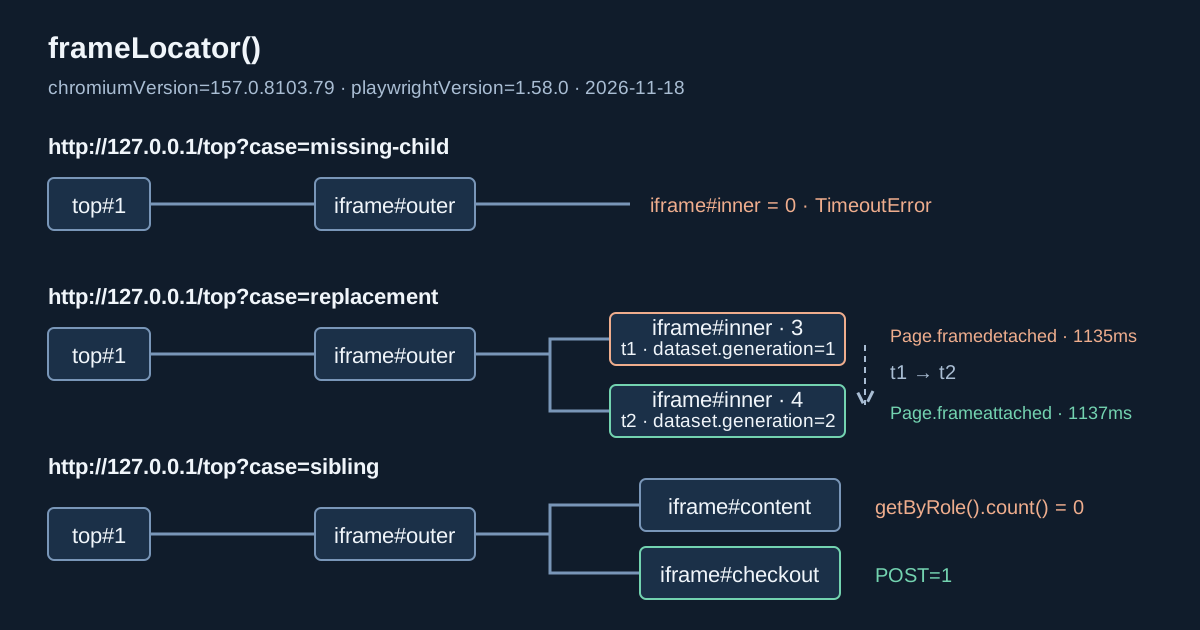
The tree contains only two live frames. The following is a compact rendering of the recorded names, parent relationships and URL paths; the local server's temporary port is omitted:
top #1       /top?case=missing-child
└─ outer #2  /outer?case=missing-child

targetDocument: null
businessOrders: 0
visibleTopStatus: No order yet
The runner asserted one outer iframe element in the main document and zero #inner elements inside it. It then attempted the nested click with a deliberately short diagnostic budget and caught the expected TimeoutError from locator.click.
That 650-millisecond budget belongs to a deterministic local negative case. It is not a recommended timeout for a production embedded application. The useful finding comes from the missing iframe element and the captured tree, rather than the exact number of milliseconds before the action failed.
const outer = page.frameLocator('#outer');
await expect(page.locator('#outer')).toHaveCount(1);
await expect(outer.locator('#inner')).toHaveCount(0);

const target = outer.frameLocator('#inner').getByRole('button', {
  name: 'Place order',
});
await expect(target.click({ timeout: 650 })).rejects.toThrow(/Timeout/);
await expect(page.getByRole('status')).toHaveText('No order yet');
These are Playwright Test statements for the already loaded fixture, with expect imported from @playwright/test. The zero-count assertion is appropriate because this fixture intentionally omits its child. For an application that promises to insert the child after a transition, assert the required positive count after triggering that transition. An immediate count() can help capture a diagnostic snapshot, but it does not retry until a delayed element arrives.
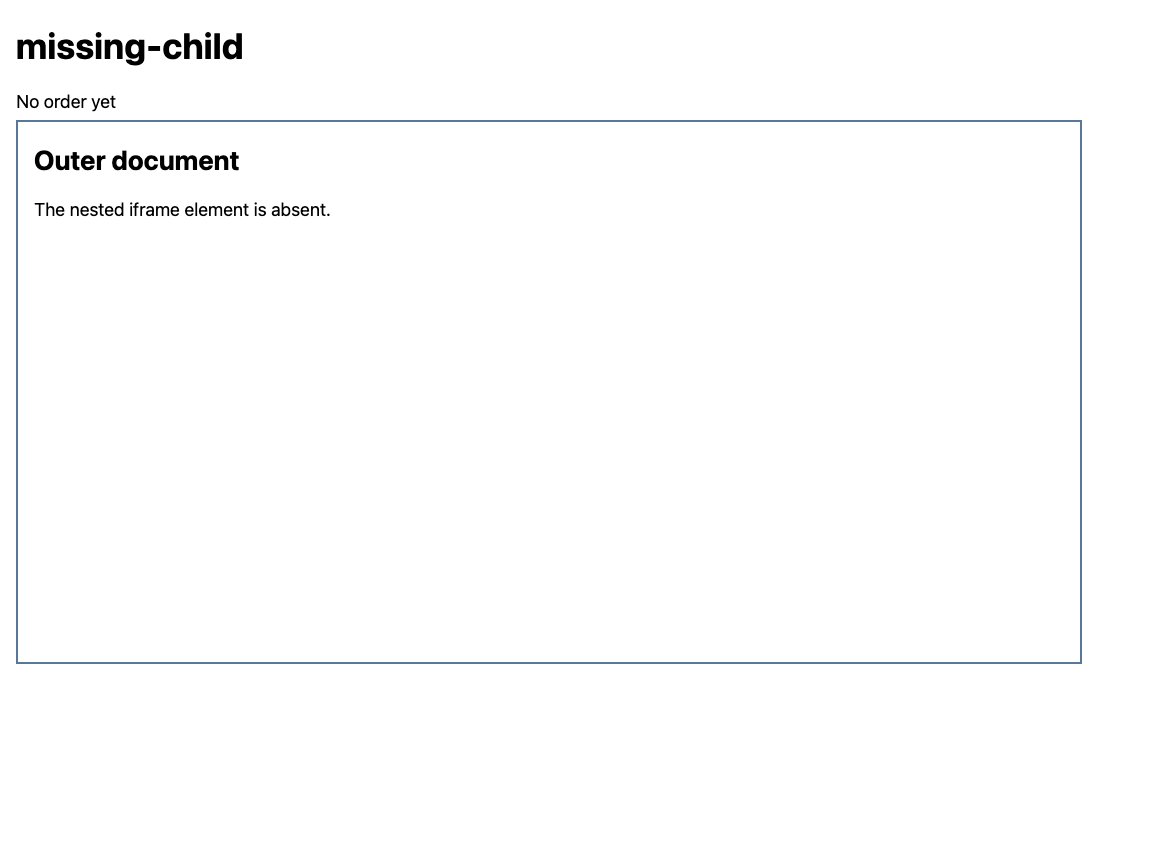
The screenshot shows an outer document with no embedded checkout. The server record independently contains zero orders for this case. Those observations support an absent target and an unchanged workflow; the picture alone could not establish that no hidden request was submitted.
In an owned application, investigate the condition responsible for creating #inner: a selected tab, a completed prerequisite, a feature state or the correct route. None of these possible production causes was tested here. A longer click timeout only gives an insertion more time to occur; it cannot make an application branch render content it is not designed to render. Likewise, changing a button name cannot help before its document exists.
Case two: replacement detaches the old Frame
The replacement fixture starts with #outer containing #inner, whose checkout document has data-generation="1" on its button. The main page exposes a Replace nested frame control. Its message handler causes the outer document to create a new iframe and call replaceWith() on the old one. The new element retains id="inner" and name="inner", but its URL selects generation 2.
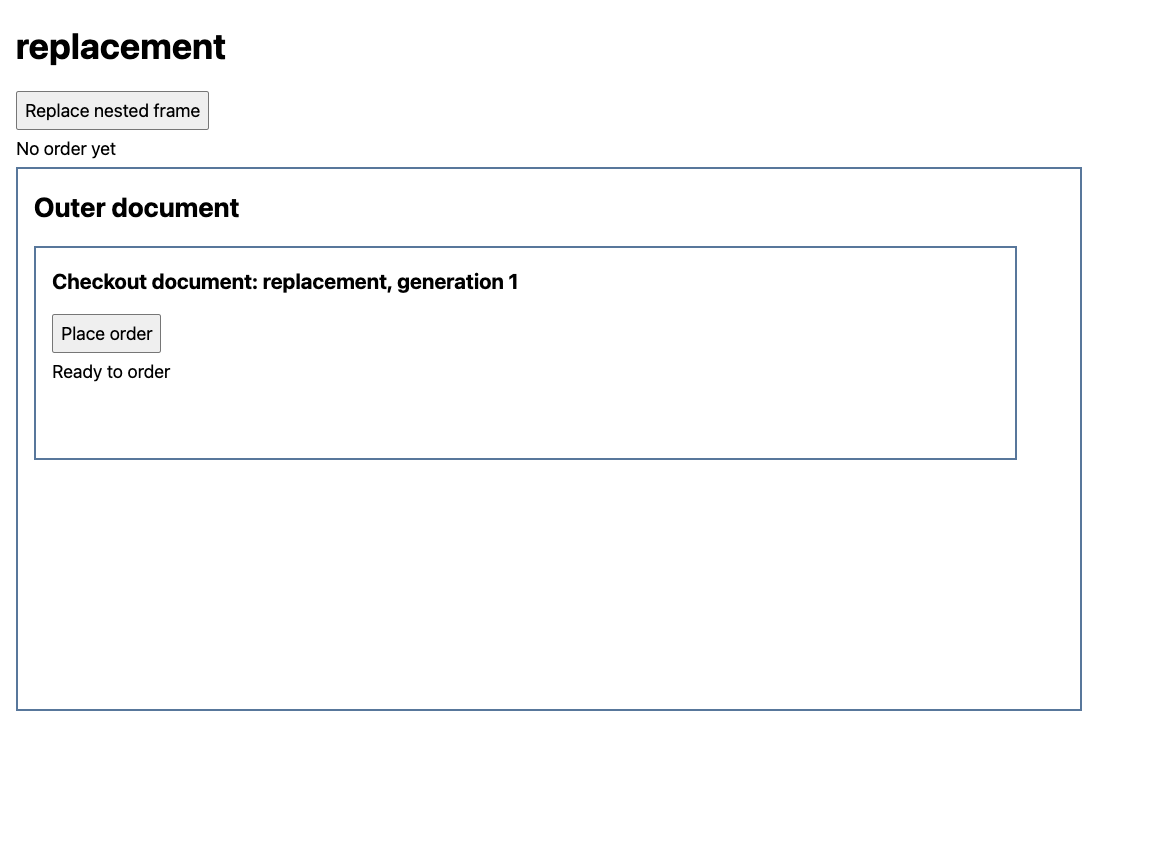
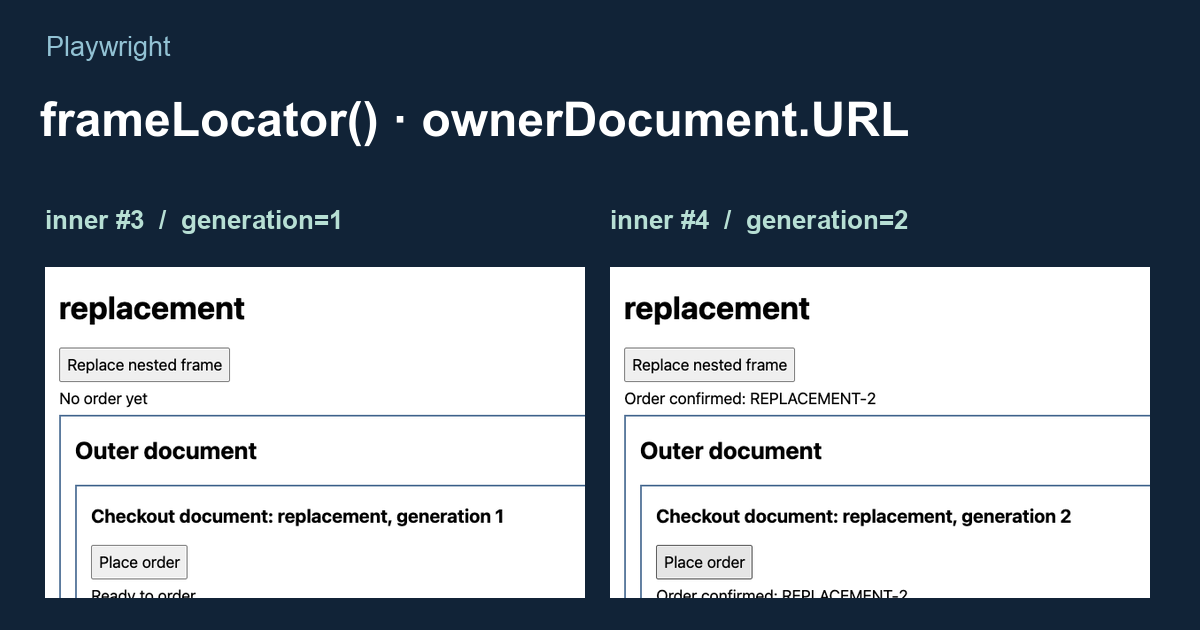
Before triggering replacement, the runner retained two different targeting paths. One was a nested FrameLocator-based button locator. The other was a button locator created from the currently selected Frame object. This makes the comparison about frame ownership rather than whether a JavaScript variable was declared before or after the transition.
const outer = page.frameLocator('#outer');
const target = outer.frameLocator('#inner').getByRole('button', {
  name: 'Place order',
});
await expect(target).toHaveAttribute('data-generation', '1');

const oldFrame = page.frame({ name: 'inner' });
if (!oldFrame) throw new Error('Initial inner frame is absent');
const oldTarget = oldFrame.getByRole('button', { name: 'Place order' });

const detached = page.waitForEvent('framedetached', {
  predicate: frame => frame === oldFrame,
  timeout: 3000,
});
await page.getByRole('button', { name: 'Replace nested frame' }).click();
await detached;

expect(oldFrame.isDetached()).toBe(true);
await expect(target).toHaveAttribute('data-generation', '2');
The fixture has exactly one frame named inner at the initial selection point. A real application needs a correspondingly unique identity; frame names are not automatically unique throughout an arbitrary page. The event wait is registered before the triggering click and matches the original object, so a detach from an unrelated analytics frame cannot satisfy it.
The observed frame tree changed as follows. Numeric IDs are assigned by the runner to distinguish frame objects within this case; they are not browser-provided permanent identifiers.
before:
top #1       /top?case=replacement
└─ outer #2  /outer?case=replacement
   └─ inner #3  /leaf?case=replacement&generation=1

after:
top #1       /top?case=replacement
└─ outer #2  /outer?case=replacement
   └─ inner #4  /leaf?case=replacement&generation=2
The runner recorded old frame #3 detaching at 1135 milliseconds, followed by new frame #4 attaching at 1137 milliseconds. These are elapsed timestamps from that scenario's start. Their ordering supports removal and replacement in this run; the two-millisecond separation is not a browser latency guarantee or a waiting interval to copy into a test.
Calling oldTarget.click({ timeout: 650 }) after the detach produced:
locator.click: Frame was detached
The retained target locator instead resolved the new button, whose owning document URL ended in /leaf?case=replacement&generation=2. It clicked generation 2 and produced one POST /order?case=replacement&generation=2. Both the child and main document then contained Order confirmed: REPLACEMENT-2.
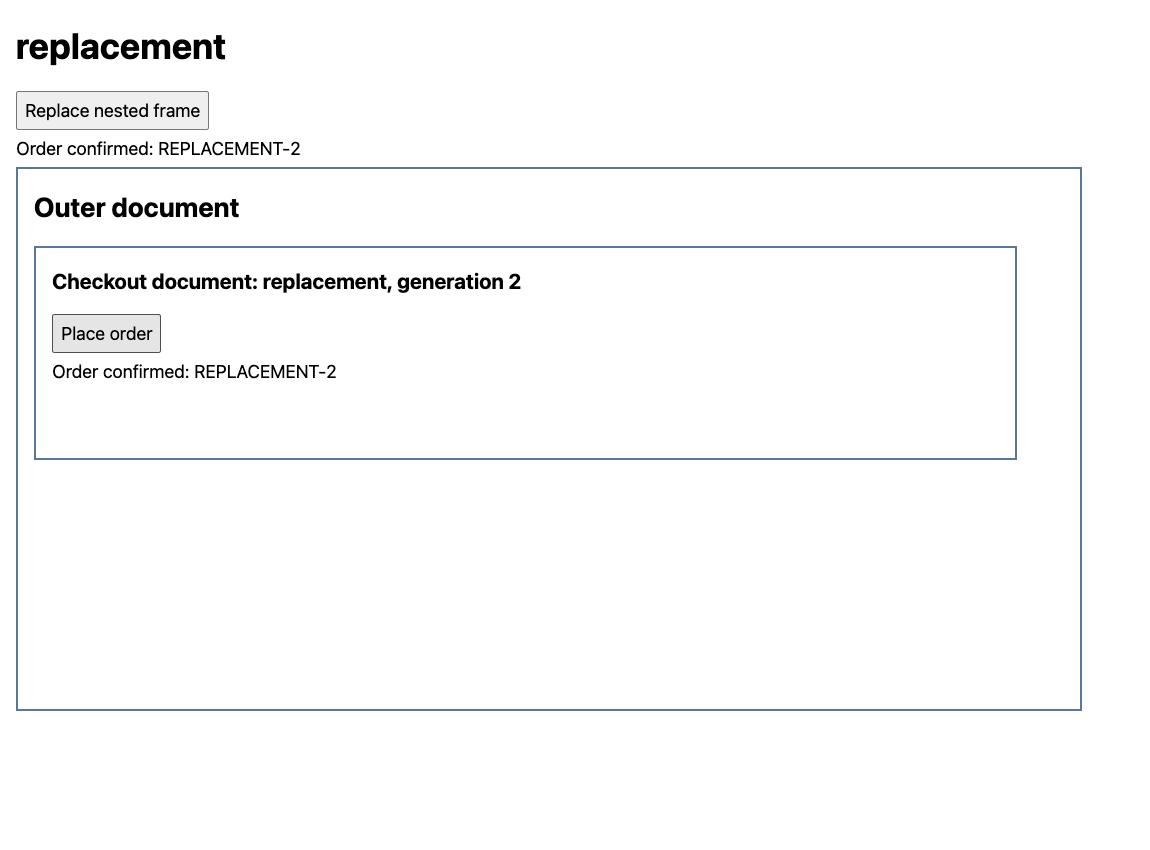
This demonstrates replacement of the iframe element. A navigation inside an existing iframe is a different transition and should not automatically be labeled a detached-frame problem. The Frame API distinguishes attachment, navigation and detachment. Use the actual lifecycle events when deciding whether a particular frame disappeared or merely navigated.
Nor does a FrameLocator promise success under continuous replacement. Its selector must still identify the desired iframe, the replacement must expose the required control, and actionability must hold when the action executes. If the application keeps discarding its checkout, preserve that lifecycle failure instead of hiding it inside an unbounded retry loop.
Case three: the target belongs to a sibling frame
The sibling fixture gives the outer document two child frames: content and checkout. Both load successfully. The content document explicitly has no checkout button; the checkout document contains the required Place order control. A test that enters #content can therefore wait unsuccessfully even though the intended control is visible elsewhere on the page.
top #1       /top?case=sibling
└─ outer #2  /outer?case=sibling
   ├─ content #3   /leaf?case=sibling&role=content
   │  buttons: []
   └─ checkout #4  /leaf?case=sibling&role=checkout
      buttons: [Place order]
The runner checked that each child iframe element existed, then asserted zero matching buttons inside content. The attempted click through that wrong sibling produced a TimeoutError from locator.click with the same 650-millisecond budget as the missing-child case. An error headline alone therefore cannot distinguish these two failures: one chain lacks a nested frame element, while the other enters a real document without the button.
const outer = page.frameLocator('#outer');
const content = outer.frameLocator('#content');
const checkout = outer.frameLocator('#checkout');

await expect(outer.locator('#content')).toHaveCount(1);
await expect(outer.locator('#checkout')).toHaveCount(1);
await expect(content.getByRole('button', { name: 'Place order' })).toHaveCount(0);

const target = checkout.getByRole('button', { name: 'Place order' });
await expect(target).toHaveCount(1);
await target.click();
await expect(checkout.getByRole('status')).toHaveText('Order confirmed: SIBLING-1');
Here the repair changes the frame boundary from #content to #checkout. It does not loosen the button name or disable actionability checks. The recorded target's owning document was /leaf?case=sibling&role=checkout, and the server received exactly one order for this case. Its returned receipt reached both the checkout and main document.
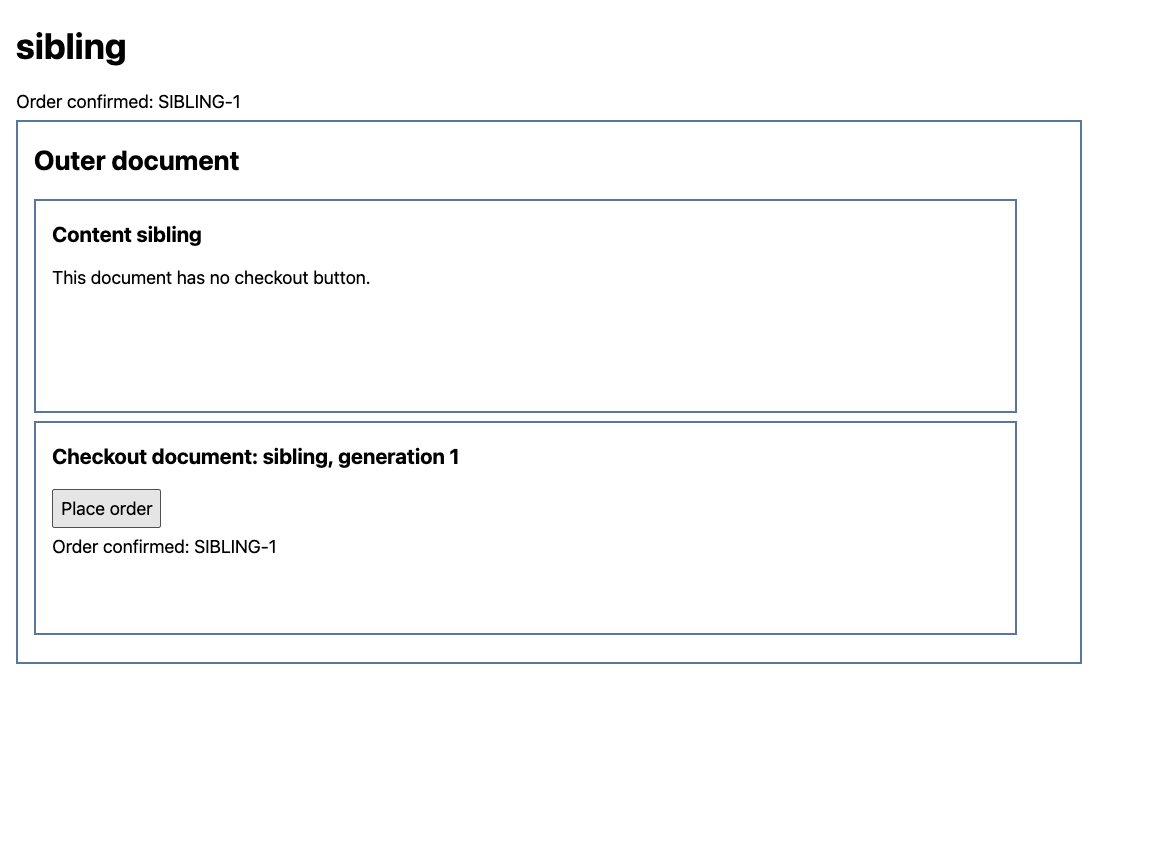
Do not translate that outcome into a rule such as “the second iframe is checkout.” In this fixture, explicit IDs define the document roles. An advert, an embedded preview or an application update can change enumeration order without changing checkout identity. Use an application-owned title, name, test ID or other stable selector whose meaning survives that change.
URLs are useful corroboration, with limits. Two frames can share a URL, and a valid checkout can navigate through several URLs. In this controlled tree, the role query parameter provides a convenient distinction because the fixture defines it. In a production integration, match the documented frame identity and state rather than assuming a substring such as payment always identifies the correct document.
Verify the document and the business result
The replacement and sibling cases do more than wait for a button. Immediately before clicking, the runner evaluates the matched button to obtain its ownerDocument.URL, generation and text. That snapshot associates the selected control with a specific document at that checking point. It complements the frame tree because the tree describes all live documents, while the target evaluation describes the element the locator actually matched.
const selected = await target.evaluate(button => ({
  url: button.ownerDocument.URL,
  generation: button.dataset.generation,
  text: button.textContent,
}));
console.log(selected);
This evaluation is not an atomic reservation of that element. A later action resolves its locator again, and the application can change between the snapshot and the click. The replacement fixture therefore checks generation 2 and verifies a receipt that itself includes generation 2. Its server-side order array supplies another independent check that the old generation did not submit an order.
| Scenario | Target document | Orders recorded | Final main-document text |
|---|---|---|---|
| Missing child | None | 0 | No order yet |
| Replacement | /leaf?case=replacement&generation=2 | 1, generation 2 | Order confirmed: REPLACEMENT-2 |
| Wrong sibling, then correct sibling | /leaf?case=sibling&role=checkout | 1, generation 1 | Order confirmed: SIBLING-1 |
Each successful click performs a real local HTTP POST. The leaf's handler reads the JSON receipt, updates its own status and forwards the receipt through parent messages. The outer document relays it to the main page. Consequently, a main-page confirmation depends on the fixture's message path as well as the embedded interaction. A broken relay could leave the main status unchanged despite a successful child operation; diagnose those two observations separately.
The recorded runner uses toHaveText() for receipt assertions. That checks the text condition, not visibility. Its final screenshots separately show the rendered confirmations. When a test requirement includes visible feedback, assert that requirement explicitly on the same status element:
const childStatus = checkout.getByRole('status');
const topStatus = page.getByRole('status');
await expect(childStatus).toHaveText('Order confirmed: SIBLING-1');
await expect(childStatus).toBeVisible();
await expect(topStatus).toHaveText('Order confirmed: SIBLING-1');
await expect(topStatus).toBeVisible();
These additional visibility assertions are a reusable test pattern; they are not extra assertions retroactively attributed to the recorded run. Playwright locator assertions retry the specified condition. A text check followed by a visibility check still observes two checking points, rather than guaranteeing that the status will remain visible forever.
The fixture server stores order records in memory and implements no database. Its POST and matching receipt establish the demonstrated request/response workflow, not durable purchase persistence. For an application whose requirement is a saved order, use its supported follow-up read or server assertion. Avoid automatically clicking again after a missing receipt: the first submission may already have succeeded.
Capture a frame tree before changing the wait
For an authorized page, a small independent probe can record parent relationships and lifecycle events without issuing a business action. Install playwright in a Node project, install its browser with npx playwright install chromium, and save the following as inspect-frames.mjs. Run node inspect-frames.mjs http://127.0.0.1:3000/your-page against an owned page already served at that address, replacing the URL with the target you are authorized to inspect.
import { chromium } from 'playwright';

const targetURL = process.argv[2];
if (!targetURL) throw new Error('Pass an authorized page URL');

const browser = await chromium.launch();
try {
  const page = await browser.newPage();
  const ids = new WeakMap();
  let nextId = 1;
  const id = frame => {
    if (!ids.has(frame)) ids.set(frame, nextId++);
    return ids.get(frame);
  };
  const describe = frame => {
    const parent = frame.parentFrame();
    return {
      id: id(frame),
      parentId: parent ? id(parent) : null,
      name: frame.name(),
      url: frame.url(),
      detached: frame.isDetached(),
    };
  };

  for (const event of ['frameattached', 'framenavigated', 'framedetached']) {
    page.on(event, frame => console.log(event, describe(frame)));
  }
  await page.goto(targetURL, { waitUntil: 'domcontentloaded' });
  console.table(page.frames().map(describe));
} finally {
  await browser.close();
}
The probe subscribes before navigation, so it can observe the initial frame lifecycle. Its table is a snapshot after DOMContentLoaded; it is not a promise that all later frames have appeared. For a child created after an application transition, place the table capture after that transition's explicit assertion in the real test. The probe deliberately closes its browser when finished and does not remain open waiting for arbitrary future events.
An attached frame can initially have an empty URL before its navigation event. Treat that intermediate observation as part of the sequence, rather than immediately assigning it the identity of the final embedded document. Also, do not rely on parentFrame() at detach time to reconstruct historical ancestry: preserve the earlier attachment or tree record. The page frame events and frame relationships document the available API observations.
For an intermittent replacement, retain the event sequence alongside the failing action. Playwright tracing for test debugging provides action snapshots and a timeline that can show which transition surrounded the failure. Opening the current page after a test fails may reveal a healthy replacement while losing the old frame and the exact locator context that caused the error. Redact tokens and account-specific values from frame URLs before sharing logs.
Only after locating the right document should a click timeout become an actionability investigation. Playwright actionability covers checks such as visibility, stability, enabled state and event reception. force: true does not insert a missing iframe, reattach an old frame or move the button into a selected sibling. If the target is correct but a wait concerns unrelated network traffic, networkidle timeouts and UI readiness separates that waiting condition from the required interaction state.
The examples use same-origin localhost documents so that lifecycle, content and order records are controlled. They do not test cross-origin authentication, sandbox permissions, content-security policies or third-party embedding restrictions. Playwright's supported frame APIs are the appropriate control interface for embedded documents; parent-page JavaScript access is separately constrained by the browser's same-origin policy. A blocked real embed needs its own response and console evidence before being assigned one of these local fixture explanations.
BotBrowser's Playwright integration documents the executable and profile setup for running the automation client against BotBrowser. That configuration can support a controlled browser environment for reproducing an application issue. It cannot identify checkout from a generic iframe index, guarantee that a replacement remains mounted or establish an order's result. The three stock-Chrome cases add frame-tree, lifecycle and receipt comparisons beyond browser launch configuration; they establish no BotBrowser-specific frame behavior.
FAQ
Does waiting for the outer iframe to load cover all nested frames?
No single load milestone establishes every future child document. An application can insert a nested iframe after the outer document loads. Assert the intended child element and its required state at the point of use; keep that assertion scoped inside the correct parent document.
Is every navigation a detached-frame error?
No. Navigation and detachment are separate lifecycle events. An iframe may navigate while retaining its frame object. The replacement example specifically removes an element and attaches a new frame; diagnosing another transition requires its actual event sequence.
Can a FrameLocator be stored before the iframe appears?
Yes. Creating a FrameLocator describes a retrieval path rather than requiring an immediate successful element lookup. Its later action still needs the matching frame and target to become available within the applicable timeout. Construction alone is not a readiness check.
Why can two different frame problems produce the same timeout?
A nested click waits on a chain of conditions. In the recorded missing-child case, an iframe element is absent; in the sibling case, the selected document lacks the button. Preserve the full call log and query each boundary to distinguish those unmet conditions.
Sources
- Playwright: Frames and frame-scoped interactions
- Playwright: FrameLocator API and strictness
- Playwright: Frame lifecycle and relationships
- Playwright: Page frame attachment events
- Playwright: Actionability
- Playwright: Retrying assertions
- MDN: Same-origin policy
- BotBrowser: Playwright integration
Practical conclusion
For a Playwright iframe not loading or a wrong-frame timeout, inspect one failing locator chain boundary by boundary. Establish whether the child element exists, whether the selected frame survived the application transition and whether the target belongs to that document. Then keep the intended frame path, perform the action once and verify the workflow-specific result. Begin with a frame-tree capture beside the failing action; it separates three different faults before a timeout change can obscure them.
This article is part of the guide: Browser Automation Getting Started: A First Run Map
Related Articles
Selenium Shadow DOM: Missing Elements and Stale Roots
Getting StartedPlaywright networkidle Timeout: Wait for the UI
Getting StartedSelenium Element Not Interactable: Diagnose the Cause
Getting StartedPlaywright Wait for Response After Click: Fix the Race
PlatformPermissions Policy for Embedded Browser Features
Getting StartedSelenium WebDriver Waits for Stable Tests
Run the same check in BotBrowser
Load a profile, keep the signals you just read about consistent inside the browser, and confirm the result on your own machine before a rollout.