Badging API for PWA notification boundaries
Use setAppBadge and clearAppBadge for bounded PWA status while separating badge state from Web Push, Notification permission, and private counts.
BotBrowser Team
Want the structured docs for Platform?
This article lives in the editorial library. For step-by-step setup, reference material, and ongoing updates, jump into the docs section.
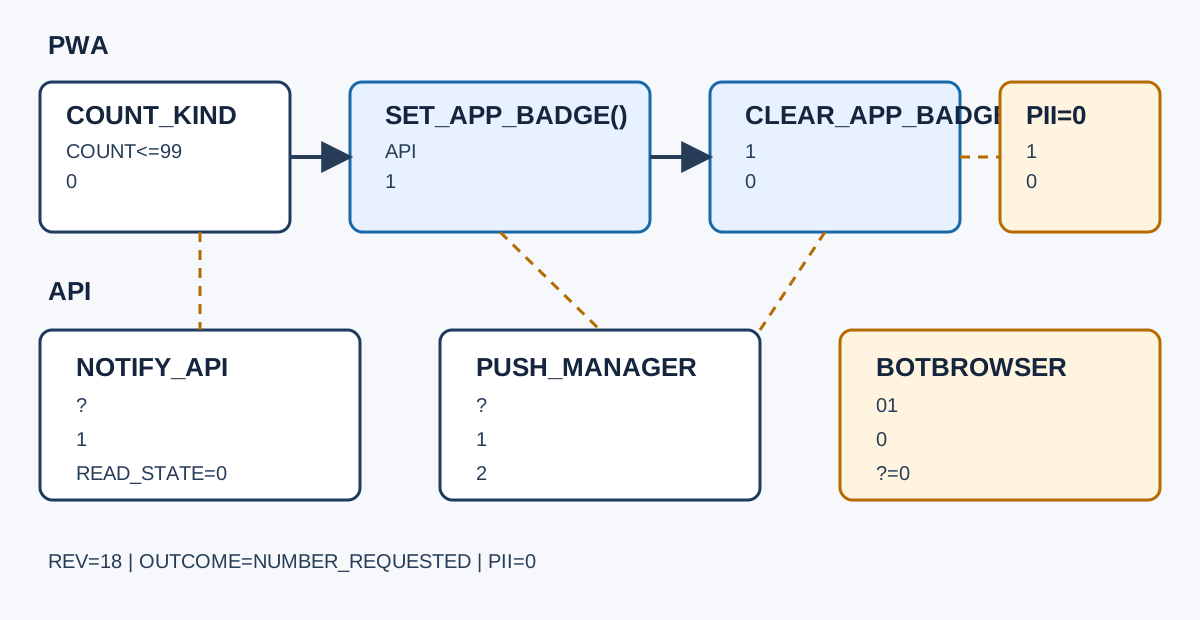
A PWA badge can answer “is there work waiting?” without opening a notification prompt, but it is not a delivery channel or a permission grant. BotBrowser can replay an authorized page that calls navigator.setAppBadge() and navigator.clearAppBadge() and record the visible capability branch; it cannot add Badging API support, deliver Web Push, or prove that a private server count is safe to expose. When the input arrives through a service worker, compare this boundary with Web Push subscription lifecycle and privacy; when the PWA is receiving shared content, Web Share Target PWA ingress and privacy covers a different data path.
TL;DR
setAppBadge()places a numeric badge or a non-numeric dot on an installed app shortcut;clearAppBadge()removes the app's badge state.- A badge is a small presentation hint. It does not request notification permission, wake a service worker, deliver a push message, or confirm that a user saw work.
- Use a bounded, user-relevant count. Collapse large values, avoid identifiers and sensitive categories, and clear or reduce the badge when the corresponding work is actually acknowledged.
- Feature-detect
navigator.setAppBadgeandnavigator.clearAppBadge; an unsupported browser needs an honest in-page or icon fallback, not a fake delivery claim. - Keep badge state separate from
Notification,PushManager, and server delivery records. A successful badge call only reports that the browser accepted a local presentation request.
Contents
- Define the badge contract
- Choose numbers, dots, and clearing moments
- Build an unsupported fallback
- Separate badges from push and notifications
- Minimize counts and verify browser boundaries
- Practical conclusion
Define the badge contract
The W3C Badging specification exposes setAppBadge() and clearAppBadge() on Navigator. The methods target the app's launcher or task-switcher representation, not an arbitrary DOM element. A user may see a number, a dot, or no visible indicator depending on the operating system, installation mode, browser, and user settings. The API therefore describes a request for app-level presentation, not a pixel-level rendering guarantee.
The number has a narrow meaning: it should summarize outstanding app work that a user can act on. Calling navigator.setAppBadge(3) does not reserve three notification slots, create three inbox records, or establish that three messages arrived. Calling navigator.setAppBadge() with no argument requests a non-numeric badge, commonly rendered as a dot. Use the dot when the exact count is unavailable or would reveal more than the user needs.
The MDN Navigator.setAppBadge() reference documents the optional contents value and the secure-context requirement. The MDN Navigator.clearAppBadge() reference documents clearing the app badge. Treat both pages as API contracts, not as a promise that every desktop shell or mobile launcher paints the same glyph. A successful promise means the browser accepted the request; it does not expose the launcher's final pixels.
Give the badge one owner. A page, service worker, and background sync task should not each invent a count from different snapshots. Store a small presentation record with source, countKind, count, updatedAt, and outcome. countKind can be exact, bounded, or dot; it should never contain a thread title, account identifier, or message body. The updatedAt value lets support identify a stale snapshot without storing message content.
The owner also needs an ordering rule. A late response with count 2 must not overwrite a newer acknowledged state with count 0. Include a monotonic revision generated by the application state owner, or discard updates whose snapshot is older than the current one. The browser does not know whether one page's request is newer than another page's request. Race handling belongs in application state, before calling the API.
Keep the app identity boundary explicit. An installed PWA can have a launcher badge while its browser tab has no matching visual mark. A tab title, favicon, DOM counter, and app badge are separate surfaces. A design that needs all four should update each one deliberately and should not infer that an app badge changed because a DOM counter changed. The PWA installation and display documentation explains related installation context; it does not turn a badge request into an installation check.
Choose numbers, dots, and clearing moments
Use a numeric badge only when the number is stable enough to guide a decision. An unread count of 7 can tell a person to open an inbox. A count of every background retry, hidden system event, or internal queue item is not user work. If the source is approximate, label it as bounded in the record and consider a dot. The Chrome Developers Badging API overview describes the common PWA use case while leaving product semantics to the application.
Do not let the number grow without a policy. A launcher that shows 12437 reveals workload and looks like an error. Clamp at a declared display maximum, such as 99, then switch to a dot or an 99+ product-owned label in the in-app UI. The API accepts a non-negative unsigned long, but the platform may apply its own formatting or limits. A clamp protects usability and reduces precision that is not needed for the next action.
Clearing is a state transition, not a timer. Clear the badge when the user has completed the action that the badge represents, or when the application has a documented reconciliation event. Opening a route is not always acknowledgement: a person can open an inbox while the messages remain unread. If the product marks all visible items read after a successful server write, call clearAppBadge() only after that write succeeds, and keep the count if it fails.
Partial acknowledgement needs a decrement rule. If a user reads two of five items, call setAppBadge(3) after the authoritative state changes. Do not subtract two from a local display if another device may have added work. A fresh server snapshot or an append-only local event log should determine the next count. If the source is unavailable, retain the last known badge with a short freshness field or clear it and show an offline indicator inside the app; do not silently claim that the work is gone.
Navigation and lifecycle events can produce stale clearing calls. Imagine tab A has setAppBadge(4), tab B acknowledges all work and calls clearAppBadge(), then tab A resumes and calls setAppBadge(4) from its old cache. The visible result is wrong even though every API call succeeded. Serialize badge decisions through one state owner, or attach revision: 18 to the update and reject revision 17. The platform cannot arbitrate this race.
The following helper keeps the decision in one place. It intentionally returns an outcome for diagnostics rather than pretending that a successful call is a delivery receipt:
async function applyBadge(state) {
  const { revision, count, acknowledged, supported } = state;
  if (!supported || typeof navigator.setAppBadge !== 'function') {
    return { revision, outcome: 'unsupported', fallback: 'in-app-status' };
  }
  if (acknowledged || count === 0) {
    if (typeof navigator.clearAppBadge !== 'function') {
      return { revision, outcome: 'clear-unsupported', fallback: 'in-app-status' };
    }
    await navigator.clearAppBadge();
    return { revision, outcome: 'cleared' };
  }
  if (state.countKind === 'dot') {
    await navigator.setAppBadge();
    return { revision, outcome: 'dot' };
  }
  const bounded = Math.min(Math.max(0, count), 99);
  await navigator.setAppBadge(bounded);
  return { revision, outcome: 'number', count: bounded };
}
The supported field above is application policy, not a browser fact. A capability probe should still verify each method at call time, because a page may run in a context where the interface is absent or restricted. Catch a rejected promise and retain the same in-app state. Do not turn an exception into “the user has no unread work.” The error means the presentation request failed.
Build an unsupported fallback
Feature detection should be narrow and reversible:
const canBadge = 'setAppBadge' in Navigator.prototype && 'clearAppBadge' in Navigator.prototype;
A browser can expose one method and not the other, so test both before promising a clear path. A secure context, installed-app mode, browser version, operating-system integration, and managed policy can each affect the result. The MDN Badging API guide lists availability and usage context; it does not authorize a page to emulate a launcher badge by changing another application's icon.
When the API is unavailable, show the same bounded state in the application: an accessible inbox count, a title update, a visible “new work” marker, or a navigation item with aria-current only when it reflects the current route. Keep the fallback local to the page and do not claim that it will appear on a home-screen icon. A favicon dot may be useful, but it is a separate implementation with its own privacy and accessibility review.
Fallbacks must preserve clearing semantics. If a user acknowledges work while the native badge is unavailable, remove the in-app marker after the authoritative state changes. If the API becomes available after installation or a browser update, reconcile from the current state rather than replaying every historical event. The first successful call should represent the present count, not a burst of old notifications.
Do not use a Web Push message as the fallback for a missing badge. Push delivery needs a subscription, a service worker, permission and an application server; it is not guaranteed to arrive while a page is closed. Conversely, do not use a periodic timer as a push substitute. A timer can refresh a visible page but cannot guarantee background execution, freshness, or battery behavior.
Record fallback reasons without exposing the trigger. A compact result such as { "capability": "absent", "fallback": "in-app-status" } is enough for support. Avoid storing the URL of a private conversation, the text of a notification, or an account's exact unread total in a long-lived analytics event. Capability telemetry should answer which branch ran, not which person had work waiting.
Separate badges from push and notifications
Notification and Badging API solve different problems. A Notification API request asks for permission to display a system notification and can be denied, granted, or left undecided. A badge call does not prompt for that permission. It may be appropriate when a user wants a quiet reminder on an installed PWA, but it cannot replace an explicit notification preference.
Web Push is a delivery pipeline, not a badge state. PushManager.subscribe() creates a subscription that a server can use through a push service; a service worker receives the event and may show a notification or update application storage. The Push API specification and MDN Push API guide describe subscription and delivery surfaces. Neither says that a push was delivered to a particular launcher, that the service worker ran at a chosen time, or that a badge was updated.
The three surfaces can be composed, but each needs a separate record:
| Surface | What it requests | What it cannot prove | Typical owner |
|---|---|---|---|
| Badging API | Local app-level number or dot | launcher pixels, delivery, acknowledgement | page or coordinated app state |
| Notification API | permission to show a system notification | permission grant, attention, read state | page or service worker |
| Web Push | server-to-service-worker delivery opportunity | arrival time, display, app state | push service and service worker |
For example, a server may send one push for a batch of new messages. The worker can update an encrypted or otherwise minimized local record, show a notification only if policy allows, and ask the page to reconcile a badge count when it becomes active. The badge should come from the authoritative unread state, not from the number of push events. Retries, collapse keys, multiple devices, and offline periods make event counts unsuitable as unread counts.
Permission state is another boundary. A user can deny notifications while still using an app badge. A user can grant notification permission while the PWA is not installed, so there may be no launcher surface to badge. A push subscription can expire while a previously set badge remains visible. On startup, reconcile the badge from current application state and treat permission, subscription, and badge support as independent fields.
Do not clear a badge merely because a notification was displayed. Display is not acknowledgement, and a notification action can fail to reach the application. Clear after the user action and state write that the badge represents. If a notification opens a route, the route can request reconciliation, but it must not assume that opening equals reading.
Minimize counts and verify browser boundaries
A badge count is a data disclosure even when it is only a number. On a shared lock screen, task switcher, stream, screenshot, or screen recording, 42 can reveal work intensity or account activity. Choose the least precise signal that still helps: a dot, a small bucket such as 1, 2-5, 6-20, or a clamped display maximum. Keep sensitive categories out of the count. “Unread security alerts” and “unread private messages” may need different policies even when both become a dot.
Count only what the user can reasonably act on. Do not include hidden moderation queues, billing retries, internal telemetry, or records blocked by authorization. A server should return a purpose-specific aggregate, not a raw table size. If the count comes from multiple accounts, tenant boundaries, or shared devices, calculate it after authorization and before the presentation call. Never put a user id or conversation id in the badge argument; the API accepts a number, not a reason.
The fixture below is intentionally bounded. It proves branch selection and clearing order, not the launcher's final appearance:
const record = {
  fixtureId: 'badge-boundary-01',
  countKind: 'bounded',
  count: 3,
  revision: 18,
  outcome: 'pending',
};

try {
  if (typeof navigator.setAppBadge !== 'function') {
    record.outcome = 'unsupported';
  } else if (record.count === 0 && typeof navigator.clearAppBadge === 'function') {
    await navigator.clearAppBadge();
    record.outcome = 'cleared';
  } else if (record.count > 0) {
    await navigator.setAppBadge(Math.min(record.count, 99));
    record.outcome = 'number-requested';
  } else {
    record.outcome = 'clear-unsupported';
  }
} catch (error) {
  record.outcome = error.name === 'NotAllowedError' ? 'policy-error' : 'api-error';
}
Run the same fixture with the methods present, with each method absent, after an acknowledgement, and after a rejected call. Keep browserVersion, context, revision, countKind, and outcome; omit account data. An expected record might be:
{
  "fixtureId": "badge-boundary-01",
  "context": "installed-pwa",
  "revision": 18,
  "countKind": "bounded",
  "requestedCount": 3,
  "outcome": "number-requested"
}
BotBrowser can replay an authorized fixture with a declared profile and capture this visible state record, including unsupported, number-requested, cleared, and error branches. It cannot force a launcher to render a number, grant notification permission, deliver a push event, or certify that a count is harmless for a real account. Treat a fixture as evidence about one browser context and one synthetic state, not as a cross-platform guarantee.
Compare the first changed field after a browser, manifest, installation, permission, or service-worker change. If capability changes, inspect support and secure-context assumptions. If outcome changes from number-requested to api-error, inspect the rejected promise and policy. If the count changes without a corresponding revision, inspect state ownership. If a notification arrives while the badge stays stale, inspect reconciliation instead of blaming delivery. This ordering keeps the diagnosis bounded.
The rollout can use a quiet-by-default state machine: no-work, work-present, acknowledgement-pending, reconciled, and unsupported. The state machine owns the count and revision; the page or worker merely requests presentation. On logout, account switch, or authorization loss, clear the badge and discard account-scoped local state. A launcher can outlive a page session, so cleanup belongs to the account lifecycle, not only to beforeunload.
Public sources
- W3C Badging specification
- MDN: Badging API
- MDN: Navigator.setAppBadge()
- MDN: Navigator.clearAppBadge()
- Chrome Developers: Badging API
- MDN: Notification
- W3C Push API
- BotBrowser: Automation consistency
Practical conclusion
Use setAppBadge() for a bounded, user-actionable number or dot, and use clearAppBadge() only after the state it represents is acknowledged or reconciled. Feature-detect both methods, keep an accessible in-app fallback, and record capability, revision, and outcome without private message data. Treat badges, notification permission, and Web Push delivery as independent surfaces. BotBrowser can repeat the synthetic state machine and expose its branch, but the launcher, push service, and privacy decision remain outside that fixture. The next safe action is to define the count owner and clearing event, then run the four-row boundary fixture after every browser or service-worker change.
This article is part of the guide: Web Platform Surfaces: A Consistency Review Map
Related Articles
Web Push Subscription Lifecycle and Privacy
PlatformWeb Share Target PWA Ingress and Privacy
PlatformWeb Share API: Permission Boundaries and Safe Fallbacks
PlatformWeb Share API and User-Initiated Sharing
PlatformBroadcastChannel: Same-Origin Messaging and Privacy Limits
PlatformWeb MIDI API: Permission and Device Privacy
Take BotBrowser from research to production
The guides cover the model first, then move into cross-platform validation, isolated contexts, and scale-ready browser deployment.