--bot-performance-timing: Browser Timing Signals and Fingerprinting
Understand BotBrowser's --bot-performance-timing basic and advanced modes, the Performance Timing APIs they affect, and the limits of proxy and anti-bot cross-checks.
Want the structured docs for Fingerprint?
This article lives in the editorial library. For step-by-step setup, reference material, and ongoing updates, jump into the docs section.
--bot-performance-timing is a browser-level control for keeping a browser profile's observable timing surfaces coherent. It is not a promise that a website will accept a session, and it does not hide the network facts exposed by a proxy or by server-side telemetry. The useful question is narrower: do the timing values that a page can read describe one plausible navigation and resource lifecycle?
What the flag controls
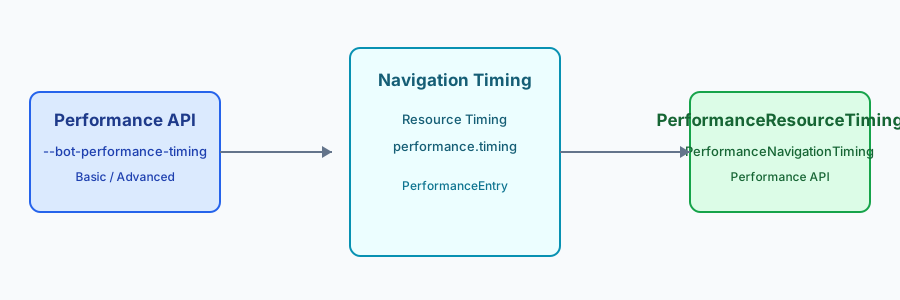
The flag applies to the browser's timing model rather than replacing JavaScript properties after a page loads. That distinction matters because pages can read several views of the same lifecycle: performance.now() for elapsed time, PerformanceNavigationTiming for the document navigation, PerformanceResourceTiming for subresources, and the older performance.timing object. A profile that changes only one getter is easy to contradict with another view.
BotBrowser documents two public operating levels. Basic keeps timing values plausible and mutually consistent for ordinary profile use. Advanced applies the documented timing intervals, whose exact parameters remain experimental. The issue record does not define a global or page-level seed; its reproducibility reference is the immutable raw-timing query and stable digest. These names describe scope, not a detector score or a guarantee of indistinguishability.
For a profile review, define the observation window before selecting a mode. A cold first visit, a restored page, and a single-page-app route change expose different event sets. Keeping that context beside the mode prevents a test from treating an expected lifecycle difference as a configuration defect.
Basic mode: coherent lifecycle values
Basic mode is the conservative choice when an application needs normal navigation and resource timing semantics. The browser preserves ordering relationships such as request start before response end, non-zero navigation phases after a real load, and stable values when the same entry is read repeatedly. Modern entries and the legacy object are derived from the same lifecycle so that their corresponding phases do not drift.
This mode does not make every page take the same amount of time. Network conditions, cache state, CPU scheduling, redirects, service workers, and the page itself still affect the observed result. For finalized resource entries and a navigation after responseEnd, repeated reads should remain stable. Before responseEnd, one Basic-to-Advanced transition is allowed as the navigation becomes final. The goal is to avoid an artificial contradiction introduced by selective API patching. Applications should continue to treat timing as diagnostic context, not as an identity value.
Basic mode is also a useful compatibility baseline. Run it with the browser's ordinary privacy precision and with the cache states your application supports. If a measurement is unavailable, let the feature continue with a documented fallback instead of filling the gap with a synthetic number.
Advanced mode: experimental intervals across views
Advanced mode applies the documented timing intervals while preserving the shape of a valid navigation. It has no global or page-level seed. For finalized resource entries and navigation after responseEnd, repeated reads remain stable; before responseEnd, one Basic-to-Advanced transition is allowed as the entry is finalized. The interval parameters remain experimental, so compare scoped workloads rather than treating them as an identity distribution.
The public issue record describes coverage for getEntries(), getEntriesByType("navigation"), resource entries, performance.timing, and performance.toJSON(). It also names an immutable raw-timing query and stable digest; it does not establish a global or page seed. A useful acceptance check is therefore cross-view comparison: corresponding navigation phases should remain within the documented tolerance, and the legacy representation should describe the same event sequence as the modern navigation entry. Advanced mode is an experimental interval configuration, not a promise of a new seeded identity.
Treat the interval configuration as experimental test data. The stable digest belongs to the immutable raw-timing query, not to a global or page seed, and it cannot make server load, operating-system scheduling, or a changing JavaScript bundle deterministic. Keep those workload variables visible when comparing two runs.
What a page can observe
The Performance API exposes elapsed-time and entry-based views, subject to browser precision and privacy reduction. A page can inspect navigation milestones, resource fetch entries, marks and measures created by its own code, and the legacy timing object where it remains available. It can also compare ordering, zero-versus-non-zero states, repeated reads, and relationships between navigation and resource entries.
Those observations are about the current document and its loading environment. They are not a reliable measurement of a device's raw CPU speed or a person's identity. Background work, cache reuse, scheduling, connection reuse, and browser policy can all change a sample. The Performance API guide explains why timing belongs in a broader, privacy-aware review with hardware and rendering signals kept separate.
The same separation helps incident response. A slow resource can be a cache miss, a route problem, or application work after the response arrives. Start with the lifecycle and ownership of the measurement, then inspect adjacent signals only when they answer a different question.
How proxy and anti-bot checks intersect
Timing is only one layer of a cross-check. A service can compare browser-reported navigation phases with server-observed request arrival, connection reuse, redirect behavior, and cache headers. A proxy can add latency or alter route characteristics without changing the browser's local API values. Conversely, a locally plausible timing record cannot make an inconsistent proxy route, TLS profile, IP reputation, or authentication history disappear.
For an authorized quality review, compare categories rather than collecting a fingerprint: browser timing entries, server request timestamps, and proxy health events should answer the same operational question. Keep tolerances workload-specific and avoid publishing detector thresholds. A timeout, retry, or missing resource should remain an ordinary failure path with a useful fallback. The network-layer consistency guide covers the separate egress and browser layers.
When a comparison finds a mismatch, preserve the original category and timestamp rather than collapsing everything into a single “bot” label. That makes it possible to correct a proxy route, a cache policy, or a page regression without changing browser timing settings unnecessarily.
Limits and responsible use
The flag does not change the browser support contract of the Performance API, guarantee identical values across operating systems, or remove all timing variation. It also cannot authorize access, solve a challenge, or establish that a session is human. Use the documented modes for reproducible testing, profile consistency, and privacy review. Do not combine timing traces with account identifiers or retain raw traces longer than the diagnostic purpose requires.
Before shipping a profile, verify three behaviors: a real navigation has ordered, non-zero milestones; modern and legacy views agree; and a missing or delayed resource leaves the application usable. Record the selected mode and interval configuration as test metadata, not as a user identifier. Recheck the public contract after browser upgrades because API availability and precision policies can change.
Make the verification fixture observable without making it identifying. A short run identifier, browser release, profile revision, and workload label are enough to join page, server, and gateway records. Keep the join key scoped to that run, redact query strings before exporting traces, and retain aggregates after the diagnostic window closes. This gives operators a reproducible explanation for a timing change while limiting the chance that a performance sample becomes a durable cross-session signal.
Document the expected fallback in the acceptance case so upgrades are judged by user-visible behavior, not a brittle numeric cutoff.
Reading a navigation entry safely
Navigation entries describe one document request, but their fields have different meanings. A redirect can add phases before the final response. A service worker can satisfy a request without the same network path as a cold load. A cache hit can make a resource fast without implying a faster processor. Read the entry as a lifecycle record and preserve those distinctions in dashboards and support notes.
An application should first feature-detect the API and then handle an empty entry list. A page loaded from a prerender, a restored back-forward cache entry, or a document that has not reached the relevant phase may not expose the same fields at the same time. A missing optional measurement should not block the primary task. This fallback behavior is also useful for privacy: it prevents a product from treating every unavailable signal as a reason to collect a substitute identifier.
For production code, copy only fields that answer a defined question and label the navigation state that produced them. A redirect, cache restore, and cold load are different events. Keep parsers tolerant of fields added by newer releases, and treat an unsupported field as unavailable instead of synthesizing a replacement. These rules make timing dashboards easier to interpret and reduce pressure to collect more data than a support case requires.
Resource timing without overinterpretation
Resource entries can help explain a slow stylesheet, image, script, or fetch, but they do not provide a complete network trace. The browser may apply timing-allow-origin rules, reduce precision, omit entries, or evict older entries from the buffer. A resource can also be served from memory or a service worker. Compare the resource's role and outcome, not just a single duration.
When a product records performance outcomes, prefer bounded aggregates such as “optional preview completed” or “font fallback remained visible.” Do not upload a full list of URLs and timestamps by default. If a support case needs a trace, make the capture explicit, restrict its lifetime, and remove query strings or identifiers that are not needed to explain the failure.
Resource buffers are operational state. A busy application can fill a buffer and evict older entries, while a test that reads too early can see an incomplete list. Set a clear observation point, record whether the buffer was full, and avoid treating an empty list as proof that no request happened. For cross-origin resources, explain timing-allow-origin limits so a missing duration is not mistaken for a network failure.
Marks, measures, and application work
performance.mark() and performance.measure() describe work named by the page itself. They are valuable for release regression tests because the team controls the start and end points. They are not interchangeable with navigation milestones. A long application measure may include scheduling delays, user input, or a background tab, while a navigation field refers to a browser lifecycle phase.
Keep names stable across releases and document what each measure includes. A measure that crosses an optional network request should report cancellation and retry outcomes separately. This makes a timing change actionable without turning the name, duration, or URL into a cross-session profile. The same rule applies when tests run with basic or advanced timing configuration: compare the application outcome and the documented mode together.
For regression work, pair each measure with a user-visible criterion: content became usable, an interaction completed, or a fallback appeared. Keep marks close to that operation, and record cancellation separately. This prevents a harmless background task from dominating a release comparison and lets teams compare modes without assuming their distributions are numerically identical.
Precision, privacy, and repeatability
Browsers deliberately reduce the precision of some clocks. Cross-origin isolation, security policy, background throttling, and browser release changes can affect the resolution available to a page. A test that expects one exact fractional value is therefore brittle. Assert ordering, reasonable non-zero states, and relationships between entries instead.
Advanced mode is useful when a team needs the documented interval behavior for a controlled workload. Store the mode, interval configuration, browser release, profile version, and workload name in the test record. Do not treat the stable digest as a secret or as a user property: it describes the immutable raw-timing query. Delete raw traces after the comparison window and keep only the result needed for a release decision.
Repeatability still has boundaries. A stable digest for one immutable raw-timing query cannot freeze server load, operating-system scheduling, network congestion, or a changing application bundle. Record those dimensions and compare ranges or ordering rather than one exact sample. If a fixture changes unexpectedly, check the workload and browser policy before changing timing configuration.
Reviewing a proxy path
Timing review is stronger when its ownership boundaries are explicit. The browser owns local Performance entries. The server owns receipt timestamps, response status, and application-level completion. The proxy or gateway owns route health, connection failures, and policy events. A comparison can identify a slow segment without claiming that one layer caused every delay.
Use a synthetic endpoint or an authorized staging workload to exercise these boundaries. Include a warm cache, a cold cache, a redirect, a failed optional resource, and a retry. Compare broad phases and outcomes instead of attempting to classify a browser from microsecond differences. A proxy change that alters transport behavior should be reviewed as a network change even when browser timing remains internally coherent.
Write the ownership map beside the fixture: which timestamps come from the page, server, and gateway. Use correlation identifiers that expire with the test run instead of account identifiers. A disagreement is a prompt to inspect the relevant segment, not evidence that one layer is deceptive.
Anti-bot signals are not one API
Anti-bot systems may combine browser APIs with server observations, account history, rate patterns, and transport metadata. The flag addresses one browser-facing consistency problem. It does not rewrite an IP address, TLS handshake, cookie history, user action, or authentication event. A timing value that looks plausible is therefore only one input in a larger decision, and many services do not disclose how they weigh inputs.
Teams operating an authorized integration should document what they can measure and what they cannot. Avoid copying a challenge's private decision logic into a client test. Instead, validate that the application remains functional when timing precision is reduced, an entry is absent, or a route is slow. This produces a compatibility result that is useful without documenting private challenge rules.
The same discipline applies to vendor evaluations. Test documented compatibility behavior with synthetic traffic, but do not infer a provider's hidden score from a handful of samples. Judge the setting by supported page behavior, predictable tests, and clear privacy boundaries.
A bounded rollout checklist
Start with basic mode for a representative profile and confirm navigation and resource entries in the supported browsers. Add advanced mode only when its documented experimental intervals are needed for a scoped test or profile policy. For each mode, keep one fixture that checks modern entries against the legacy representation and one fixture that exercises an absent optional resource.
During rollout, compare completion, cancellation, retry, and recovery outcomes. Do not compare users by raw timing traces. If the result changes after a browser release, first check API availability, precision policy, cache state, and workload changes. Only then decide whether the timing configuration needs review. This sequence keeps the flag in its intended role: a bounded control for coherent, testable browser behavior.
Keep the rollout record short and reproducible: selected mode, interval configuration when applicable, browser release, fixture version, and aggregate outcome. Review it after upgrades or changes to caching and routing. If a page remains usable while one optional measurement is unavailable, prefer that resilient result over adding a new collection path.
Sources
Related Articles
Take BotBrowser from research to production
The guides cover the model first, then move into cross-platform validation, isolated contexts, and scale-ready browser deployment.