Browser Geolocation Permissions and Location Accuracy
Understand secure-context requirements, permission choices, accuracy tradeoffs, and privacy-safe fallbacks for browser geolocation.
Want the structured docs for Fingerprint?
This article lives in the editorial library. For step-by-step setup, reference material, and ongoing updates, jump into the docs section.
Browser geolocation can provide a position after a person approves a request. It is a user-mediated capability, not proof of identity, ownership, or intent. A dependable product explains why location is needed, requests it in a secure context, and keeps a useful path when permission is denied, revoked, timed out, unavailable, or too imprecise for the task. Accuracy is an estimate with a radius, not a promise of a particular address.
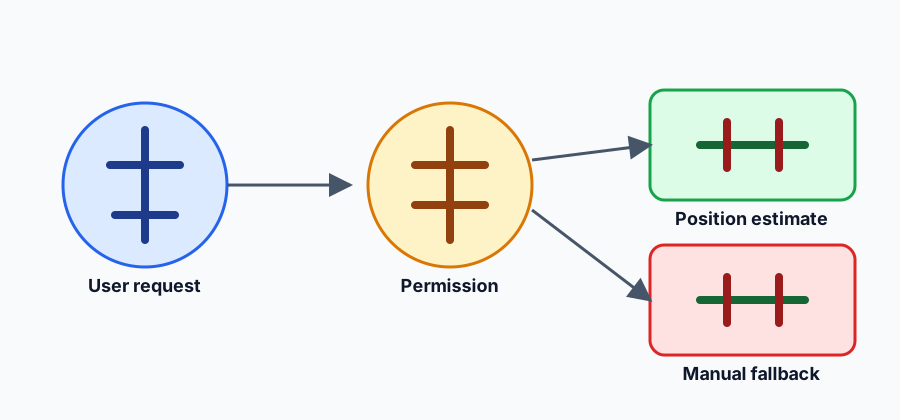
Permission and secure context
The Geolocation API is exposed through navigator.geolocation and is restricted to secure contexts. A request such as getCurrentPosition() should follow a clear user action and an explanation of the purpose. The browser may show a permission prompt, return a denial, or expose a previously selected permission state. The MDN Geolocation API and Permissions API document the public surfaces; neither makes approval universal.
Ask at the moment the location helps the person, not during unrelated page load. A denied request must not trigger a loop or pressure someone to weaken browser controls. The W3C Geolocation specification defines the permission-mediated model, while the browser and operating system decide whether a position can be produced. Treat denied, prompt, and unavailable states as normal product branches.
Permission can be revoked outside the page, and an administrator or platform policy can disable location. A prior approval does not guarantee a later result. Preserve entered data, explain the next available action, and provide manual entry, a saved place, or a map-independent workflow when location is optional.
Accuracy, timeout, and cached positions
getCurrentPosition() accepts options such as enableHighAccuracy, timeout, and maximumAge. These options express a product tradeoff. A short timeout can fail on a slow or obstructed signal; a long timeout can leave a person waiting. Allowing a cached position can make a page responsive, but the value may be old. Request high accuracy only when the user-visible task needs it and explain a meaningful delay or battery cost.
The returned coords.accuracy is an estimated radius in metres, not a guarantee that the person is within a particular boundary. Latitude and longitude can be missing, coarse, stale, or affected by browser, operating-system, network, and device conditions. Do not turn a radius into a precise street address without an explicit product decision and suitable evidence. A map marker should communicate uncertainty when it affects the task.
Define acceptable outcomes before requesting a position. A weather view may work with a broad area; delivery instructions may require the person to confirm an address; a safety workflow may need a separate reviewed control. Do not silently upgrade from a cached estimate to a high-accuracy request or keep polling after the task is complete. If a watch is required, show how to stop it and bound its lifetime.
Denial, revocation, and unavailable location
Handle permission denial, timeout, position-unavailable errors, and malformed results separately in code but consistently in the interface. Tell the person what failed and what remains possible. A manual address, postcode, saved location, or “choose on map” control can preserve the task without turning a missing signal into an error page. Do not infer that a denial means a person is somewhere else.
When a page returns from suspension or the person changes a setting, recompute a short-lived local decision. Do not retain a history of every coordinate or silently continue a watch after navigation. A browser release, private context, embedded frame, or managed policy can change availability. Document tested behavior, not a universal browser-family promise.
Minimize location data
Use the least precise result that completes the task. Keep a position in memory when it is needed for one view, and store a chosen place or preference rather than raw coordinates when the person asks to remember it. Do not put coordinates in URLs, analytics labels, account identifiers, screenshots, or support records by default. A location used locally does not authorize uploading it.
Explain a separate service boundary before sending a position to a server. Let the person choose whether to share, state the purpose and retention, and keep a local alternative when possible. Operational events usually need only an outcome such as permission_denied, coarse_location, or manual_fallback, not a coordinate history. Review error reporters, SDKs, caches, and service workers for accidental copying.
Location is sensitive context. Do not combine it with account, network, font, storage, timing, or device signals to infer identity, routine, income, health, or intent. A support case that genuinely needs a coordinate should have a documented purpose, limited access, short retention, and deletion check. Remove temporary diagnostic fields when the case closes.
Design and test the fallback
Test secure and insecure contexts, permission prompt, denial, revocation, timeout, unavailable position, stale cache, coarse accuracy, high-accuracy delay, and a person switching to manual entry. Assert that the core task, focus order, labels, and entered data remain available. Do not assert a particular latitude, longitude, address, device, or radio behavior.
Location controls must be keyboard accessible and understandable with a screen reader. State whether a result is approximate, cached, or unavailable. Preserve focus after a prompt closes and make retry an explicit action. Respect reduced motion and do not hide uncertainty in a moving map. A text address, list, or manual form should provide an equivalent route when the map or location service is unavailable.
The compatibility requirements should remain narrower than the evidence. Permission may be revoked, a platform policy may disable location, and future browser versions may change accuracy or availability. When a page is restored, a policy changes, or the person chooses a different place, recalculate the local decision, explain the limitation, and keep the ordinary task available. A temporary observation must not become a permanent account label.
See the browser permission privacy guide and browser privacy basics for related data-minimization choices.
Altitude is optional information, not a universal measure of a person's elevation. A browser may omit it, report a coarse value, or provide a value whose quality differs from latitude and longitude. Use altitude only when the task explicitly needs it, label the uncertainty, and keep a non-altitude path available. Do not infer a building floor, route, or activity from a single estimate.
The position timestamp describes when the position was obtained, not when the person made a request and not a guarantee that the device is still there. Show or store that time only when freshness matters. A cached result can be useful for a quick preview, but the interface should say that it may be old and offer a deliberate refresh. Never silently treat an old coordinate as current evidence.
Timeout and maximumAge should be tested together. A short timeout with a zero maximum age asks for a fresh result and may fail; a longer maximum age can make a task responsive while accepting stale data. Choose values from the user-visible requirement, document the fallback, and avoid retrying indefinitely. A retry should have a reason the person can understand.
Permission state is not the same as a successful position. A granted state can still produce an unavailable error, while a prompt state can end in denial. An embedded frame may also require an appropriate Permissions Policy and can be restricted by its top-level document. Treat the current context as part of the compatibility test and do not promise that moving the same code to another frame will preserve behavior.
Secure context is a prerequisite, not a quality signal. HTTPS allows the request to be considered, but it does not guarantee a sensor, network fix, or operating-system approval. Local development, private windows, managed profiles, and platform settings can produce different outcomes. Record the visible result of the tested context and keep the ordinary page usable in each one.
Recovery should distinguish a person choice from an environment failure. After denial, offer manual entry without another prompt. After a timeout, offer a bounded retry or a cached preview with its age. After an unavailable result, explain that the source cannot be reached and keep the task open. After revocation, let the person start a new request from the named control rather than launching one automatically.
Retention should match the task lifetime. Keep a one-screen position in memory, keep a saved place as a user choice, and avoid retaining a coordinate history when a coarse outcome answers the product question. If a service needs a coordinate, state the purpose, recipient, retention, and deletion path before transfer. Review serializers, error reports, analytics, service workers, and caches so raw values do not escape through a secondary path.
Testing should cover permission states, secure and insecure contexts, frame policy, fresh and cached results, missing altitude, old timestamps, timeout, revocation, unavailable providers, navigation, suspension, and manual recovery. Assert messages, focus, labels, and preserved data. Use synthetic fixtures rather than a person's route, and do not assert a particular coordinate or address. A deterministic test can verify that a stale value is labelled stale without knowing its numeric location.
Accessible fallback is part of the location feature, not an error afterthought. A person should be able to type an address, choose a saved place, enter a postal code, or continue with a broad region using keyboard and assistive technology. Announce whether the result is approximate, cached, unavailable, or waiting. Return focus to a meaningful control after the browser prompt closes and do not make a moving map the only representation.
Review these compatibility requirements when the task changes. A page that once needed a broad area may later need a confirmed address, while a feature that once uploaded coordinates may become local-only. Revisit accuracy, timestamp, altitude, timeout, maximumAge, permission wording, retention, and fallback together. Keep the public promise narrower than the current browser evidence and remove fields that no longer answer a user-visible question.
Coordinates are a representation chosen by the platform, not a complete description of the world. Latitude and longitude identify a point in a reference system, while accuracy describes an estimated horizontal radius around that point. The radius can be large even when the numbers contain many decimal places. Do not present extra decimals as extra certainty, and do not compare two readings as proof that a person travelled between them. Altitude is a separate optional coordinate and may have a different error profile; it can be missing even when horizontal coordinates are present. The timestamp belongs to the position result and helps a product decide whether the value is fresh enough, but it does not prove that the person remains there. A page can show “updated recently” or “cached” without exposing raw coordinates. If a task needs a boundary, ask the person to confirm the address or region instead of inferring a boundary from a radius. If a task needs movement, use an explicitly designed, time-limited workflow with a clear stop control and a documented retention rule.
The request options should follow the user-visible requirement. A simple table can map a broad weather view to a permissive maximum age, a delivery address to a confirmation step, and a time-sensitive safety action to a bounded fresh request. enableHighAccuracy can increase waiting or resource use and still cannot guarantee a small radius. timeout limits how long the page waits; it does not make the provider return sooner. maximumAge allows a cached result up to a chosen age; zero asks for a fresh result but may increase failures. These values are hints to the browser, not service-level guarantees. Explain a meaningful delay, show a progress state that can be cancelled, and give the person a manual alternative. Do not silently retry with more demanding options after a failure. A change in quality or waiting time is a product choice that should be visible and reversible.
Permission has a lifecycle in the application even when the browser owns the actual grant. The page can be ready to ask, waiting for a decision, allowed to request, denied, temporarily unavailable, or complete with a result. Keep those states separate from the coordinate itself. A granted permission can still produce a timeout or unavailable error; a prompt can end in denial; a revoked grant can require a new user action. An embedded frame may need an appropriate Permissions Policy from its top-level document, and a policy can change without the page code changing. Test the top-level and embedded contexts separately. When a permission changes, update the explanation and controls rather than treating the change as a device signal. Never start a new prompt merely because a previous result was old.
Cache design should make deletion straightforward. A one-screen result belongs in memory and disappears with the task. A saved place is a user choice and should have an edit and remove action. If a service stores a coordinate for a transaction, define the purpose, access scope, expiry, and deletion path before transfer. Avoid placing raw values in local analytics queues, URLs, referrer data, screenshots, or copied support links. Review background components and third-party libraries because they can serialize values outside the geolocation call site. A clear-data action should remove saved places and pending location events without leaving a hidden history. When a person withdraws sharing, stop future transfer and explain what has already been retained under the service policy.
Failure feedback must work without a pointer. After a permission prompt closes, return focus to the control that initiated it or to the manual alternative. Announce “location unavailable,” “waiting for a fresh position,” or “using a cached estimate” in text that a screen reader can receive. Do not rely on a moving map, a color change, or a tiny accuracy circle to communicate state. A keyboard user should be able to cancel a wait, retry once, enter an address, and continue with a broad region. Preserve the same labels and data when switching from a map to a form. If an error contains a technical code for support, pair it with ordinary language and do not expose coordinates or provider details unnecessarily.
A useful compatibility and fallback checklist covers each boundary independently: insecure context; secure context without a provider; prompt accepted; prompt denied; permission revoked between visits; embedded frame blocked by policy; fresh result; cached result at the maximum age; stale result rejected; timeout; unavailable provider; missing altitude; old timestamp; manual entry; navigation during a request; suspension and restoration; and deletion of a saved place. For every case, assert a known visible state, an available next action, preserved input, correct focus, and the minimum event data. Use synthetic coordinates and fixed timestamps. The purpose of the test is to verify the product decision and recovery, not to characterize a device or a person. Re-run the matrix when the required accuracy, retention, browser context, or sharing boundary changes.
A product should also decide what happens when a person changes their mind. A clear remove action can stop a pending share, delete a saved place, and return the interface to manual mode. Explain which data was local and which data was already sent, and do not suggest that a browser permission can be used to identify a person. Keep the recovery path visible after every decision.
Sources
Related Articles
Take BotBrowser from research to production
The guides cover the model first, then move into cross-platform validation, isolated contexts, and scale-ready browser deployment.