Headless Browser Proxy: What Actually Changes
A headless browser proxy setup can look correct and still exit elsewhere. Separate the launch flag, the requests that skip it, and the mode difference.
BotBrowser Team
Part of the Proxy Configuration collection
Want the structured docs for Network?
This article lives in the editorial library. For step-by-step setup, reference material, and ongoing updates, jump into the docs section.
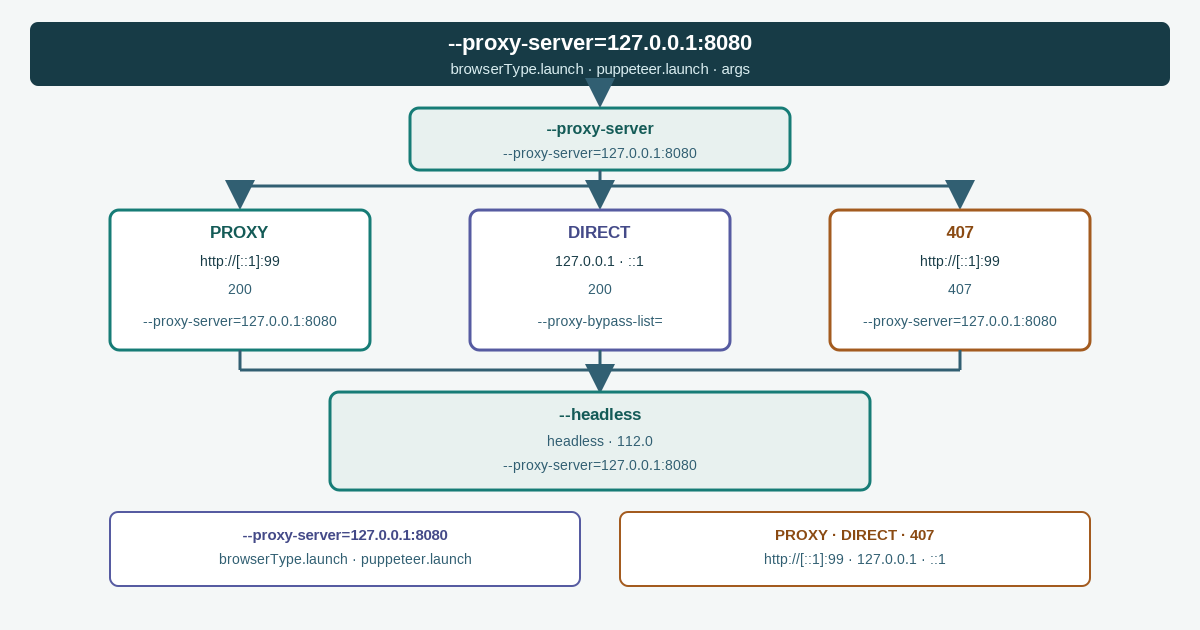
A headless browser proxy problem rarely announces itself as a proxy problem. The page loads, the script exits zero, and only a later check shows the request left from an address the operator never configured. Chrome's proxy handling is not a single switch: the browser resolves a proxy per request, and headless mode changes how the browser runs rather than what the resolver decides. BotBrowser documents the proxy settings a profile accepts and how to verify the egress a session used, and it cannot make a proxy server exist, repair a rejected credential or change what a remote service decides.
Three failures share one symptom, and they need three different checks. The proxy setting may never have reached the browser process in this launch path. The setting may have been applied while some request skipped it. Or the setting was fine all along and headless mode changed an observation the operator read as evidence about the exit.
That ordering is the point of this page. Each check leaves a different artifact, and a reader who records the artifacts in sequence stops guessing about which of the three happened.
The sources behind it are the Chromium proxy documentation, the headless-mode page on Chrome for Developers, the two client launch APIs, and the BotBrowser proxy documentation. No proxy credential, customer address or target-site response appears anywhere in it.
TL;DR
- A proxy option accepted at launch proves the client received the configuration. It does not prove the browser process forwarded it, and it says nothing about which requests used it.
- Chromium resolves a proxy per request, so an exclusion rule can send a specific host, scheme or address range direct while every other request uses the configured proxy.
- Headless mode is a launch mode of the same binary; it changes the window, the rendering path and the surfaces a page can read, not the proxy server an operator configured.
- Proxy authentication is a separate failure class from proxy routing: a resolved proxy that rejects the credential produces a connection failure, not a direct connection.
- A direct-connection failure and a request that skipped the proxy can look identical in a page-level error, which is why the resolver decision has to be recorded rather than inferred.
- Re-running the same request headed is the cheapest way to separate a mode difference from a routing difference, because it holds the proxy configuration constant.
Contents
- Where the proxy setting actually lands
- Which requests never use the configured proxy
- What headless mode changes that looks like a proxy fault
- An ordered procedure and its artifacts
- BotBrowser capability and limitation
- Practical conclusion
Where the proxy setting actually lands
The first check is about the launch path, not the network. Playwright describes proxy as a launch option on browserType.launch and headless as a separate boolean on the same call, which places both values in the same request the client makes to a browser process. Puppeteer documents LaunchOptions with an args array forwarded to the browser and a headless option beside it, which is the same shape: the client decides what to pass, and the browser decides what to do with it.
That split is where configuration silently diverges. Three launch shapes exist, and they do not all carry a proxy:
| Launch shape | What receives the option | What a reader should check |
|---|---|---|
| Browser launched by the client | The browser process command line | The launched process arguments contain the proxy value |
| Client connects to a browser | The already-running process | The running process was started with the proxy, not the client |
| Client launches with defaults | No proxy value at all | The environment or system proxy was used instead |
The middle row causes most of the confusion on shared machines. A client that attaches to a browser over a debugging port receives no opportunity to set a launch option the process did not start with; passing a proxy object in that call configures the client's view of a connection it is not creating. The browser keeps resolving through whatever it started with, and the request leaves from there.
The check is mechanical. Record the command line of the browser process and look for the proxy argument in it, rather than looking at the client's configuration object. Presence of the argument answers the first question; absence ends the investigation at this layer, because nothing downstream can compensate for a proxy the browser never received.
Chromium's proxy documentation describes the resolution step as producing a per-request decision, which is the reason this check is separate from the next one. A browser that received a proxy can still answer "direct" for a specific request.
Which requests never use the configured proxy
The second check assumes the browser received a working proxy and asks which requests ignored it. Chromium applies exclusion rules before opening a connection, so the configured proxy is one input to a decision rather than a filter every request passes through.
Four classes are worth naming because they produce different evidence:
- A host or domain listed in the exclusion rules, such as
localhostor127.0.0.1, resolves directly, and the page sees a successful response from the wrong exit. - A scheme excluded from proxying, such as a local callback or an internal endpoint, never enters the proxy path at all.
- The engine's implicit exclusion rules match a localhost host name, a link-local IP literal and an unspecified IP literal, so those requests resolve directly unless the rule set subtracts them.
- A request issued outside the browser's network stack, by a tool or a helper process the script spawns with
curl, is not covered by the browser's proxy configuration.
The last class is the one that survives most configuration reviews. A scraper that launches Chrome with a proxy, then downloads a file with a separate HTTP client, has two network paths and one proxy setting. The browser path may be perfectly configured while the other path connects directly, and the operator sees one log line describing a successful run.
Proxy authentication belongs here too, on the boundary rather than inside a class. A resolved proxy that rejects the credential produces a connection failure, and a failed connection is not a direct connection. The distinction matters because the two suggest opposite responses: a rejected credential is fixed at the proxy, while a request that skipped the proxy is fixed in the rule set. Treating a 407 as evidence that the proxy was ignored sends the operator to the wrong configuration, because that status is produced by the proxy rather than by a direct connection.
Recording the decision per request is what makes this check verifiable. The useful artifact is a short table of the requests that mattered, each marked proxied, sent direct or failed, with the rule or status that decided it. That table answers the second question directly and keeps the third question from absorbing a routing bug.
What headless mode changes that looks like a proxy fault
The third check is the one most often skipped, because it questions the interpretation rather than the configuration. Headless is a launch mode of the same Chromium binary, as the headless-mode page on Chrome for Developers describes: the browser runs without a visible window, launched by a flag rather than replaced by a different product.
What that changes is deliberately narrow, and the headless page draws the boundary precisely: since Chrome 112, headless creates platform windows without displaying them, and the page states that all other functions, existing and future, are available with no limitations. What remains different is what a page can read about its own environment, including the window state and viewport it reports.
That difference is not a proxy difference. Headless does not change which proxy server the browser was told to use, and it does not change a remote service's decision about a request. Two observations do get misread as proxy evidence in headless sessions:
- A hostname that no longer resolves the same way, because the session reads DNS from a different environment than the one that worked interactively; a lookup against
8.8.8.8can return a different answer in each. - A page that reports a different viewport or window state and then behaves differently, so a difference attributed to the exit is a rendering or layout difference.
Neither observation is a proxy fault, and each survives a proxy change. That is the test: a hypothesis that survives an unrelated change in the proxy is not about the proxy. Holding the proxy configuration constant and re-running the same request headed separates the two families of cause without adding a variable.
The reverse error is equally common. An operator changes the proxy, sees the result change, and concludes the proxy caused the original failure, when the second run also used a fresh profile, a new session and a different start time. Varying one thing at a time is what makes the conclusion attributable, and headless mode is the variable most easily left uncontrolled because it looks like it is only about whether a window appears.
An ordered procedure and its artifacts
Each step answers one question and produces one record. Running them out of order is what produces the long debugging sessions this page exists to shorten.
| Step | Question | Artifact that answers it | What a negative answer means |
|---|---|---|---|
| 1 | Did the browser process receive the proxy value? | Launched process command line | Stop; the client is not launching this browser |
| 2 | Did this request use the proxy? | Per-request decision with rule or status | Fix the exclusion rule or the extra network path |
| 3 | Did the proxy accept the credential? | Proxy response status for the request | Fix the credential at the proxy, not the rule |
| 4 | Does the same request behave differently headed? | Two runs, same proxy, same profile input | Re-check steps 1 to 3 before blaming the mode |
Run the steps in order, and do not reach step 4 with step 3 unanswered. Steps 1 to 3 each produce a definite artifact: the launched command line, the resolver decision, and the proxy response status. A negative answer there is a finding, and it closes that branch of the investigation.
Step 4 answers a narrower question than it appears to. A difference between the two runs shows that something other than the proxy changed between them, and the mode is one candidate among several: a fresh profile, a new session and a different start time are the confounders named above. A difference therefore rules out neither the route nor a session variable on its own, so the honest record is "same proxy, same profile input, behaved differently headed, cause not yet isolated". Identical behaviour is equally narrow: it shows the mode was not what changed the outcome, not that the route was at fault.
The credential question carries the most cost when it is answered out of order. Proxy authentication sits between routing and the remote service, and its rejection looks like a routing failure at the page level, so a reader who reaches step 4 with an unauthenticated proxy will attribute a credential problem to the mode. A 407 is an HTTP response the proxy returned, so it proves the proxy was reached; keeping that status separate from the routing decision is what stops a credential failure from being recorded as an exclusion rule.
Why one successful load proves so little
A page that loads proves that the requests the page made were served. It does not prove that they used the proxy, because an exclusion rule producing a direct connection gives the same successful response. It also does not prove that other requests in the same run used the proxy, because each request is resolved separately.
That gap is why the artifact matters more than the success signal. The success signal is one bit about the page; the artifact is a per-request record of which route decided it. Only the second survives a follow-up question about a different host, a different scheme or a different port.
Keeping the three questions separate in a report
A report that names the step and its artifact is short and stays useful. The three sentences that carry the most information are the launch shape, the routing decision for the failing request, and whether a headed re-run changed the result.
That structure also keeps an honest boundary around what the client can show. The browser can report which route it used and what came back. It cannot show why a remote service treated a request the way it did, and a report that says so is more useful than one that attributes a service decision to a browser setting.
BotBrowser capability and limitation
BotBrowser's proxy configuration documentation describes the settings a profile accepts and treats verification of the egress as a separate observation from the configuration that was requested. That separation is the contribution to this topic: the session's actual exit can be inspected instead of assumed from the value that was configured.
The limitation belongs in the same sentence. BotBrowser cannot make a proxy server exist, cannot repair a rejected credential, and cannot change what a remote service decides about a request. A profile also cannot make a headless session behave like a headed one in the browser surfaces where the two differ; those differences are properties of the mode, not of a setting.
The sources divide the work the same way. The Chromium proxy documentation defines how a per-request decision is produced, the headless page defines what the mode changes, and the two client APIs define where the configuration enters the launch path. None of them can assert that a particular request used a particular proxy in an operator's environment.
FAQ
If the client accepted my proxy object, is the browser using it?
Only if the client launched that browser process with it. A client that attaches to an already-running browser never passed the option, so the running process keeps resolving through whatever it started with.
Why does the page load while the exit looks wrong?
Because an exclusion rule can resolve a specific host directly and still return a successful response. A successful load shows the request was served, not which route served it.
Does headless mode change the proxy?
No. Headless is a launch mode of the same browser, and it changes the window, the rendering path and the surfaces a page can read. The proxy the browser was configured with is not one of them, which is why a proxy change that alters a headless-only symptom is usually coincidental.
Is a proxy authentication failure the same as a request that skipped the proxy?
No. A rejected credential fails the connection through the proxy; a request that skipped it never enters the proxy path. The two look similar in a page-level error and require opposite fixes.
What should a note about this investigation contain?
The launch shape, the routing decision for the failing request with the rule or status that decided it, and whether a headed re-run with the same proxy behaved differently. Those three records place the failure without needing the error text.
For neighbouring work, Proxy configuration overview maps which proxy settings apply at which scope, and Headless browser scraping: what actually changes compares the renderer, viewport and automation surfaces between the two modes. The Playwright proxy routing guide covers the client-level routes for one library when the proxy itself is the variable under test. The client-side half of this question has its own input trap: Puppeteer proxy setup: which input actually routes traffic separates the launch property Puppeteer does not have from the switch that reaches the browser.
Sources
- Chrome for Developers: Chromium headless mode
- Chromium source documentation: proxy resolution
- Playwright: BrowserType launch options
- Puppeteer: LaunchOptions
- MDN: 407 Proxy Authentication Required
- BotBrowser: proxy configuration
Practical conclusion
Ask three questions in order before changing any proxy setting. Did the browser process receive the proxy value, which the launched command line answers. Did this particular request use it, which the resolver's decision and the exclusion rules answer. Would the same request behave differently headed with the same configuration, which two runs answer.
Each answer is a record, and each record narrows the next step. A client that attaches to a running browser never delivered the option; an exclusion rule resolves one host directly while the rest of the run stays proxied; a headless-only difference narrows the mode to a candidate without clearing the route. Keeping those three apart is what turns a vague exit mismatch into a fix in the right component.
This article is part of the guide: Proxy Configuration Overview: A Browser Network Decision Map
Related Articles
Puppeteer Proxy Setup: Which Input Actually Routes Traffic
NetworkPuppeteer Proxy: Configure It and Verify the Exit
NetworkDNS over HTTPS: Browser Privacy, Controls, and Resolver Limits
NetworkBrowser Proxy Authentication and Credential Hygiene
NetworkVerify Proxy Egress IP in BotBrowser Launcher
NetworkSERP Location Check: Which Layer Actually Moved?
Proxy Configuration: Egress, Authentication and Consistency
Guides on proxy configuration for browsers: per-context routing, authentication, egress verification, IPv4/IPv6 consistency and failover.
Run the same check in BotBrowser
Load a profile, keep the signals you just read about consistent inside the browser, and confirm the result on your own machine before a rollout.