Proxy Configuration Overview: A Browser Network Decision Map
Use one practical map to choose proxy scope, switching, ports, DNS, and IPv4 or IPv6 consistency checks for browser operations.
BotBrowser Team
Want the structured docs for Network?
This article lives in the editorial library. For step-by-step setup, reference material, and ongoing updates, jump into the docs section.
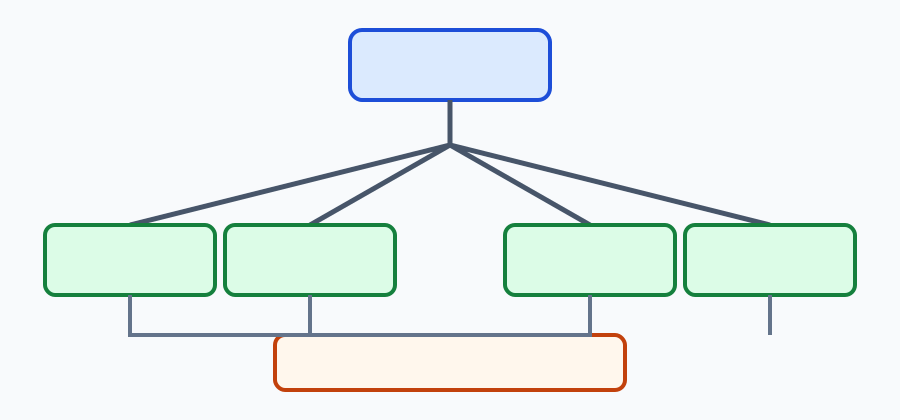
Proxy work fails when a team treats endpoint configuration, DNS, ports, and address families as one setting. This overview links the proxy cluster and adds a decision map to Browser proxy configuration.
BotBrowser can support a repeated authorized profile with a declared proxy boundary; it cannot repair an upstream provider, guarantee anonymity, or decide which traffic a service should retain.
TL;DR
- Choose the scope before choosing an endpoint: browser, context, or operation.
- Verify switching, port policy, DNS ownership, and address-family consistency separately.
- Keep one redacted decision record for every change.
- A passing public-IP check does not prove DNS or WebRTC behavior.
Contents
Start with scope
First name the operation: one browser, one isolated context, or a scheduled run. Then declare the protocol, credentials source, endpoint, and expected address family. Do not put a secret in a page, screenshot, or article.
The scope choice determines which failure owner to contact. A context-specific change is different from a browser-wide change, and a provider outage is different from a local DNS leak. The map below keeps those decisions visible:
| Question | Record | Next owner |
|---|---|---|
| Which pages need the route? | browser or context scope | automation owner |
| Can the endpoint switch? | trigger and rollback | operations owner |
| Where does DNS resolve? | proxy, local, or unknown | network owner |
| Which family is expected? | IPv4, IPv6, or either | provider and app owners |
Use the proxy cluster
For a cross-layer diagnosis, compare the engine/API protection test with the identity surface overview before changing the route. For address-family failures, use the IPv4 and IPv6 proxy consistency check before changing the provider. Read the cluster as a sequence, not a list:
- Proxy configuration defines endpoint syntax, authentication, and scope.
- Dynamic proxy switching covers a declared switch and rollback record.
- Port protection explains why an allowed port is a policy boundary.
- DNS leak prevention separates resolver observations from public-IP observations.
- IPv4 and IPv6 proxy consistency compares address-family expectations with the observed route.
Together these pages provide the cluster's detail. This hub owns the selection order and the handoff table so an operator can choose the next check without guessing.
Record a decision
Keep a small JSON record with the selected scope and the result of each independent check:
{
  "runId": "proxy-map-20261016-01",
  "scope": "context",
  "protocol": "socks5h",
  "switch": { "trigger": "provider-timeout", "rollback": "previous-endpoint" },
  "portPolicy": "declared",
  "dns": "proxy-side",
  "addressFamily": { "expected": "ipv6", "observed": "ipv6" },
  "testedOn": "2026-10-16"
}
The record is an operational observation. It does not prove that every destination uses the same route or that a provider is trustworthy.
Choose the scope before the endpoint. A browser-wide route is appropriate only when every page in that browser should use the same network boundary. An isolated context is a better fit when one workflow needs a different route or credential owner. A one-operation route is narrower still and is useful for a controlled check that should not affect a later task. Write the chosen scope into the run record before opening a page. If the scope is unclear, a later public-IP result cannot tell you whether the route was applied to the intended pages. Scope is a product decision, so record the expected owner alongside the technical values.
Keep endpoint selection separate from credentials. Store the endpoint and the credential source as different fields. The endpoint identifies where the connection should go; the credential source identifies which approved secret provider supplies access. Do not copy a username, token, or password into page content, a screenshot, or a support message. A failed authentication should be classified as an access problem, not as a DNS or address-family problem. This separation also makes rotation easier: a credential change can be repeated against the same endpoint without changing the network experiment.
Declare the protocol and fallback. HTTP, HTTPS tunneling, SOCKS, and DNS-aware SOCKS have different observable boundaries. State which protocol the operation expects and whether a fallback is allowed. If a fallback is allowed, give it a distinct run identifier and record the trigger. Otherwise a successful request after an automatic fallback can hide the original route failure. A small record with protocol, scope, and fallback is more useful than a screenshot of a browser setting because another operator can repeat the same decision without guessing which option was selected.
Treat switching as a controlled change. Dynamic switching should have one trigger, one replacement endpoint, and one rollback target. Start with a baseline request, save its result, then trigger the switch once. Check the new route from the same context and page state. If the switch is supposed to affect only a context, run an unaffected context in parallel as a control. If both contexts change, the cause may be browser-wide or provider-wide. If neither changes, inspect the switch owner before changing DNS or profile values. One declared change per run keeps the result attributable.
Use port policy as an explicit boundary. A port that is allowed by an upstream provider may still be blocked by the local policy, an application rule, or a service account. Record the intended port and the policy decision that permits it. Test the connection with the smallest owned request rather than a long page journey. A timeout, a refusal, and a successful connection are different outcomes and should remain separate in the artifact. Do not infer that a working port means every protocol or destination is reachable. The port article in the cluster describes the policy detail; this map only decides when that check belongs in the sequence.
Verify DNS independently from public IP. A public-IP echo tells you what one endpoint reports. It does not tell you which resolver answered a hostname, whether a page made a direct lookup, or whether a browser feature used another channel. Run a controlled name-resolution check with a hostname you own and record only the resolver class or redacted result needed for the decision. If the resolver is local when the operation requires proxy-side resolution, stop at that boundary and fix ownership before changing the endpoint. Keeping DNS as its own row prevents a passing echo from hiding a resolver leak.
Compare address families deliberately. An IPv4 result and an IPv6 result can come from different routes, providers, or connection races. Declare whether the operation expects IPv4, IPv6, or either. Then record the observed family and the phase in which it was observed. If both families are allowed, compare their policy and application behavior instead of treating one as a failure. If only one family is allowed, a different result is a compatibility issue that should be handed to the provider or application owner. The address-family article provides the detailed checks; the hub keeps the decision visible next to DNS and port results.
Do not treat an echo as an anonymity test. A public address, resolver class, or WebRTC observation is a bounded browser signal. It does not establish what a destination stores, how an upstream provider handles traffic, or whether an account can be linked across sessions. Keep those questions outside the run artifact. This boundary is useful in support work because it lets an operator report a concrete route observation without making a security promise that the test did not measure. A service can apply its own policy after the browser request, and that policy belongs to the service owner.
Classify the first failure. If navigation never starts, record startup or authentication. If navigation starts but the request fails, record the network phase and endpoint. If the request completes but the resolver observation is wrong, record DNS. If the browser reaches the page but a feature uses another route, record the feature or application phase. Preserve the first failure before attempting a retry. A later error can be a consequence of the first one, so replacing the original record makes a diagnosis less reliable. The cluster links give each owner a focused follow-up instead of a general claim that the proxy is broken.
Make retries comparable. A retry should copy the baseline release, profile class, viewport, locale, permission state, and page version. Change exactly one declared input, such as the endpoint, port, DNS mode, or address-family preference. If several inputs must change for an operational reason, create separate records and explain the order. Keep a failed baseline beside the successful retry. This pair shows whether the change helped and prevents a later reader from mistaking a new setup for proof that the original route was healthy. A short command log and a redacted JSON record are enough for most controlled support cases.
Use the map for handoff. A receiving team needs the run identifier, scope, protocol, endpoint class, changed input, first failed phase, and expected result. It does not need credentials, account identifiers, full request headers, or unrelated browsing history. Include links to the cluster article that owns the next check. If the observation is unavailable, say whether the context was expected to lack that capability. If the observation is failed, state the owned checkpoint and the error category. This vocabulary makes a network issue distinct from an application policy issue and gives the next operator a bounded rerun.
Keep operational and application decisions separate. A proxy can deliver a request while an application rejects the response for its own policy reasons. Conversely, an application can accept a response even when the route did not meet an operational requirement. Record the browser observation first, then record the application decision in its own system. Do not put a service's detector label into the proxy artifact. The two records can be correlated by run identifier without turning an application outcome into a browser property. This distinction is especially important for account workflows where the browser profile and the service account have different owners.
Automate the bounded checks. A CI job can run the same public-IP, DNS, port, and address-family rows for a declared fixture. Publish the command, the redacted output, and the expected category. Fail the job only on the acceptance rule that the page or network owner documented. An unknown response from an unrelated service is not a reason to invent a new proxy assertion. Keep the job's route and provider inputs explicit so a scheduled run can be compared with the previous record. When a provider changes capacity or policy, the first changed row points to the right review instead of producing an opaque red build.
Plan retention and redaction. Keep only fields needed to reproduce the decision: a run ID, release, profile class, scope, route class, observed categories, and timestamps. Remove secrets and account data before sharing a record. Set a retention period that matches the support or release decision, then delete the artifact from the approved store when that period ends. Reproducibility does not require permanent traffic history. A redacted record also makes it safer to compare IPv4 and IPv6 runs across teams because the comparison focuses on the route boundary rather than on a person's activity.
Check accessibility and fallback behavior. If a route check is surfaced in an operator tool, provide a textual status in addition to color or a map. If DNS or an address family is unavailable, the tool should explain the next safe action rather than silently falling back to an undeclared route. A browser workflow should continue with a documented fallback only when the product owner has approved it. Recording the fallback category helps distinguish a usable degraded path from a route that violated the operation's requirement. The visual in this article summarizes the order; the JSON record remains the authoritative handoff artifact.
Review after meaningful changes. Re-run the map when the browser release, provider, endpoint, DNS policy, address-family requirement, or application fixture changes. Update the test date and observation evidence for a new run instead of silently replacing an old result. A dated record explains which inputs produced the observation and lets a later operator repeat the same sequence. It is not a promise about every future provider or destination. The linked cluster pages can change independently, so recheck the relevant public standards and product documentation before reusing a result in a new release decision.
For a scheduled operation, start with a dry run that exercises the route without opening a customer page. Confirm that the declared scope, endpoint class, port, resolver mode, and address family appear in the record. Then run the owned page as a second step. This ordering keeps an application failure from being confused with a route setup failure. If the dry run passes and the page fails, hand the record to the application owner. If the dry run fails, keep the page out of the comparison until the network boundary is corrected. The two-step sequence is small enough to run on every release and gives support a clear stopping point.
When a provider offers several endpoints, choose one as the baseline and label the others as alternatives. Do not rotate through every endpoint after one timeout and call the result stable. A provider can have regional capacity, different address families, or distinct DNS behavior. Run the same bounded check against one alternative at a time and keep the baseline record unchanged. If an alternative works, record the provider response class and the reason for switching. The map is meant to explain a decision, not to hide intermittent capacity behind a final successful request.
The same method works for local development and production review. In development, a redacted fixture and a temporary profile are enough to validate scope and ownership. Before production, repeat the fixture with the declared release and approved profile class, then compare only the categories the application needs. Do not copy development credentials or account history into a production record. A difference between environments may be expected, but the record should say which input changed and which owner accepts that difference. This keeps a practical network check useful without turning it into an unsupported guarantee about every route.
Record the command and its short output beside the JSON so a reviewer can verify the observation without opening private traffic logs.
Triage a mismatch
If the public address is unexpected, verify scope and endpoint persistence before changing DNS or profile values. If DNS is local, follow the DNS page's controlled test. If a switch changes only one context, inspect the context ownership rather than declaring the whole browser broken. If IPv4 and IPv6 disagree, compare the provider policy and the browser's connection race.
Preserve the first result, classify the failing phase, and change one input per retry. Credentials, provider capacity, local policy, and application assumptions have different owners. The cluster links let the handoff point to the right owner.
Conclusion
Proxy configuration is a chain of decisions: scope, endpoint, switching, port policy, DNS, and address family. Use the linked cluster for each detail and this map for ordering. Independent observations keep a successful echo from becoming an unsupported anonymity claim.
Public sources
Next reading
Start with Proxy configuration, then follow the five cluster links in the order that matches your observed failure.
Related Articles
BotBrowser Launcher Proxy Setup: Verify Egress IP Step by Step
NetworkIPv4 and IPv6 Proxy Consistency in Browser Workflows
NetworkIPv6 Address Selection for Browser Applications
NetworkProxy, DNS, and WebRTC Consistency for a Coherent Browser Identity
IdentityBrowser Identity Surfaces: A Practical Consistency Overview
NetworkDynamic proxy switching for separate browser contexts
Take BotBrowser from research to production
The guides cover the model first, then move into cross-platform validation, isolated contexts, and scale-ready browser deployment.