Web Vitals: How to Read Field Data and Lab Data Together
Understand what field and laboratory Web Vitals measure, compare LCP, INP, and CLS responsibly, and turn aggregate evidence into product decisions.
BotBrowser Team
Want the structured docs for Platform?
This article lives in the editorial library. For step-by-step setup, reference material, and ongoing updates, jump into the docs section.
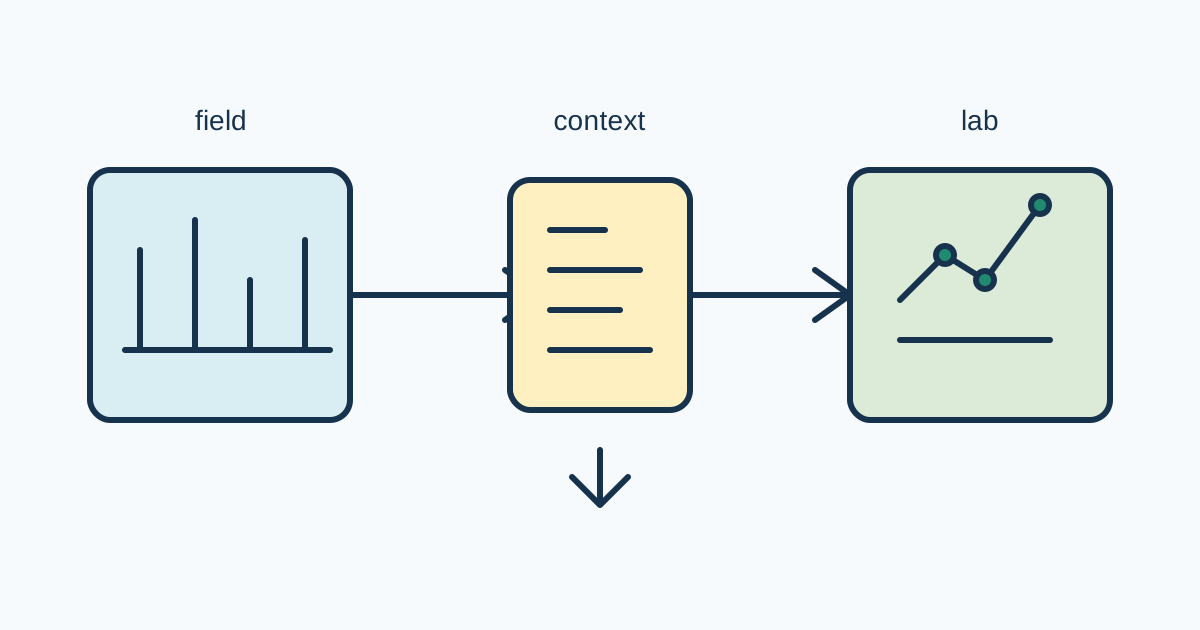
Field and lab Web Vitals answer different questions. Field data summarizes how real visits experienced a page across devices, networks, locations, and browser states. Lab data repeats a controlled journey so a team can compare a code or release change. Neither is a universal score, a device identity signal, or a substitute for the other. Use both to locate a product decision: field data shows whether a problem matters to an audience, while lab data helps reproduce and improve an owned path.
Field and lab conditions
Field data is collected from eligible visits under a product's measurement policy and then aggregated. Its distribution includes variation that a team cannot hold constant: screen size, CPU scheduling, connection quality, cache state, browser release, page visibility, and the user's path through the interface. A percentile or category describes that population and time window; it does not describe every visitor or prove a root cause.
Lab data is a repeatable experiment. Keep the URL, fixture input, viewport, browser build, network class, cache state, throttling policy, and observation window explicit. A lab result is valuable because those conditions can be compared across commits. It remains a model, not a promise about every audience. A fast lab run can coexist with a poor field distribution when the tested route, device mix, or network conditions differ.
Use a small copyable fixture for an owned route:
const run = { route: '/checkout', viewport: 'mobile', network: 'slow-4g', release: '2026.10.06' };
const marks = ['navigation', 'paint', 'largest-contentful-paint', 'layout-shift', 'event'];
const observer = new PerformanceObserver(list => {
  for (const entry of list.getEntries()) {
    if (marks.includes(entry.entryType))
      report({ run, type: entry.entryType, startTime: entry.startTime, value: entry.value ?? entry.duration });
  }
});
observer.observe({ type: 'paint', buffered: true });
// Run the same user action for each release comparison.
observer.disconnect();
The fixture is deliberately bounded. It names the route and conditions, selects only entries used by the decision, and disconnects when the journey ends. Replace report with an approved local collector that aggregates data and removes URLs or user content. The Chrome Web Vitals guidance and measurement guide explain the public concepts; they do not make this fixture representative field data.
| Question | Best evidence | Decision |
|---|---|---|
| Do real visitors experience a problem? | Field distribution and sample context | prioritize audience impact and affected journeys |
| Can the team reproduce an owned path? | Controlled lab fixture | isolate a code, asset, or release change |
| Did a release improve the route? | Matched lab runs plus field trend | roll forward, hold, or investigate |
| Is the result comparable? | Same route, conditions, and aggregation | reject an apples-to-oranges comparison |
| Is the data sufficient? | Sample count, missing values, and window | qualify the decision or collect approved evidence |
Core Web Vitals concepts
Largest Contentful Paint (LCP) describes when the largest relevant content element is rendered in the viewport. It is sensitive to server response, resource delivery, rendering, and the element selected by the browser. A lab fixture should name the route and content state so a changed hero image or text block is not mistaken for a network improvement. Field LCP distributions can contain visits where the page stayed hidden, the content changed, or a different viewport selected another element.
Interaction to Next Paint (INP) summarizes interaction responsiveness across eligible interactions. It is about the delay from an interaction to the next rendered update, not just one click or one JavaScript function. Lab tests should exercise the user action that matters, including validation, menus, dialogs, or navigation. Field results depend on the interaction mix and the work users actually trigger, so an idle lab page cannot represent an interactive product.
Cumulative Layout Shift (CLS) describes unexpected visual movement during a page's lifecycle. A stable lab fixture can reveal missing dimensions, late fonts, injected banners, or content that moves after load. Field CLS depends on the complete journey, including scroll, navigation, and user-triggered changes. Do not count an intentional transition as a defect without checking the metric's rules and the user-visible outcome.
Treat each metric as evidence with context, not as a badge. A page can have acceptable LCP and poor INP, or a low lab CLS while field sessions shift after a consent banner. Keep the metric, route, viewport, browser, release, sample window, and missing-data rate together. A dashboard that hides context makes a precise-looking number less useful.
Segment responsibly
Segmentation should answer a product question. Useful dimensions may include route, release, viewport class, connection class, or broad browser family when the application already needs that operational distinction. Define the segment before inspecting the result, keep groups large enough for the decision, and state when a sample is too small. Do not create many slices until one happens to look good.
Avoid individual tracking claims. Do not join Web Vitals to account identity, retain raw URLs, or infer hardware or location from a timing distribution. Aggregate in the shortest useful window, redact query strings, and expire temporary run labels. A field record should contain the metric category, context needed for the decision, and an aggregate result, not a replay of a person's visit.
Field data can be delayed, sampled, or affected by collection eligibility. State the population, release window, and collection policy beside the result. Missing values are information about coverage, not zeros. If a browser does not expose an entry, keep the missing category separate from a fast category. Never replace absent evidence with a synthetic duration.
Lab segmentation needs the same care. If a team changes viewport, CPU, route, and browser release at once, the result cannot identify which change mattered. Change one meaningful variable per comparison, record the fixture revision, and preserve the previous baseline. A lab score is not more trustworthy because it has more decimal places.
Use results for product decisions
Begin with the field question: which audience, route, and user action need attention? Then use lab evidence to make the smallest controlled change. For LCP, inspect response, critical resource, and rendering boundaries. For INP, exercise the slow interaction and inspect event handlers, main-thread work, and rendering. For CLS, inspect dimensions, fonts, inserted content, and transitions. Keep accessibility and correctness checks beside speed checks.
Use a decision record with the route, metric, field context, lab fixture, baseline, candidate change, result, and rollback condition. A useful outcome may be “hold the release because the field tail worsened,” “ship the asset change because matched lab runs improved and field data is stable,” or “collect more evidence because the sample is incomplete.” Do not reduce the record to pass or fail without the reason.
BotBrowser controlled contexts can repeat authorized lab journeys with declared browser, viewport, route, and network settings. They can help compare visible outcomes and fixture changes. BotBrowser does not provide representative real-user field data, remove browser or network variation, set a site's experience objective, or guarantee a Core Web Vitals assessment for every audience. Keep that limitation beside any product claim.
When a result changes, rerun the smallest fixture first, then compare field and lab windows that actually overlap. Check deployment, route, asset, cache, and browser-release changes before adding another signal. Preserve negative evidence, such as an unsupported entry or a missing field sample. This keeps the investigation explainable and prevents tuning only for a published boundary.
Evidence workflow.
Start with one user-visible question and keep route, fixture, viewport, network, cache, browser build, sample window, and aggregation explicit. Store an immutable baseline before changing code. Field trends can lag a release or exclude visits; lab runs can omit real interactions. Compare overlapping windows and label uncertainty instead of assigning one cause.
For LCP, identify the selected element and inspect response, redirects, cache reuse, critical resources, fonts, and render-blocking work. For INP, exercise validation, menus, dialogs, and representative data rather than an idle click. For CLS, check dimensions, font metrics, placeholders, inserted notices, scroll, consent, and error states. Keep accessible completion beside every speed result.
Report categories rather than identities. A route, broad viewport class, release, connection class, and aggregate can support a decision without storing accounts, exact location, full URLs, or raw event sequences. Redact query strings, use temporary run labels only for approved joins, and delete them after support. Keep field and lab records clearly labeled.
Define rollback before publishing: a sustained field-tail regression, failed visible interaction, blocking movement, or a lab failure reproduced on the baseline. Preserve negative evidence such as missing entries, small samples, and an unreproduced field pattern. A missing value is not a perfect result.
Read the shape of field distributions.
The median is only one view of a field population. Review the percentiles and the percentage of visits with a usable value, together with sample count. A broad shift can indicate a release or route change; a tail-only shift can indicate a smaller audience, an asset, or an intermittent dependency. Do not call a tail an outlier until the segment and collection window are understood.
Field distributions change when the audience changes. A campaign, new region, different device mix, or browser release can move the population without a code change. Keep deployment dates and audience events beside the chart. When a result changes near a release, compare overlapping windows and label uncertainty rather than saying the release caused every movement.
Design a useful lab baseline.
A lab baseline should be repeatable. Use a stable fixture, fixed route state, declared viewport, declared network class, and the browser build to compare. Warm the page according to the normal lifecycle. If the product starts with cold navigation, do not compare it with a warmed single-page route without naming the difference.
Record fixture revision with every result. A changed hero image, font, consent banner, or list size can change all three metrics even when browser and network stay constant. Keep the fixture small enough to review and realistic enough to exercise the user action. A synthetic page that omits validation or insertion cannot answer a question about that interaction.
Keep the user outcome primary.
Do not improve one number by making the page unusable. A placeholder that appears quickly but hides the product action is not a successful outcome. Check accessible names, focus order, error messages, and the ability to complete the route. A speed result belongs in the product decision only when content and action remain correct.
INP needs an interaction plan. List actions that matter: opening navigation, filtering a table, submitting a form, selecting a date, or dismissing a dialog. Exercise those actions with representative data. Capture the visible update and resulting state, not only the duration. A fast event that produces an incorrect result is a product failure.
CLS is sensitive to the whole journey. Reserve space for images and embeds, match fallback font metrics, and keep late notices in an intentional container. Test navigation, scroll, consent, validation, and error states that insert content. A first-load fixture is useful but incomplete when the product moves content after interaction.
Communicate uncertainty.
Every chart needs a population, window, definition, and missing-data note. State whether values are sampled, whether the browser must expose an entry, and whether the route changed during the window. Say “the field p75 increased for this route and release window” rather than “the browser became slow.” Precise wording prevents operators from fixing the wrong layer.
When evidence conflicts, preserve both sources. A good lab result and poor field result may mean the lab misses a route, audience, device, or interaction. A poor lab result and stable field trend may mean the condition is uncommon or the aggregate is delayed. The next step is a targeted experiment or collection review, not a larger undifferentiated dashboard.
Maintain the decision record.
Keep baseline, candidate result, decision, owner, rollback condition, fixture revision, and field window together. Record why a segment was selected and when it should retire. If the product goal changes, create a new decision record rather than rewriting the old one. Historical context helps support teams explain why a fallback existed and which audience it protected.
Before sharing a result, ask whether another team can reproduce the route from the record. The answer should include the route state, input, viewport, network class, browser release, cache policy, and fixture revision. It should also identify what was not tested. A clear boundary is more useful than an implied promise that every browser and device behaves the same way.
The review should distinguish an observation from an action. “INP increased in the mobile field segment” is an observation. “Move validation work off the main interaction path and repeat the fixture” is an action. Keeping both in the record prevents a dashboard from becoming a command without a tested owner or rollback condition.
Record the next action and its owner.
The owner should state when the next comparison will run and which evidence will be accepted. This keeps a useful measurement from becoming an unattended dashboard alert. A short, dated follow-up with the same fixture is often more informative than an immediate change to collection or page code.
Use the same vocabulary across support, engineering, and product reviews. Name the metric, population, route, window, and action. Say whether a value is field, lab, missing, or not applicable. This avoids a common handoff failure where a lab duration is copied into a field report without its conditions. It also helps translators preserve the distinction between a controlled experiment and an audience aggregate.
When a route has several templates, compare templates separately before publishing a combined result. A combined number can improve because a low-volume fast template grew, even while the main template regressed. Keep template or route class as an operational dimension only when it answers a real question, and retire dimensions that no longer affect a decision.
If a team cannot reproduce a field pattern, keep the field evidence and write the missing lab condition as a hypothesis. It may be a device, route, visibility, interaction, or collection difference. Design the next fixture to test one hypothesis and preserve the old fixture for comparison. Replacing the old fixture before the hypothesis is tested makes the investigation impossible to audit.
Release checklist
Before publishing a result, record the metric definition, route, fixture input, viewport, network class, browser release, cache policy, sample window, aggregation, missing-data treatment, and retention. Test normal completion, a slow response, a delayed image or font, an interaction with validation, a content insertion, and a navigation away. Confirm the user can still complete the task when measurement is unavailable.
Review field and lab evidence separately, then write the relationship in plain language. A lab improvement is a controlled signal; a field improvement is an audience trend. A mismatch is a question for investigation, not proof that one source is wrong. Repeat the fixture after a release change and update the decision record without rewriting the old baseline. For adjacent context, see the browser performance optimization guide and performance timing privacy guide. Start with one user-visible question, keep route and fixture conditions explicit, publish sample and missing-entry counts, and preserve the old baseline. Field trends can lag a release or exclude visits; lab runs can omit real interaction paths. A mismatch is a reason to run a smaller controlled check, not a reason to collect more identity data.
Public sources
Related Articles
Take BotBrowser from research to production
The guides cover the model first, then move into cross-platform validation, isolated contexts, and scale-ready browser deployment.