Designing Browser Test Matrices by Platform and Release
Build a manageable, risk-based browser compatibility matrix for supported journeys, platform coverage, and release drift.
BotBrowser Team
Want the structured docs for Platform?
This article lives in the editorial library. For step-by-step setup, reference material, and ongoing updates, jump into the docs section.
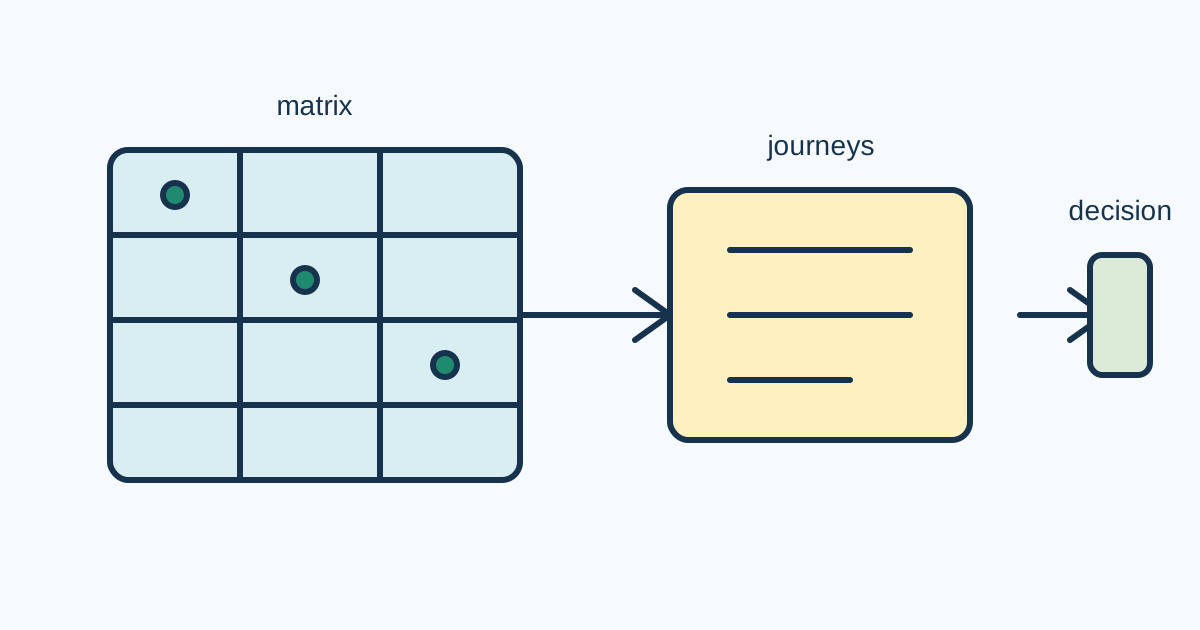
A browser test matrix is a coverage decision, not a list of every browser that exists. A useful matrix connects supported platforms and releases to the user journeys that matter, then spends deeper test time where failure would hurt the product. It should be reproducible, explainable, and small enough to maintain. The article explains environment selection, journey risk, platform and release balance, and matrix drift without turning compatibility testing into exhaustive fingerprint comparison.
Choose supported environments
Start with the support contract. Name the operating systems, browser families, release range, viewport classes, input modes, and network conditions that the product actually promises. A cell without a support reason is a candidate for removal. A supported cell without an owner is a future gap.
Use public evidence to refine the contract. Web Platform Tests provide cross-browser conformance fixtures and reporting context. MDN Browser Compatibility Data records feature support metadata, but it does not decide whether a product journey is usable. Treat both as inputs to a product decision, not as a substitute for testing the application.
Declare environment labels in a fixture:
const cell = {
  platform: 'linux',
  browser: 'chromium',
  release: '154',
  viewport: 'desktop',
  input: 'keyboard-and-pointer',
  network: 'stable',
};

const journeys = ['sign-in', 'checkout', 'download'];
for (const journey of journeys) {
  await runJourney({ cell, journey, evidenceId: `${cell.browser}-${cell.release}-${journey}` });
}
The fixture labels a condition; it does not infer a user's machine or promise that one release represents every patch. Keep profile, route, locale, data state, and permission assumptions beside the cell. If a journey needs a different setup, create a new explicit cell instead of hiding the difference in a test helper.
| Cell decision | Evidence | Action |
|---|---|---|
| Critical supported cell | support contract and user impact | run on every release candidate |
| Representative cell | meaningful traffic or feature coverage | run on scheduled release checks |
| Exploratory cell | emerging platform or planned support | time-box and label as non-blocking |
| Retired cell | no supported users or replaced release | remove after owner approval |
| Unknown cell | no support owner or evidence | do not call it supported |
Do not expand the matrix merely because a browser exposes a different API surface. The question is whether the supported journey works under its declared contract. Avoid tests that target, probe, or circumvent controls on third-party services. Matrix work belongs to authorized application and release validation.
Prioritize user journeys
Rank journeys by impact, change rate, complexity, and recovery cost. Sign-in, checkout, file upload, data export, and keyboard navigation may deserve critical status because a failure blocks a core action. A low-risk informational page may need a representative smoke check rather than a full interaction suite. Write the reason beside the priority so it can be reviewed when the product changes.
Use a journey card with preconditions, action, expected visible result, data cleanup, and evidence. The card should state what counts as a pass and what happens when a browser feature is unavailable. A passing HTTP status is not enough if the form loses input, focus, or an accessible error.
Separate functional, visual, accessibility, and performance evidence. A cell can pass navigation while failing keyboard focus or layout at a narrow viewport. Keep the outcomes distinct so a release decision can identify the failed contract and choose the smallest rollback or fallback.
Balance platform and release coverage
Platform coverage answers differences in operating system, input, graphics, fonts, and window behavior. Release coverage answers changes in browser engines, shipped features, and regressions. Do not multiply every platform by every patch release automatically. Choose a baseline, a current release, a candidate release, and one older supported release when the support contract requires it.
Use a coverage table that names why each cell exists. Pair high-risk journeys with the cells that expose their failure modes: keyboard-heavy flows with input variants, media with graphics paths, downloads with filesystem policy, and responsive layouts with viewport classes. A matrix is balanced when each cell protects a decision, not when every row has the same number of checks.
Keep browser release labels separate from profile labels and product build labels. A profile can change permissions or data state; a product build can change the page; a browser release can change platform behavior. If all three change together, record the result as a compatibility observation and plan a smaller comparison before changing support policy.
BotBrowser controlled contexts can repeat authorized journeys with declared profile, platform, release, viewport, and network labels. They can provide visible outcomes for a matrix cell. BotBrowser does not select the supported platforms, replace WPT or compatibility research, guarantee every release, or authorize tests against third-party services.
Review matrix drift
Drift happens when support expands, a browser release exits the contract, a journey changes, or a cell stops representing real risk. Review the matrix after a release, a major route change, a support-policy change, and a repeated failure. Keep an owner, review date, evidence link, and retirement reason for every non-obvious cell.
Use a drift record with old cell, proposed change, reason, affected journeys, evidence, and rollback. A new cell should have a bounded first run and an owner. A removed cell should remain in history with its retirement reason. Never silently replace an old baseline with a new release and call the comparison complete.
When a cell fails, classify the failure before adding coverage. It may be an application defect, a browser regression, an environment setup issue, missing test data, or an unsupported feature with an approved fallback. Re-run the smallest fixture, compare a neighboring known-good cell, and preserve logs without credentials or user content. Add a matrix cell only when the evidence changes a support or release decision.
Make release decisions
Define blocking rules before the candidate run. A critical journey failure may block release; an exploratory cell may create a follow-up; a visual difference may need design review rather than rollback. State who can waive a cell, for how long, and what evidence closes the waiver.
Use a release record containing matrix revision, browser and platform labels, product build, journey results, known limitations, owner, and rollback condition. Keep functional and accessibility results separate from compatibility metadata. A matrix pass does not prove server availability, account authorization, or business completion.
For adjacent guidance, see the browser release validation checklist and the performance optimization guide. The first covers candidate rollout evidence; the second covers workload baselines. This article adds the risk-based coverage choice between them.
Matrix evidence workflow.
Start each review with a one-sentence support question. A question such as “does checkout remain usable on the oldest supported mobile browser?” identifies a journey, platform, release boundary, and visible outcome. It prevents adding cells merely because a version exists. Record the question beside the matrix revision and close it only when evidence supports a decision.
Create a baseline before changing the matrix. Store support contract, browser and platform labels, profile assumptions, route state, fixture revision, data setup, viewport, network class, product build, and review date. Keep the baseline immutable. A matrix silently replaced by a newer list cannot explain why a release passed last month and failed today.
Use a journey card for each critical flow. List preconditions, user action, expected visible state, focus behavior, error recovery, cleanup, and evidence identifiers. A successful response code is not enough if the form loses input or a download never becomes available. Keep functional, visual, accessibility, and performance outcomes separate so a failed contract has an owner.
Balance depth with risk. Test every release candidate on critical cells, scheduled representative cells on a cadence, and exploratory cells only within a time-box. A new platform may receive a smoke path before the complete checkout suite. Retire a cell when support ends, preserving its last result and retirement reason.
When a cell fails, compare a neighboring known-good cell with the same product build and journey. Classify the failure as application, browser, environment, data, or unsupported-feature behavior. Re-run the smallest fixture before expanding coverage. Add a new cell only when failure changes support, rollout, or fallback policy.
Keep profile and release changes separate. A profile changes permissions and data; a browser release changes engine behavior; a product build changes the page. If all three changed together, label the result an observation and schedule a controlled comparison rather than claiming one platform caused it.
Accessibility belongs in the matrix. Include keyboard-only completion, focus visibility, readable status, reduced-motion behavior, and error recovery where required. A cell that passes pointer interaction but traps keyboard focus has not passed the journey. Record the limitation and available fallback.
Visual and download paths need explicit fixtures. Declare viewport, color scheme, font availability, graphics requirement, file type, and cleanup location. Compare screenshots only with matching route state and release labels. A visual difference may be an intended change, font substitution, or rendering defect.
Use WPT and compatibility data carefully. WPT can expose platform behavior, while MDN data can show feature metadata. Neither proves the product journey works, and neither authorizes testing a service you do not own. Link the source, name the application fixture, and state the remaining limitation.
For a waiver, record affected cells, owner, user impact, expiration, mitigation, and evidence needed to close it. A waiver is not a permanent support change. Revisit it at the next release review and close, renew with reason, or update the contract.
When release is blocked, preserve the previous known-good matrix and rollback condition. Do not delete failing cells or loosen assertions to make a candidate green. Once fixed, append the new result and keep the old failure in history.
Public sources
Practical matrix maintenance.
Treat the matrix as a product artifact with a clear owner. The owner keeps the support contract, fixture cards, evidence links, and retirement decisions together. A test engineer may run a cell, but the product or release owner decides whether a failure changes support. This separation prevents a green automation report from silently becoming a compatibility promise.
Start each review with the customer journey, not the browser list. Write the action, expected visible result, and recovery path before selecting cells. A checkout journey might require a sign-in state, a saved cart, a payment test account, keyboard navigation, a receipt download, and a clean-up step. A browser cell is valuable because it protects that journey, not because its label fills an empty table column.
Use a stable test data contract. Declare which records are synthetic, which permissions are granted, and which external dependencies are mocked or owned. Avoid using personal accounts or production records in a matrix run. If the application requires a service that the team does not own, test the application's documented failure and fallback instead of probing that service. The matrix should demonstrate user-visible behavior under an authorized setup.
Record environment preparation as evidence. Note the platform image, browser build, profile revision, locale, timezone, viewport, color scheme, input mode, network class, and feature flags. A failure that appears only after a profile change is not the same as a browser regression. Keeping preparation labels beside the result lets a second engineer repeat the exact cell without guessing what the runner did.
Limit concurrency when cells share a host or service budget. Parallel runs can change CPU pressure, network queueing, file locks, or test data state. A matrix result should state whether cells were isolated, serial, or subject to a declared shared limit. If a failure disappears when a cell runs alone, classify the concurrency condition before changing browser support.
Choose assertions that survive harmless variation. Check accessible names, focus order, required state, visible content, and a bounded layout relationship rather than an exact pixel at every viewport. For downloads, check the intended file type and a clean destination. For media, check the control and fallback state. Exact assertions are useful for a known contract, but a brittle assertion can make the matrix report noise instead of compatibility.
Keep release comparisons one-dimensional when possible. Compare the same product build across two browser releases, or the same browser release across two product builds. If a platform image, profile, browser, and application all changed, record the outcome as a broad acceptance run and schedule a reduced comparison for diagnosis. Do not infer causation from a single multi-variable failure.
Review failures with a small triage table: cell, journey, first failed step, visible symptom, likely owner, evidence, and next action. The first failed step is often more useful than the final exception. A navigation timeout, a missing permission, a focus loss, and a wrong business result require different owners. Preserve the original evidence and add the correction result later.
Matrix drift can be intentional. A team may drop an old browser, add a mobile viewport, split a journey, or change a support promise. Record the decision date, affected cells, user impact, migration note, and next review. A retired cell should not be deleted from history until its final release and waiver references are no longer needed.
Use a review cadence matched to risk. Critical payment, identity, upload, accessibility, and data-export journeys deserve review at every candidate. Lower-risk informational routes can use scheduled coverage. Exploratory cells can be time-boxed and non-blocking. The cadence is part of the matrix contract; without it, “covered” has no time meaning.
WPT and compatibility metadata are useful for discovery, especially when a new feature enters the product. Follow them with an application fixture that checks the journey's visible outcome. A supported API can still be unusable because of permissions, layout, data, or an application bug. An API listed as unsupported can still have an approved fallback. The matrix records the product outcome and keeps the standards evidence as context.
BotBrowser can make a declared cell repeatable across authorized controlled contexts. Keep its capability statement narrow: it runs the chosen journey with the declared setup and reports visible evidence. It does not decide what the product must support, turn a lab pass into a field guarantee, or authorize tests on a service outside the team's control. This boundary keeps matrix evidence useful to release owners and honest to customers.
At the end of a review, write one of four outcomes: pass, block, follow-up, or retire. “Pass” means the declared journey met its assertions in that cell. “Block” means release policy requires correction or an approved waiver. “Follow-up” means the cell is exploratory or evidence is incomplete. “Retire” means the support contract no longer includes it. These outcomes are clearer than a dashboard color and make the next action explicit.
The owner should schedule the next review and name the evidence that will close it. A dated follow-up with the same fixture is often more useful than immediately adding another browser cell.
The release owner should also state how a customer-facing limitation will be communicated. A temporary waiver, an approved fallback, and a retired platform have different meanings for support and documentation. Write the visible behavior and the next review date beside the cell so a passing automation result cannot be mistaken for an unconditional compatibility promise.
Related Articles
Take BotBrowser from research to production
The guides cover the model first, then move into cross-platform validation, isolated contexts, and scale-ready browser deployment.