Mobile Browser Profile Quality Review
A practical review model for mobile browser profiles, covering viewport states, keyboard and touch journeys, release pairing, evidence, and maintenance cadence.
Want the structured docs for Platform?
This article lives in the editorial library. For step-by-step setup, reference material, and ongoing updates, jump into the docs section.
Start with the approved pair
A mobile profile review starts with two named inputs: the browser release and the profile package approved for that release. Record the pair before opening the first page. A profile can remain well formed while a browser update changes layout behavior, input handling, storage timing, or the way a page recovers after navigation. Reviewing the pair gives the result a clear boundary.
Keep the application build, host image, locale, route policy, stored-state plan, and test account beside the pair. These are not decorative details. They explain the conditions under which the mobile journey was accepted and make the next review comparable. A result that cannot be tied to its surrounding conditions is difficult to maintain.
The review is about privacy and product quality together. The profile should present a consistent browser identity for the approved mobile workflow, while the application should remain usable when the screen changes shape, an input field receives focus, or a user returns from a temporary interruption. Those concerns meet in the user journey, not in a single launch screen.
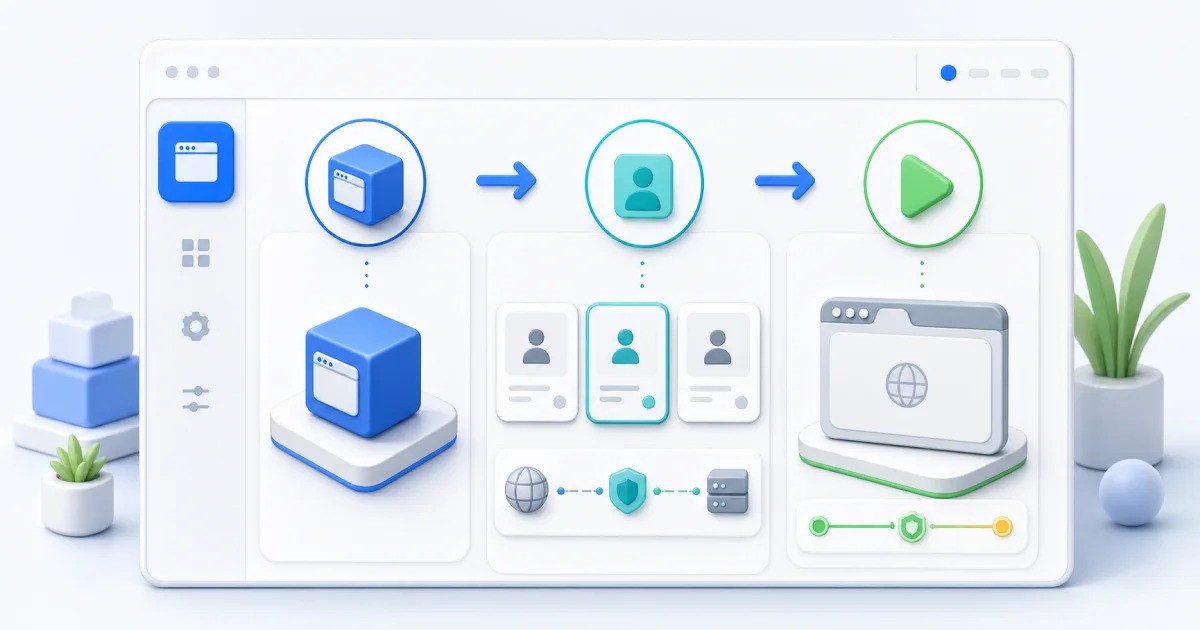
A mobile profile is judged in motion
The first page can look correct while the journey fails later. A mobile product often moves between a compact navigation state, a form, a confirmation view, and a return path. Each transition can change the available content area and the location of the control that the user needs next. Quality review should follow that movement instead of treating the initial screenshot as the whole result.
Start by naming the supported journey. A useful record says who owns the flow, which account or approved fixture it uses, what the user is expected to complete, and where the journey ends. Include the normal success path and one recovery path. The recovery path may be a refresh after a save, a return after a redirect, or a revisit to a record that was just updated.
Keep the identity boundary stable during the journey. The mobile profile, storage policy, route policy, and application account belong to the same approved session record. A new session should begin when that boundary changes. This keeps the product result understandable and protects the privacy purpose of the profile.
Treat viewport as a journey state
Viewport quality is more than a width check. The user may begin with a header, a content area, and a bottom action in view. After opening a menu, focusing a field, or returning from another page, the visible area can be arranged differently. The review should name the important states and the action that moves between them.
For each state, record the content that must remain reachable, the control that should receive attention, and the message that confirms progress. Check the first useful action, the primary action, and the final confirmation. A page can preserve its styling while placing a required control below an obscured area or leaving the user without a clear route back.
Use a small set of stable checkpoints. A populated form before submission, the confirmation after saving, and a record reopened from the navigation menu are often more informative than a gallery of every screen. Keep the locale, profile class, application build, and named viewport state with each checkpoint.
The review should cover changes in orientation or available space only when the product supports them. Do not infer support from a resized desktop page. Use the journey the product promises to its users, and record an unsupported state as outside the approval scope rather than silently treating it as a pass.
When layout changes are expected, the content order still needs to remain clear. Headings, labels, action controls, and validation messages should follow a sensible reading path. A touch user should be able to understand what changed after opening a panel or returning to a form. This is a product behavior observation, not a request to reproduce an internal browser mechanism.
Keyboard review follows the field
A keyboard state is part of a real mobile form journey. The important question is not only whether a field accepts text. It is whether the focused field, its label, the current value, the next action, and any validation message remain understandable while the keyboard occupies part of the visible area.
Choose fields that represent the product's real work: sign-in, search, address, note, or confirmation details. Focus each field through the supported user action. Confirm that the field remains identifiable, the insertion point is visible, and the next control can be reached without losing context. After submission or cancellation, confirm that focus moves to a useful place or closes in a way the product explains.
Review the journey with incomplete input as well as accepted input. A validation message should be associated with the field that needs attention. The message should remain available after the user corrects the value, moves to another field, or returns from a page transition. The product should preserve entered information according to its stated behavior.
Mobile Keyboard Viewport can be offered as a product interface option for review sessions that need to inspect a page while the keyboard is present. Treat it as a visible product view. Assess the resulting layout, focus behavior, and user actions without making claims about a device's native operating-system behavior or relying on a hidden implementation assumption.
The review also covers dismissal and return. A user may close the keyboard to inspect a larger confirmation, reopen it to correct a field, or leave the form and return later. Each action should preserve the intended application state. If the product deliberately clears a value or resets focus, that behavior belongs in the expected result.
Touch is a sequence, not a click substitute
Touch workflows have their own rhythm. A user opens a control, chooses an item, confirms a change, and then checks the resulting state. A quality review should follow the sequence and the visible feedback, not just activate each control once.
Use the same path a customer would use. Open compact navigation, select a destination, scroll to a record, open its action menu, and return to the record after saving. If the product has cards, rows, tabs, dialogs, or media controls, review the complete path that connects them. Observe whether the current target remains clear after each action.
Pay attention to focus and feedback. A selected tab needs a visible selected state. A menu needs a clear open and closed state. A save action needs a product-level confirmation or an understandable failure message. Touch input should not leave the user guessing whether a request was accepted, especially when the route takes time to respond.
Review repeated actions and recovery. Open and close the same panel, move between fields, cancel a dialog, and revisit a saved item. These steps expose state that a single forward click does not. Record only the user-visible result and the small amount of application evidence needed to make a release decision.
Media and uploads deserve their own touch path when they are part of the supported product. Start the action, observe the progress state, pause or cancel where the product offers that choice, and confirm the final state. Do not replace the product flow with a technical demonstration. The acceptance record should say what a user could see and complete.
Use real user journeys
Select journeys that represent meaningful work: account access, search, checkout, document review, media playback, messaging, or a dashboard update. A static landing page is useful for a basic availability check, but it says little about a flow that uses forms, navigation, storage, or recovery.
Write the journey as a short series of product actions and expected states. Begin after the approved test account and fixture are ready. End at a stable confirmation, a documented failure state, or a controlled handoff. Avoid steps that depend on an individual reviewer making up the next action. Repeatable boundaries produce evidence that can be compared at the next release.
Keep the test data safe. Use accounts and content authorized by the application owner. Mask personal details in screenshots and remove secrets, tokens, and customer content from shared records. A mobile review should protect the user data involved in validation as carefully as it protects the profile boundary.
Include the route and locale in the baseline. A translated action may wrap differently, a regional policy may change the available content, and a service response may take a different path. These are valid release inputs. They should be named so a changed result is not attributed to the browser pair without evidence.
Run a fresh session and a return session when persistence is part of the promise. The fresh session checks entry and setup. The return session checks whether the saved state is still available and presented in the expected context. Keep both outcomes under the same journey owner.
Keep layout and behavior together
Screenshots help with layout, but the approval decision should include what the user could finish. A visually close page that drops a save action, loses a validation message, or prevents a return path is not a successful mobile review. Pair every visual checkpoint with a short behavior statement.
A useful record might say that the user opened the navigation panel, searched for a record, edited an approved field, saved it, saw the confirmation, and found the change after returning. The checkpoint image shows the state. The behavior note explains why that state matters. Both are compact and readable by product, privacy, QA, and support teams.
Keep separate baselines for mobile and desktop journeys. They may share an account or a business outcome, but the layout, input sequence, navigation model, and recovery path can differ. A mobile pass should not silently approve a desktop layout, and a desktop pass should not substitute for an affected mobile review.
Do not turn the record into a catalogue of browser internals. Public quality evidence is strongest when it describes the approved profile family, the user-visible result, and the release decision. Technical support can use restricted material when a result needs deeper investigation, while the published review remains focused on privacy, consistency, and product use.
Pair every profile with its browser release
The browser and profile are one release pair for approval purposes. A new browser package can alter page compatibility or input behavior even when the profile assignment has not changed. A new profile package can change the approved identity plan even when the browser version stays in place. Review the combination that will run.
Start a candidate pair in a controlled environment. Keep the application build, route class, locale, policy, and stored-state plan aligned with the accepted baseline. Run the representative mobile journeys, review changed checkpoints, and obtain the required product and privacy sign-off before promotion.
Promote in stages. Keep the last accepted pair available during the observation period. If the candidate needs to be withdrawn, restore the previously approved browser and profile together. A rollback that changes only one side creates a pairing that was not reviewed and can make later evidence difficult to interpret.
The same rule applies to a host image change, an application integration change, or a policy update that affects the journey. Record the changed input separately. When several inputs move together, the result may still be useful for a release decision, but the next investigation will have fewer ways to assign a difference.
Avoid an automatic fallback to an unrelated mobile profile when the approved package is unavailable. A blocked launch is visible and actionable. A successful launch with an unreviewed assignment may produce an attractive screenshot while weakening the privacy boundary and the release record.
Review the first run with a small baseline
The first review for a new mobile profile should be broad enough to cover its promised workflow and small enough for an owner to understand. Include entry, navigation, a representative form, keyboard-visible editing, touch confirmation, a recovery step, and clean close. Add media or upload work only when the product depends on it.
Record the expected state before the run. The reviewer should know which controls are reachable, which messages confirm progress, what content survives a return, and which result is acceptable. This makes the record useful even when a later reviewer did not attend the original session.
Repeat the journey in a fresh session. A single pass can be affected by a temporary service response, stale storage, or a partially completed account. Repetition does not require a large test suite. It requires the same named path, the same approved conditions, and a clear note when the result changes.
Keep the acceptance language practical. Accepted means the named user journey reached its approved state under the recorded pair. Changed means the observed result differs and has an owner. Blocked means an external dependency prevented a valid run. Inconclusive results should not be used as approval evidence.
Separate product changes from environment changes
When a mobile result changes, first repeat the journey under the recorded conditions. Check ordinary application availability, test-account state, fixture state, and route health before replacing the browser pair. A service response or expired account can create the same visible symptom as a release change.
If the difference repeats, compare the last accepted pair with the candidate while keeping the application and journey fixed. A second comparison can hold the pair fixed while using the changed application when that build remains available. These controlled comparisons give each owner evidence without requiring the public record to expose internal mechanisms.
Classify the visible stage where the difference appears: startup, first navigation, menu opening, form entry, keyboard view, save confirmation, redirect, persistence, media, or close. Shared stage names help product and platform teams work from the same observation. Keep host or route findings in their own record.
Change one release input at a time when the schedule allows. If urgency requires a combined update, record all inputs and assign a reviewer to the combined result. Do not quietly change the viewport class, profile, route, and test account while trying to make a journey pass.
Recheck recovery and stored state
Recovery is part of quality. After saving, refresh or leave and return when the product promises persistence. After a redirect, confirm the user returns to a useful state. After a temporary interruption, use the product's supported recovery path. These actions show whether the profile and application remain coherent beyond the first interaction.
Stored state needs a clear policy. A persistent authorized session may retain the state needed for continuity. An ephemeral review may require clean close and no retained application data. Record the policy before the run and apply it after the run. Do not attach old stored state to a newly assigned profile without an explicit owner decision.
Review close as carefully as launch. Finish or cancel the journey, capture the approved result, close the session, and confirm that the release record contains only the intended evidence. A clean close makes the next review comparable and limits data that remains after a test.
Keep the review cadence tied to change
A useful cadence has two parts. Run a focused review when a release input changes, and run a periodic health review while the pair remains in service. The first catches changes near their source. The second catches drift in the application journey, host environment, route policy, or stored-state process.
Trigger focused review for a new browser release, a new profile package, a mobile layout change, a keyboard-related product change, a navigation rewrite, a policy change, a host image update, or a change to a critical integration. The affected journey gets priority, followed by a small control journey that should remain stable.
Use periodic review to revisit the representative mobile path, the recovery path, and the evidence record. The interval should follow release volume, workflow importance, and the organization's privacy policy. A high-change checkout flow may need attention more often than a rarely updated internal dashboard. Keep the decision with the journey owner rather than adopting a universal calendar rule.
Retire checks that no longer match supported product behavior. Add a case when a real customer journey, a contractual requirement, or an approved privacy objective creates a durable need. A small current baseline gives stronger operational guidance than a large archive nobody can explain.
Make evidence readable
The release record should answer five practical questions: which browser and profile pair ran, which journey was used, what the user observed, who reviewed it, and what decision followed. Keep those fields stable between mobile and desktop reports. A consistent record shortens support work without exposing profile contents.
Use masked screenshots at named checkpoints, short application messages, the journey result, locale, viewport state, and a note about recovery. Timestamps are useful when they connect a visible change to a service event. Broad session archives are rarely needed for a public quality decision.
Store evidence under the organization's retention and access rules. Mobile screens can contain account details, private messages, addresses, or document content. Limit access to the teams that need the result, redact wider reports, and remove material when its retention period ends. Retain the decision and its owner after sensitive evidence is gone.
Mark a blocked or inconclusive run plainly. An unavailable service does not prove that the pair passed or failed. Re-run after the dependency recovers, then update the same journey record with the new disposition. This habit prevents a gap in availability from becoming a misleading release signal.
Use a staged decision
Approve the pair when the named mobile journeys reach their expected product states, the viewport and keyboard states remain understandable, touch actions have clear feedback, recovery follows the documented behavior, and the evidence is owned. Hold the pair when a changed result lacks a disposition or when a required journey cannot be completed.
Promote a candidate through a small group of representative workflows before expanding its use. Keep the accepted pair available until the candidate has passed the observation window. A staged decision gives operations a concrete recovery path and gives the profile owner time to review any changed mobile state.
When a result is accepted with an exception, name the exception, owner, next action, and expiry. A temporary unavailable integration can be tracked without pretending that the affected journey was reviewed. The record remains honest and the missing work stays visible.
What Mobile Keyboard Viewport means in product terms
Mobile Keyboard Viewport is best understood as a product interface option for looking at a mobile page in a keyboard-visible state. It can help a reviewer discuss the placement of fields, validation messages, action controls, and confirmation content while the available view is reduced.
Keep the conversation at the product level. Ask whether a user can identify the focused field, continue to the next action, correct an entry, and understand the result after the keyboard is dismissed. The option belongs beside the journey baseline, not in place of the journey. It does not replace touch review, persistence review, or browser and profile pairing.
Document which visible state was reviewed and which user action produced it. Avoid treating a single view as a statement about every mobile screen. Forms, media controls, menus, and confirmation panels can have different needs. The product owner decides which states belong in the supported workflow.
Keep ownership explicit
Each mobile profile should have an owner for the identity record, an owner for the product journey, and a release approver. One person may hold more than one role in a small team, but the decisions still need clear names. The profile owner confirms the pair. The journey owner confirms the expected behavior. The approver accepts, holds, or records an exception.
Keep neutral identifiers in shared records. Profile contents, account secrets, private page data, and route credentials belong in protected systems. The quality record needs references, not a copy of sensitive material. This separation helps support teams understand a release without expanding access to the underlying session.
When ownership changes, transfer the approval history and the next review date. An unowned profile is easy to reuse outside its intended workflow. A named owner can retire an old pair, update the journey, or request a focused review when the product changes.
Make review useful after release
Quality review should continue after promotion. Support teams need a current approved pair when a customer reports a mobile layout or input issue. Product teams need a short path to reproduce a changed workflow. Privacy teams need confidence that the profile remains aligned with its approved purpose.
Link the release decision to the application build, browser release, profile revision, and journey record. Keep the last accepted pair available for comparison while the current pair is in service. When a customer-visible behavior changes, start with the closest accepted record instead of rebuilding the context from memory.
Review the record after each material change. Remove obsolete screenshots, refresh the expected states, and preserve the reason for the decision. The value of a baseline comes from staying current, not from accumulating pages of history.
The quality bar is consistency through the journey
Mobile Browser Profile Quality Review is a practical discipline. It connects the identity promised by a mobile profile with the visible states and actions that a person uses. Viewport changes, keyboard-visible editing, touch navigation, persistence, and recovery all belong in the same release conversation.
The strongest result is easy to explain: a named browser and profile pair, a real user journey, a small set of useful checkpoints, a clear owner, and a review date tied to the next meaningful change. That record protects privacy, supports product quality, and gives teams a stable way to decide when a mobile release is ready.
Related Articles
Take BotBrowser from research to production
The guides cover the model first, then move into cross-platform validation, isolated contexts, and scale-ready browser deployment.