What Does an Anti-Detect Browser Change?
See what an anti-detect browser can configure, what remains tied to the host or network, and how to verify a profile before purchase.
BotBrowser Team
Want the structured docs for Documentation?
This article lives in the editorial library. For step-by-step setup, reference material, and ongoing updates, jump into the docs section.
An anti-detect browser is a category label, not a promise about how a website will classify a visit. BotBrowser documents profile controls for browser-level values and selected rendering surfaces such as Canvas and WebGL; those controls do not amount to control of the entire host graphics stack or guarantee pixel-identical output across hosts or a third-party site's decision.
TL;DR
- A profile can configure browser-level identity values that the product documents, such as navigator properties and selected graphics or display settings.
- A profile defines browser-environment settings, including documented graphics or font configuration; it is not the physical host or the network route.
- Portability means the same profile data can be used in a compatible runtime; it does not mean every output stays identical across machines.
- Before purchase, compare a fixed, authorized fixture with and without the profile, then repeat on another supported host and inspect the differences.
Contents
- What the category changes
- What stays outside the profile
- What profile portability means
- A pre-purchase comparison
- Practical conclusion
What the category changes
An anti-detect browser generally offers profiles for controlling browser-visible settings. The exact scope depends on the product and its implementation, so the useful question is not whether it carries that label, but which values it documents, where those values are applied, and what evidence a prospective customer can inspect. For an architectural comparison with privacy-first browser cores, see privacy-first cores and anti-detect browsers; it covers a different comparison than these profile-level acceptance questions.
For BotBrowser specifically, the browser fingerprint overview describes supported profile-controlled surfaces inside its browser core, including selected rendering surfaces. That is a product capability claim from BotBrowser documentation, not a conclusion supplied by MDN or a web standard. The profile management documentation describes profiles as encrypted, version-matched files that teams can manage; it does not establish that their contents can be inspected or diffed directly.
Browser APIs expose values for a page to read. For example, MDN documents the Navigator interface, while canvas and WebGL APIs expose rendering-related reads through methods such as toDataURL() and getParameter(). A profile may configure a documented browser value, but observing one expected return value only establishes what that particular read returned. It does not establish that every related surface, rendering result, or delivery detail changed with it.
The distinction matters when evaluating implementation claims. A browser can report a profile-selected value while a separate measurement still reflects another layer. A returned value is evidence about that value and call, not proof of a physical device, a person, or a bot verdict. No product can promise how a third-party site will interpret the combination.
Read a product claim at the layer it names
Words such as “fingerprint,” “identity,” and “profile” are broad labels. Turn each one into a narrower question before comparing plans. Does the product document a value that a page reads through a browser API? Does it document the browser component that supplies that value? Does it say whether the value is shared with request metadata, a worker, or a rendered result? Those are separate acceptance questions, not synonyms for one setting.
For example, a navigator property is a page-readable value. A canvas image is produced by drawing and then reading pixels; the canvas fingerprinting overview explains this kind of image-based observation. A WebGL parameter is returned by a graphics API. The MDN references describe the exposed interfaces and calls. They do not establish what a commercial profile manager changes internally. That part must come from the product's own documentation and a controlled evaluation.
Use a claim ledger rather than a feature-count checklist:
| Vendor wording | Evidence to request | What the evidence can establish | What remains open |
|---|---|---|---|
| “Controls a browser value” | The named setting, supported version, and a read of that value in a fixed fixture | Whether the named read changed in that setup | Whether other reads, workers, or requests agree |
| “Keeps a profile consistent” | A list of covered surfaces and results from the same declared configuration | Which listed observations agree in the tested context | Unlisted APIs, host output, and external service decisions |
| “Portable profile” | Supported host/version combinations and a record of the same profile revision on each | Whether the product accepts that file in each declared setup | Pixel-level equivalence or identical network behavior |
| “Private profile storage” | File locations, access controls, sync/export behavior, and retention terms | How the vendor says the profile is stored and managed | The behavior of your endpoint backups, proxies, or visited services |
The last column is not a reason to reject every product. It prevents a broad product phrase from silently becoming an acceptance criterion that was never measured. Ask the vendor to identify an unsupported or unmeasured surface explicitly, then decide whether it matters to your workflow.
Treat an API value as one observation
Suppose the fixture reads navigator.platform and returns the value listed in a profile. The result supports a narrow statement: that property returned that string in that page, browser version, and host. It does not show whether a request used matching metadata, whether a worker returned the same value, or whether another graphics surface changed. Those observations need their own rows in the record.
This separation also helps prevent accidental device claims. A profile can contain a declared browser setting without representing one uniquely identifiable physical computer. Multiple machines can share a configuration, and a single machine can expose different values under different software or launch settings. A value that resembles a known device is still only an observed value; it is not a serial number or proof that a particular person used it.
What stays outside the profile
The profile is one input to a running browser, not a replacement for the machine and services around it. Keep these layers separate when comparing products:
| Layer | What belongs here | Decision rule |
|---|---|---|
| Browser profile | Documented browser-reported settings, such as selected navigator, display, or graphics parameters | Choose a product only when its documented settings cover the values your authorized workflow needs to configure. |
| Host and rendering | Physical operating system, graphics devices, drivers, and host-specific factors in the pipeline producing pixels | If rendering output matters, compare the documented profile-controlled surfaces and the resulting output on representative hosts; do not infer pixel parity from a changed JavaScript value. |
| Network path | Proxy or direct route, egress address, resolver behavior, and transport path | Evaluate these with the network configuration you will actually use; a profile file alone does not establish the route. |
| Website or service | Collection choices, risk rules, access policy, and the decision returned to a visitor | Treat the result as the service’s decision, not as a capability a browser vendor can guarantee. |
Canvas and WebGL illustrate the distinction between a configurable browser surface and host-specific rendering. BotBrowser documents controls for selected rendering observations, while the host still supplies hardware and drivers; the API call that reads a result is not the entire rendering process. A profile setting can affect a documented surface without making two hosts render the same pixels. Likewise, a network setting must be verified at the route and request layers rather than inferred from browser API output.
This is also why an API-only spot check is too narrow for a purchasing decision. When comparing browser-core designs with page-script overrides, the browser-core versus API-level protection comparison explains where those approaches apply. The category name alone does not tell you which implementation a product uses.
What profile portability means
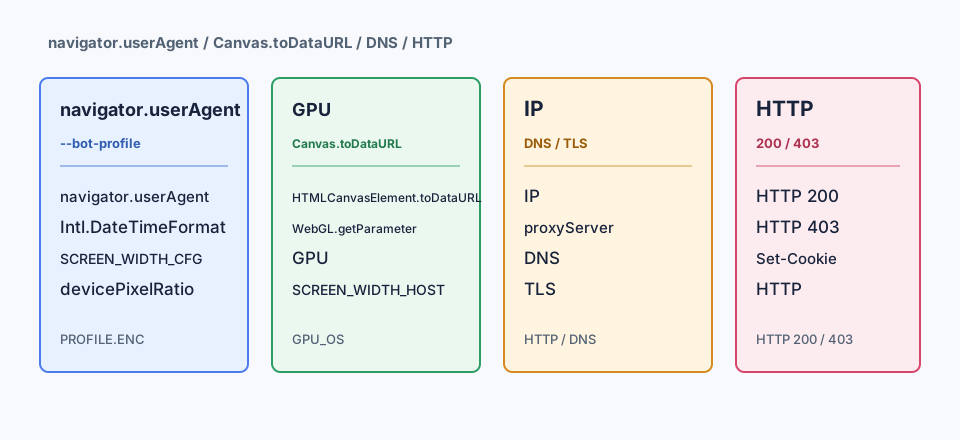
Portability describes whether profile data can be used elsewhere, subject to the product’s documented compatibility requirements. BotBrowser profile files are encrypted and version-matched; the documentation does not say that their contents can be inspected or diffed directly. The profile can define browser settings, including graphics configuration, but it is not the physical host, network route, or site response.
Use the same profile file as a controlled input when comparing compatible hosts, but record the runtime and machine beside it. Keep the browser version, profile revision, launch options, host, rendering setup, and network route in the comparison record. If results differ after moving hosts, the profile may have remained unchanged while the rendering or network layer changed.
Profile portability also does not imply storage merging or session transfer. A profile and a browser’s cookies or other persistent state are distinct things to inventory and manage. The product’s documentation should say which artifacts are included and which need separate handling. If the answer is unclear, treat it as a purchase question rather than assuming that a profile file contains a complete browser session.
Teams deciding whether one profile can move among machines may also need the cross-platform profile comparison, which focuses on keeping the profile, version, host record, and launch settings together.
A pre-purchase comparison
Use a small fixture that you own or are authorized to test. The goal is to verify the product’s stated scope on your intended setup, not to predict a third-party site’s classification.
- Write down the claim. List the specific settings the vendor says the profile controls, the supported browser version and host, and any compatibility constraints. Record the profile revision and a stable file hash if the product permits it.
- Fix the comparison inputs. Choose one page or local fixture that reads the documented navigator, canvas, and WebGL surfaces relevant to your workflow. Record the browser version, host OS, rendering setup, launch options, and network route. Use the same inputs for the profile and baseline runs, changing only whether the profile is applied.
- Compare the observations. Check whether the documented values change as claimed. Record canvas output and WebGL results separately from API return values. The expected result is a clear record of which observations changed, stayed the same, or could not be measured; a changed value is not a device or identity proof.
- Repeat on another compatible host. Transfer the same profile file without editing it and hold the browser version and launch options constant. Expected: profile-controlled values covered by the product’s documentation remain associated with that profile; host-rendered results may differ and should be identified as such.
- Check the route independently. Confirm the actual network route and egress using an approved endpoint or your own server logs. Expected: the observed route matches the network configuration you selected. Do not treat a browser profile comparison as evidence about proxy, DNS, or transport behavior.
- Make a bounded decision. Buy only if the required profile settings are documented, the artifact can be managed as your team requires, and the remaining host and network differences fit your workload. Mark an unexplained or unavailable observation as unresolved rather than as a pass.
Keep a compact record with one row per run:
| Run | Profile revision | Host and browser version | Route | Observations and expected result |
|---|---|---|---|---|
| Baseline | None | Same declared host and version | Fixed route | Reference values and rendering output |
| Profile | Declared revision | Same host, version, and options | Same route | Documented profile values change; other observations are recorded independently |
| Portability | Same revision and hash | Second compatible host and same version | Same route where practical | Separate profile-controlled observations from host-rendered differences |
Interpret differences by surface
These three browser outputs describe separate observations.
navigator.platform records the string returned by this Navigator property in the current page and recorded setup. That single return value does not show that every profile-controlled surface changed, that another host returns the same value, or that the string identifies a device or person or predicts a service decision.
HTMLCanvasElement.toDataURL() serializes canvas image data as a data URL for that call. The resulting string describes the image data serialized by the method; it does not establish coverage of every canvas operation or pixel-identical output on another host. It also cannot establish device or personal identity, or a remote service's decision.
WebGLRenderingContext.getParameter() returns the parameter requested from that WebGL context. Its value applies to that parameter read in that context; it does not show that other WebGL values, browser surfaces, or profile settings match. Nor does it establish cross-host pixel equality, device or personal identity, or how a service decides.
These reads are not interchangeable: an API return, serialized image data, and a context parameter describe different observations. Even considered together, they do not prove overall profile coverage, identical output across hosts, an identity, or how a service interprets a visit. Keep each result tied to its recorded inputs.
FAQ
Does an anti-detect browser change everything a page can observe?
No category label establishes that. Products differ in which settings they expose, and observations can come from the browser, host, rendering pipeline, network, or service. Compare the specific documented scope with the fixture your workflow needs.
Does the same profile produce identical output on every machine?
Not by itself. The profile is portable data, while the host still supplies the environment that renders content and the network still determines how requests travel. Test on the supported machines that matter to your deployment.
Does a changed navigator value prove that the profile represents a real device?
No. It shows what a particular API read returned in that run. It does not prove a physical device, a person, or how a site will classify the browser.
Can a profile file include cookies and the network route?
Do not assume so. Check the product’s documentation for the profile’s exact contents and manage session storage and network configuration as separate artifacts unless the documentation explicitly says otherwise.
What should be compared during a trial?
Start with the settings named in the documentation and the host, browser version, and route you intend to use. Record a baseline, apply one profile, repeat the same fixture, and compare each page read, rendered output, and network observation separately. Change one input at a time when a result differs.
Can a profile make a third-party site accept a session?
No browser profile is evidence of a site's acceptance criteria, and the browser vendor does not control that service's rules. Evaluate the browser against documented configuration behavior and your own authorized fixtures. Follow the site's terms and support process for questions about access.
Can command-line settings override a profile?
Yes. BotBrowser's profile management documentation states that CLI --bot-* flags take priority over the profile configs block and profile defaults. Record the active launch options when comparing a profile, because a command-line override changes which setting supplies the browser value.
Sources
- MDN: Navigator
- MDN: HTMLCanvasElement.toDataURL()
- MDN: WebGLRenderingContext.getParameter()
- BotBrowser: Browser fingerprint overview
- BotBrowser: Profile management
Practical conclusion
An anti-detect browser can configure the browser-level surfaces its product documents, but it does not make the profile file equivalent to a machine, rendering pipeline, network route, or website decision. Before purchase, run the same authorized fixture with and without the declared profile, repeat it on a compatible host, and proceed only when the observations match the documented scope and the remaining differences are acceptable for your use.
Related Articles
Privacy-First Core vs Anti-Detect Browser
FingerprintCanvas Fingerprinting: How It Works and What Helps
ComparisonBrowser Core vs JavaScript Overrides for Fingerprint Consistency
ComparisonBrowser-Core vs API-Layer Protection: A Reproducible Test
ComparisonHow to Evaluate Browser Privacy Claims with Public Evidence
ComparisonBrowser Privacy Policy Review Before a Product Release
Run the same check in BotBrowser
Load a profile, keep the signals you just read about consistent inside the browser, and confirm the result on your own machine before a rollout.