Web Locks API: Coordinate Shared Browser Work Safely
Use the Web Locks API to coordinate tabs, windows, and workers without confusing browser locks with distributed server locks.
BotBrowser Team
Want the structured docs for Platform?
This article lives in the editorial library. For step-by-step setup, reference material, and ongoing updates, jump into the docs section.
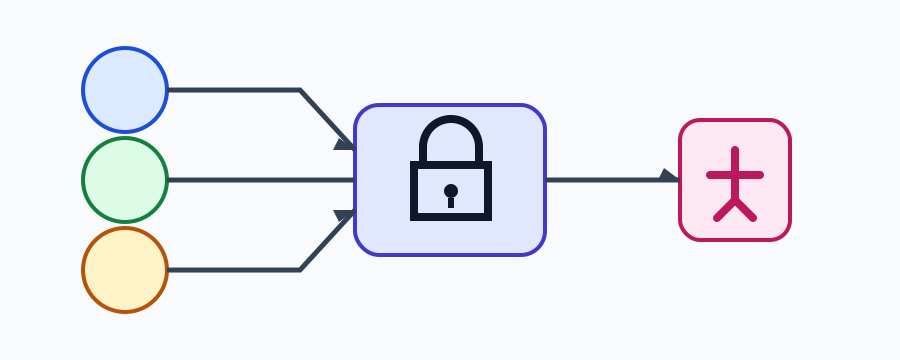
When several tabs or workers update the same browser-held resource, “check then write” is not coordination: two contexts can pass the check together. The Web Locks API lets an origin queue named lock requests so one critical section owns a name at a time. It coordinates contexts that share the browser's origin and storage model; it does not coordinate servers or origins, and it does not make abandoned application state correct by itself. BotBrowser can repeat an authorized profile workflow for this review, but it does not grant locks, control another tab, or replace application and server correctness.
TL;DR
- Request a lock around the smallest shared operation and release it by returning from the callback.
- Use
ifAvailableor a bounded application timeout when waiting is not acceptable; never pretend a denied lock was acquired. - A worker, tab, or window can disappear. Make the operation idempotent and keep recovery outside the lock callback.
- Web Locks coordinate same-origin browser contexts, not cross-origin pages, arbitrary server processes, or hidden tab control.
- BotBrowser can help repeat an authorized profile workflow, but the page still owns lock semantics, storage correctness, and cancellation.
Contents
- The browser lock model
- A small coordination fixture
- Worker safety and failure recovery
- Evidence and decision matrix
- Conclusion
- FAQ
The browser lock model
navigator.locks.request(name, options, callback) queues a request for a named lock. Exclusive mode is the default; shared mode can allow several readers while excluding an exclusive writer. The callback runs only after the browser grants the lock, and the lock remains held until the callback returns or its promise settles. A request from another same-origin context waits in the browser's queue rather than polling a flag in application storage.
The queue is not a global mutex for your backend. It does not cross origins, browser profiles, devices, or server instances. It also does not guarantee fairness beyond the behavior documented by the API. Keep the protected section short: read the current record, apply one validated change, write it, and return. Network calls and UI waits usually belong outside the lock, with a lease or server-side transaction when the decision must survive a browser closing.
A small coordination fixture
This fixture increments one local counter and reports whether a context acquired the lock. The ifAvailable branch is explicit: lock is null when another context owns the name.
async function incrementCounter(storage, report) {
  if (!navigator.locks) return report('unsupported');
  return navigator.locks.request('counter-write', { ifAvailable: true }, async lock => {
    if (!lock) return report('busy');
    const current = Number(storage.getItem('counter') || 0);
    storage.setItem('counter', String(current + 1));
    report('committed');
  });
}
Expected observations: two contexts that call this function concurrently never enter the critical section at the same time; a busy context reports busy; and a browser without the API reports unsupported. The fixture is intentionally local. localStorage is not a transactional database, so production code should use an application-specific durable store and validate conflicts again on the server when data matters.
Worker safety and failure recovery
A dedicated worker can request the same lock name as a window. If the worker is terminated while waiting or inside the callback, the browser releases its lock, but any partial write or external side effect remains an application concern. Commit one complete record, use an idempotency key, and make retries distinguish “not started”, “committed”, and “unknown after interruption”. Do not keep a lock while waiting for a network response that another context could safely perform later.
Avoid an unbounded queue for user actions. ifAvailable is useful for optional refresh work; for required work, an application deadline can race the request and cancel the promise by abandoning the owning operation. A timeout does not revoke a callback already granted, so cancellation still needs a flag checked before each irreversible step. Always return from the callback in finally paths and close worker ports during shutdown.
BotBrowser supports repeatable, authorized browser-profile workflows for compatibility review. It does not grant a Web Lock, force another tab to release one, control scheduling across origins, or replace server transactions. Treat a profile run as evidence about the tested browser journey, not as proof that every host or deployment serializes work identically.
Evidence and decision matrix
Use a fixture with two same-origin windows and one worker, a unique lock name, a counter, and a forced worker termination. Record the browser release, profile family, headed or headless mode, storage implementation, lock result, visible fallback, and whether the final value is correct. Do not record account data or raw page captures.
| Observation | Safe interpretation | Next action |
|---|---|---|
committed appears once per accepted request | The tested critical section serialized | Keep the section small and repeat after browser updates |
busy from ifAvailable | The lock was unavailable at that instant | Keep the previous state; schedule an explicit retry if needed |
unsupported | The current context lacks the API | Use a designed fallback or server transaction |
| Worker ends before report | Ownership ended, outcome may be unknown | Reconcile by idempotency key before retrying |
| Counter is wrong despite serialization | Storage or validation is not atomic | Move the invariant to a transactional store |
The fixture demonstrates observable browser behavior, not a guarantee about distributed coordination. Test the user-visible recovery path as well: a status message, preserved form state, and a retry that cannot duplicate a committed operation.
Choose the resource boundary first
Name a lock after the resource whose invariant must be protected, not after the screen that happens to use it. draft:invoice-42 and sync:outbox describe different ownership questions even if one page displays both. A stable name lets a second tab participate without knowing which component created the first request. It also makes a review record understandable: a reviewer can ask which data changes while the name is held and which changes are intentionally outside it.
Do not use one broad lock for an entire application. A global app lock can serialize unrelated work, increase wait time, and make a closed page appear to have stalled every feature. Split independent resources, then document the ordering when one operation needs two names. Acquiring names in a consistent order avoids application-level deadlocks. If an operation cannot determine the second resource before entering the first section, reconsider the data model or move the invariant to a transactional service.
The lock name is an application namespace, not a secret. Do not place credentials, access tokens, private document text, or a complete customer identifier in it. A short stable identifier is enough to distinguish a resource, and a server authorization check must still decide whether the caller may change it. A lock does not hide data from another script that already runs in the same origin.
Keep the callback deterministic
The callback should have a bounded sequence of steps and one clear terminal result. Read the current value, validate the expected version, apply the smallest change, and write the result. Return a status that lets the caller display a useful message. If validation fails, return without writing; do not hold the lock while asking the user a question. A browser prompt or a long animation is a product interaction, not a critical section.
When a callback invokes another helper, make ownership visible in the helper contract. A helper that silently starts a network request or schedules a timer can keep a lock longer than its caller expects. Prefer passing plain data into the callback and returning plain data out. If a network operation must be coordinated, reserve a short local record under the lock, perform the request outside it, then reconcile the response with a new guarded write. The reconciliation step must tolerate a different tab changing the record in the meantime.
Promise rejection is also a release path. Attach a try/finally around temporary resources, but let the callback settle so the browser can release the lock. Logging an exception should not turn into an endless retry from every waiting context. Classify the error, preserve the user's work, and let the owner choose a new activation.
Design for a disappearing owner
Browser lifecycle events are ordinary: a mobile operating system can freeze a tab, a user can close a window, and a worker can be terminated during an update. The browser's lock release prevents a permanently held name, but it cannot tell whether a side effect happened immediately before termination. That is why a lock is not a commit protocol. Write a durable intent or idempotency key before an external effect, and let a later run reconcile the key.
For an outbox, the protected operation can move one item from pending to sending with an attempt identifier. The network send happens after the callback returns. A later worker sees sending, asks the server whether that attempt committed, and only then retries. For a local draft, the protected operation can update a revision number. A restarted tab compares the revision before applying edits and offers a merge instead of silently overwriting newer text.
Cancellation needs an owner as well. A page may cancel a request while it is waiting, but a callback that has already started must check the cancellation state before each irreversible step. Do not assume that calling AbortController.abort() revokes a lock callback; it only signals code that observes the signal. Keep the signal local to the operation, and do not reuse a cancelled controller for a later retry.
Test more than a happy path
A useful browser test opens two same-origin contexts with the same profile and starts requests at a controlled barrier. Assert that the protected observation never overlaps, then close one context while it waits. Start a worker request, terminate it after the callback records an intent, and reopen a worker to reconcile that intent. These tests expose the difference between lock release and business completion.
Repeat the fixture with the API removed, with ifAvailable, with a callback rejection, and with a storage write that fails. Each case needs a visible result: unsupported, busy, retryable error, or completed. A test that only checks a promise resolution can pass while the interface loses a draft or leaves a spinner forever. Include keyboard activation and a refresh path when the lock protects user work.
Do not infer support from a browser version string. Feature detection answers whether the interface exists in this context; the fixture answers whether the application's required operation completes. Test headed and headless modes only when both are supported deployments, and keep their records separate. A profile, display service, storage partition, or browser update can change the observed path without changing the API name.
Record a bounded support result
The smallest useful evidence record names the application revision, browser release, target platform, profile family, context type, lock name class, fixture revision, visible result, fallback result, and owner. Record timing only when it changes the product decision, such as a deadline that users can feel. Avoid raw page captures, private URLs, account names, and complete exception text. Keep a retention period and a deletion owner for any diagnostic artifact.
Separate an observation from an interpretation. “The second request reported busy after a short wait” is an observation. “The browser is unfair” is a broader claim that requires a documented fairness guarantee and repeated evidence. If a result changes after a host image or storage policy update, repeat the same fixture before changing the browser, profile, and application together. One changed input at a time keeps the conclusion reviewable.
The support boundary should name what was not tested. A desktop headed run says nothing about a mobile suspension policy, a private browsing partition, an embedded cross-origin frame, or a server process. Mark those rows as untested rather than treating a nearby result as coverage. Add a row only when it represents a real supported deployment, with its own fallback and owner.
Keep recovery understandable
When a lock is unavailable, tell the user what remains possible. An optional background refresh can stay queued without a message; a save action should preserve the draft and state that another tab is working. A retry should be a deliberate action or a bounded scheduler, not a tight loop that creates more lock requests. If the operation is obsolete, remove its pending request from application state so reopening a page does not replay it unexpectedly.
Accessible status is part of coordination. Announce that work is waiting, completed, or needs attention, and keep the same controls available at zoom and on narrow screens. Do not announce a private lock name or a raw error that could expose an account identifier. A concise message such as “Another tab is saving; your changes are still here” describes the product state without leaking implementation details.
If a user opens two tabs with conflicting edits, a lock can serialize the writes but cannot decide which meaning is correct. Store a revision marker, detect a mismatch, and offer a merge or explicit overwrite. Do not silently treat the latest callback as the authoritative user choice. Server-side validation remains necessary when the data is shared beyond the browser.
Revisit the contract after changes
Review the lock design when an application adds a new worker, changes its storage backend, introduces offline mode, or changes the minimum browser release. A new background sync path may need a different lock name or an outbox rather than joining a foreground save lock. A new embedded surface may no longer share the same origin or storage partition. Update the fixture and the fallback together so support notes describe the current product.
The W3C specification and MDN describe the API surface and browser constraints; they do not decide whether a particular save is safe, whether a user can recover a conflict, or how long evidence should be retained. Those are application responsibilities. Keeping that distinction visible prevents a successful API call from being mistaken for a complete data-safety guarantee.
Conclusion
Use Web Locks for short, same-origin coordination between browser contexts. Keep writes atomic, make interruption recoverable, and move durable invariants to a store that can enforce them beyond one browser. The next safe action is to run the two-window/worker fixture with your real fallback and verify the final record, not merely that a lock request resolved.
FAQ
Does a Web Lock protect a server row?
No. It only coordinates eligible browser contexts for the origin. A server row still needs authorization, conflict handling, and a transaction or idempotency rule.
Can I force-release a lock after a timeout?
No. The browser releases it when the callback settles or the owning context ends. Design the callback to observe cancellation and avoid holding it across slow work.
Is ifAvailable a failed request?
It is a deliberate non-waiting choice. A null lock means the operation did not run; preserve state and decide whether a later user-visible retry is appropriate.
Does BotBrowser make lock scheduling deterministic?
No. It can make a supported profile workflow repeatable for review, while lock scheduling, storage behavior, and application recovery remain page and platform responsibilities.
Sources and next reading
- W3C Web Locks API
- MDN Web Locks API
- Browser process isolation and operational ownership
- Browser automation test fixtures and isolation
Sources
Related Articles
Take BotBrowser from research to production
The guides cover the model first, then move into cross-platform validation, isolated contexts, and scale-ready browser deployment.