Origin Private File System: Handles, Workers, and Privacy Boundaries
Understand OPFS origin isolation, file handles, worker access, quota outcomes, and privacy-safe validation.
BotBrowser Team
Want the structured docs for Platform?
This article lives in the editorial library. For step-by-step setup, reference material, and ongoing updates, jump into the docs section.
The Origin Private File System (OPFS) gives a web origin a browser-managed file area for application data. It is private to that origin, different from a user-visible download folder, and subject to browser storage policy. A handle names an entry inside that area; it is not a universal path and it does not grant access to another origin. BotBrowser can repeat an authorized page workflow and record visible outcomes, but it cannot override origin checks, grant a quota, or prove that a file is durable on every device.
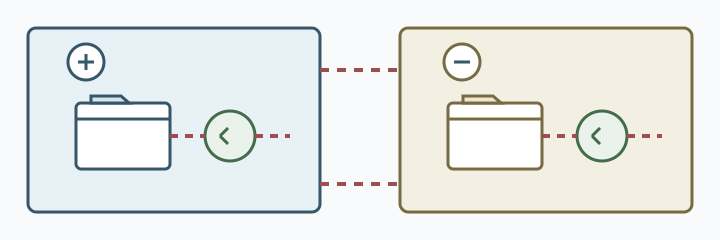
What OPFS isolates
navigator.storage.getDirectory() returns the origin's private root directory. Files and directories created below that root are associated with the origin and browser profile. A page on https://a.example cannot resolve a handle created by https://b.example, even when both applications use the same filename. Private files are also distinct from a file the user selected through a picker. MDN's OPFS guide describes this storage model and its browser-managed lifetime.
Handles are capabilities within that boundary. FileSystemFileHandle identifies a file entry, while FileSystemDirectoryHandle identifies a directory. A handle can be stored in IndexedDB and reopened later, but applications should still handle a missing entry, a renamed record, or a cleared profile. Treat a handle as opaque application state, not as a path to display or send to a server.
The boundary is about origin, not an account. Two users of the same origin may share a profile, and one user may have several profiles. Do not turn successful handle lookup into an identity signal. A missing handle can mean first use, deletion, browser cleanup, a different profile, or an application migration.
Handles and worker access
The OPFS root is available in workers, which makes it useful for parsing, indexing, and other work away from the UI thread. A worker still runs for the same origin and profile; it does not become a cross-origin file service. Dedicated workers can use synchronous access handles in supported contexts, while asynchronous methods are the portable baseline. Check the feature in the actual context and provide a fallback.
Keep the handle protocol explicit. The page can send a limited command to a worker, and the worker can return a status or derived result. Do not pass credentials, complete file contents, or an unconstrained message channel when a small operation will do. Validate message origin and operation names, and close a worker when its task ends.
Concurrent writers need an application rule. A worker and a tab can both hold a handle; the browser does not decide which business update wins. Use a revision, a lock owned by the application, or a transactional format. Write a new record, flush or close it according to the API, then publish the new revision. A terminated worker can leave an incomplete record, so recovery must classify not started, committed, and unknown outcomes.
Quota and persistence outcomes
OPFS consumes the browser's storage quota. navigator.storage.estimate() returns an estimate, not a promise of capacity, and another tab or origin may change the available amount. A write can fail with a quota-related error, a permission or policy restriction, or an implementation-specific failure. The UI should preserve the user's input and explain the next action rather than claiming that the file was saved.
Persistent storage is a request, not a guarantee. navigator.storage.persist() may return true or false according to browser policy, engagement, device conditions, and private browsing rules. A true result describes the current origin and profile; it does not promise backup, export, or survival after the user clears data. Document the retention choice and offer an explicit export when the data matters.
Use quota observations for capacity planning, never for fingerprinting. Record coarse application outcomes such as saved, quota-full, or storage-unavailable; avoid retaining exact device capacity or a long-lived storage signature. Delete diagnostic fixtures after a test and keep account records on the server only when the product purpose requires them.
Privacy-safe validation
Use a synthetic origin and a clean test profile. Create a small file, read it from the same origin, and attempt the same operation from a second origin. The expected result is functional: the second origin cannot resolve the first origin's handle. It is not evidence about a person's identity, browser vendor, or every storage API.
Test page and worker paths separately: create a file in a page, read it in a worker, terminate the worker during a write, and reopen the record. Record browser family, version, origin class, profile state, operation result, and visible fallback. Do not upload real documents or collect a full directory listing. Compare the same fixture after a browser update instead of mixing a new profile, application revision, and storage policy in one run.
The File System Access API specification and WHATWG Storage Standard define interfaces and storage concepts; they do not promise a business outcome. A successful API call establishes only that this operation succeeded in this context. Server authorization, encryption, retention, and recovery remain application responsibilities.
Product boundary and recovery
Tell users whether a draft stays in this browser, is exported to a chosen file, or is uploaded to an account. Keep the local draft until the user confirms the export or upload. Provide a clear action for clearing private files, and make the page usable when OPFS is unavailable. A first-party recovery page can restore an authorized account record, but it must not silently copy another origin's private files.
When a handle is stale, distinguish an empty workspace from a failed network request. Show setup for first use, retry for transient failure, and a recovery or export action for a cleared profile. Accessible status text should name the outcome without exposing a private filename or account identifier.
BotBrowser can help repeat an authorized OPFS workflow in a declared profile and compare visible results across supported browser releases. It does not control the browser's quota policy, persistence decision, origin isolation, worker scheduling, or server retention. Treat its run as evidence about the tested journey, with the browser, profile, application revision, and fallback recorded.
A practical file lifecycle
An application benefits from defining a file lifecycle before it chooses a directory layout. A draft may move through created, writing, ready, and removed states. Store the state beside the content, or in a small index record, so a reopened page can distinguish a complete draft from one interrupted during a write. The filename alone cannot establish that all bytes reached the intended final state.
For a write that replaces an existing file, write to a temporary entry first when the chosen API and file format support it. Validate the new contents, then update the index or selected handle only after the write is complete. Keep the prior valid entry until that point. If the application uses one file and an in-place write, use a format with a recoverable header, length, or revision marker so startup can detect a partial update. The exact strategy depends on the data format; the important user-facing rule is not to report completion before the application has completed its own checks.
Reads need a defined response to corruption as well. A parse failure should not trigger an automatic destructive rewrite. Keep the original bytes until the user chooses repair, export, or discard. For a document editor, show a recoverable copy and provide a download action. For an index or cache, the application can rebuild from an authoritative source if one exists, while clearly treating the local entry as disposable. These are different recovery policies and should not share one vague “reset storage” button.
Deletion has multiple layers. Removing a directory entry from OPFS is distinct from removing a handle stored in IndexedDB, deleting a server copy, or removing a downloaded export. Explain which copy a clear action affects. If the user asks to delete all local work, remove the application index as well as the referenced file entries and show a result that reflects what was actually removed. Do not claim deletion from a remote service when only local storage was cleared.
Worker coordination and resource limits
Workers can reduce UI-thread work, but they also introduce lifecycle and resource questions. A page can navigate away, a worker can be terminated, or a device can suspend an application. Give each operation an identifier and return a final status that the page can match to its request. If the worker disappears without a result, mark the outcome as unknown and inspect the file's revision or completion marker before retrying. Blind retries can duplicate records or overwrite a complete result.
Keep worker messages bounded. Instead of sending a multi-megabyte buffer through a queue for every progress update, send a small operation identifier and a coarse progress value. Transferable buffers can avoid some copying where appropriate, but they do not change origin ownership, quota policy, or the need to validate a completed write. Do not emit a progress event for every chunk if the UI can report meaningful milestones such as preparing, writing, and verifying.
Synchronous access handles are designed for worker use in supported contexts, but a synchronous operation can still occupy a worker until it finishes. Use a bounded chunk size for large transformations and yield between independent tasks when practical. Close or release access resources when the operation finishes, including error paths. A resource leak can make later application steps fail even though the first write appeared successful.
If several workers can process the same queue, coordinate ownership at the application layer. A short-lived claim record can identify the operation currently being handled. Claims need an expiry or recovery policy because a worker can terminate before releasing one. A browser lock can coordinate eligible same-origin contexts, but the lock does not make the file update transactional and does not cover another profile or a server process. Validate the record again when the worker commits its result.
Test matrix and interpretation
Build tests around user-visible outcomes rather than private implementation details. At minimum, cover a clean profile, a profile with an existing file, a missing handle, a denied or unavailable storage context, a quota failure, a worker interruption, and a browser restart. Add private browsing or low-storage cases only when they are supported product contexts and can be tested without collecting user data. Each row should identify the expected action: continue, retry, export, recover from an account, or explain that the feature is unavailable.
Use a test file whose content is synthetic and recognizable, such as a short generated record with a revision number. Verify exact content after a close and reopen, but keep the fixture small and free of personal information. A checksum of that fixture can confirm test integrity; it should not become a persistent identifier for a real user file. Keep test origins under team control and avoid using production accounts or customer content.
Separate the test observation from its explanation. “The file reopened with revision 4 after this browser restart” is an observation. “The file is permanently durable” is not established by one restart. “The second origin could not resolve the handle in this fixture” is an observation. “No browser feature can share state between origins” is too broad. A sound test report names the exact context and leaves unsupported cases explicitly untested.
When comparing browser releases, hold the application build, synthetic data, origin arrangement, and profile setup constant. Change one variable at a time. If the new release returns a different persistence result, record the result and test the product fallback; do not infer that a quota estimate predicts eviction. If the worker path changes, repeat both the worker operation and the page-only fallback so the comparison captures whether the user can still complete the task.
Troubleshooting common outcomes
If a file appears to vanish, first verify the origin, profile, and application version. A staging hostname and a production hostname are different origins even when they serve the same application. A private window or a newly created browser profile may also have separate storage. Next check the application's stored handle and index record, then check whether the entry still exists. Avoid dumping every file to a log; inspect only the synthetic entry needed to diagnose the workflow.
If a save fails, preserve the in-memory draft before showing an error. Determine whether the failure occurred while opening the root, creating a file, writing bytes, or finalizing the record. These stages have different recovery actions. An unavailable root may need a capability fallback; a failed write may need a retry after the user frees space; a failed verification may require restoring the previous revision. Do not collapse every error into “permission denied” unless the API result actually establishes that cause.
If a worker result is missing, do not assume failure or success. Reconcile the operation identifier with the file revision and any completion marker. If the operation was committed, show the saved result without rerunning it. If it was not started, let the user retry. If the outcome cannot be established, preserve both the prior content and the candidate data until the user can choose. This is particularly important for workflows that modify a valuable local document.
If persistence is refused, continue with the browser's normal storage behavior when the feature can tolerate it. The user may still complete the current session, but should receive an appropriate warning about local retention and a way to export valuable work. Repeatedly calling persist() does not turn a refusal into consent. Explain that browser cleanup may remove locally stored data, and avoid suggesting that a browser setting will necessarily change the decision.
Support notes and retention
A useful support note can be short: affected task, browser family and release, origin category, profile state, application revision, operation stage, visible error category, and whether the fallback worked. Exclude file names when they could contain user information, file contents, directory listings, account credentials, and raw URLs with query data. The goal is to reproduce the class of failure, not to collect the user's workspace.
Set a retention period for diagnostic records and define who can access them. A test fixture can be removed as part of test cleanup; an incident record may need a documented expiry. Keep deletion ownership clear when evidence is copied into a ticket or support system. Removing the browser-local file does not automatically remove an uploaded screenshot or log, so each destination needs its own retention rule.
Frequently asked questions
Is an OPFS handle a normal filesystem path?
No. It is an API object for an entry in the origin's private browser-managed storage. It should not be shown as a device path or treated as a portable file reference.
Can a worker from another origin read the file?
No. Worker access remains within the worker's origin and browser storage context. A deliberate user export or an authorized application transfer is a separate data flow and should be visible to the user.
Does a successful persistence request guarantee backup?
No. It reports the browser's current persistence decision for that origin context. It is not a backup, sync, export, or guarantee against user deletion or device loss.
What should happen when quota is exhausted?
Preserve the user's current input, report that the write did not complete, and offer an application-appropriate next step such as export, freeing space, or retry. Do not silently discard the draft or claim it was saved.
Can a browser automation result prove privacy for every user?
No. It can establish an observation for the tested browser, profile, origin arrangement, application revision, and fixture. It cannot establish every browser policy, user's settings, server-side retention, or behavior in untested contexts.
Sources and next reading
- MDN: Origin private file system
- WICG: File System Access
- WHATWG: Storage Standard
- MDN: StorageManager.persist()
The safe next step is a two-origin, page-and-worker fixture with synthetic data and an explicit quota or unavailable-storage fallback.
TL;DR
- OPFS files belong to one origin and profile; a handle is not a shared path or an account identity.
- Workers can use the same origin's files, but concurrent writes still need revisions and recovery.
- Quota and persistence are conditional outcomes, so preserve input and offer export or a fallback.
Contents
Conclusion
OPFS is an origin-scoped workspace, not a cross-site identity or backup system. See browser storage partitioning and Web Locks coordination.
Sources
Related Articles
Take BotBrowser from research to production
The guides cover the model first, then move into cross-platform validation, isolated contexts, and scale-ready browser deployment.