Browser Identity Boundaries for Team Accounts
Separate team-owned browser identities with clear storage, permission, ownership, and handoff boundaries.
BotBrowser Team
Want the structured docs for Identity?
This article lives in the editorial library. For step-by-step setup, reference material, and ongoing updates, jump into the docs section.
BotBrowser can repeat an authorized team-account journey in a declared browser context and profile, including checking that a page opens with the expected local state. It cannot grant access, safely share credentials, override origin or permission rules, or prove that two accounts are unlinked. Treat identity separation as an ownership and privacy boundary, not an operations tactic.
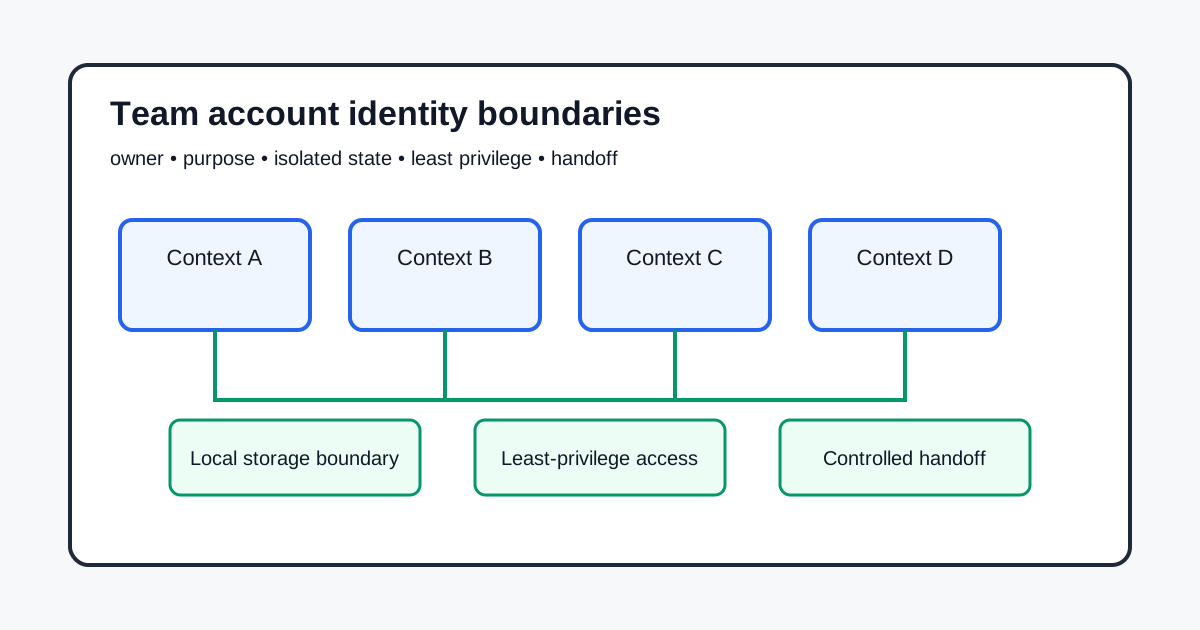
Assign ownership before opening a context
Name the account owner, business purpose, approved operators, recovery contact, and review date. An account used by a team still needs one accountable owner. Record whether the context is for production work, a synthetic fixture, support, or review. Do not put personal credentials in a shared script or assume that a browser profile is an authorization record.
Separate context and site state
Cookies, Web Storage, IndexedDB, Cache Storage, and service-worker registrations are origin-scoped browser state. A separate BrowserContext or data directory can keep local state apart, but it does not transfer server ownership, revoke a remote session, or erase audit records. The HTML Standard and MDN Storage API describe browser storage boundaries; they do not define a portable team identity.
Use one context purpose and one named owner per account. Keep test fixtures synthetic. Never copy cookies, saved passwords, tokens, or raw storage exports between accounts. On sign-out or retirement, distinguish local cleanup from a server-side revocation request and record which action actually occurred.
Apply least privilege and visible permissions
Grant only the role and browser permissions needed for the declared task. A permission prompt is a user decision, not proof of account ownership. Recheck access when an operator, purpose, destination, or retention period changes. The W3C Privacy Principles support purpose limitation and data minimization, while the application owner remains responsible for policy and retention.
Keep an access register with owner, operator, purpose, scope, expiry, and withdrawal path. Review extensions, downloads, notifications, clipboard access, and device permissions as separate categories. A clean local context cannot make a broad server role least-privileged.
Handoff, recovery, and retirement
A handoff should revoke the outgoing operator, issue access through the service's approved account flow, and confirm the incoming operator's scope. Do not hand over a profile archive as a substitute for account administration. Preserve only the evidence needed to show the decision, not credentials or private content. Retirement has explicit states: scheduled, access revoked, local state cleared, server action pending, and complete.
If a context is mixed or a credential was exposed, stop using it for the affected purpose, notify the owner, rotate through the service's approved recovery path, and create a clean context. Do not silently repair a shared archive and call it isolated.
BotBrowser capability and limitation
BotBrowser supports repeating an authorized journey with a declared profile and context, verifying a visible checkpoint, and comparing outcomes across approved browser releases. BotBrowser does not support deciding account ownership, granting or revoking server roles, overriding origin or permission controls, proving that local cleanup removed remote records, or making a shared credential safe. Use its evidence to verify a bounded browser outcome, alongside the service's access records and privacy review.
Practical checklist
Create a small record before the first login. Include the account identifier used by the service, the accountable owner, the business purpose, the context name, the data directory owner, the approved operators, the permissions required, and the next review date. The record should also name the service recovery path and the person who can approve a rotation. Do not put a password, session cookie, access token, private recovery code, or complete storage export in this record. A record proves that a decision was made; it is not a second credential store.
For a shared workspace, the purpose might be support triage for customer-owned test tenants. For a production account, it might be publishing release notes. Those purposes have different retention and permission needs. If a person requests a broader role, record the reason and expiry instead of silently changing the standing role. If the purpose ends, mark the context retired and follow the service's revocation process.
The word profile hides several storage categories. Cookies may carry a short-lived session. Web Storage may hold preferences. IndexedDB may contain drafts or a queue. Cache Storage may contain responses used by an offline experience. A service worker registration may cause code to run again when a page is reopened. Permissions and downloads have their own lifecycle. List the category before deciding whether to preserve it.
For an account handoff, the safest default is to create a clean context and let the application establish new state. If a controlled fixture must keep a preference, copy only the synthetic value needed for the test and document its owner and expiry. Never use a raw storage dump as an informal handoff package. A dump may contain tokens or private content that the next operator is not allowed to receive.
The distinction between local and remote state matters during retirement. Closing a context can release local resources and remove state from that directory when the application performs cleanup. It does not tell the service to invalidate a server session, remove an uploaded object, or delete an audit event. Request those server actions through the documented administration path and record them separately.
Permissions are part of the account's effective capability. Review notification, clipboard, camera, microphone, geolocation, downloads, and extension access separately. A context may have a clean cookie jar while still exposing a broad device permission. A fresh context may correctly ask for a permission again because the previous decision was intentionally not carried forward. Treat the prompt as a choice that needs a user or owner decision.
Write the expected permission state next to the task. No microphone permission can be correct for a text-only support workflow. Clipboard read only after an explicit user action may be correct for a release-note editor. If the purpose changes, review the permission rather than inheriting it. The application should provide an accessible explanation and a recoverable path when a permission is unavailable.
The incoming operator should receive service-managed access, not a copy of the outgoing operator's browser directory. The owner confirms the scope, the service records the new operator, and the old operator is removed or reduced according to policy. If a short overlap is required, make it time-bound and name who can end it. Keep the outgoing context closed after handoff, then create or reset the incoming context through the supported flow.
Make the handoff observable. The checklist can include new operator can open the assigned workspace, old operator receives the expected access response, and no private content was exported. These are product outcomes, not claims that every remote session has been erased. When revocation is asynchronous, record the pending state and confirmation time.
Assume a context is compromised when a cookie, token, password, or private export was copied to an unauthorized location, or when two accounts used the same data directory. Stop the affected workflow. Notify the accountable owner. Rotate the exposed credential through the approved recovery path, invalidate sessions when supported, and preserve the minimum incident record required by policy. Then create a clean context with a new directory and re-establish only approved state.
The same boundary applies when a team changes browser releases or host images. A new release may change permission prompts, storage behavior, extension availability, or the timing of a visible checkpoint. Re-run the declared journey with synthetic data and record the release, operating system, context purpose, and expected result. A passing check shows that the journey was observable under those conditions. It does not establish that every operator, account, or server policy has the same result.
Teams should also separate browser identity from application identity. A context name, data directory, or profile label is an implementation choice. The service account, role assignment, recovery contact, and audit record are service-owned facts. Do not infer the latter from the former. When documenting an incident, write the browser observation in one field and the service confirmation in another. This makes it possible to correct a browser issue without silently changing an access decision.
Keep evidence proportional to the purpose. A support check may need a URL class, visible status, release identifier, and timestamp. It usually does not need a storage dump, a screenshot containing customer data, or a complete permission inventory. A migration review may need the categories of state that were intentionally retained and the categories that were discarded. It still should not copy values that can authenticate an operator. Redaction is part of the handoff contract, not a later cleanup task.
Recovery should be reversible where the service permits it. First stop navigation, then preserve the minimum incident facts, rotate or revoke through the service, and only then rebuild local browser state. If the service cannot confirm revocation, mark the server action pending and keep the account unavailable for the affected purpose. Do not turn uncertainty into a success message. A clear pending state is safer for the next operator and easier to audit than an optimistic claim that a local directory was deleted.
For recurring work, define a short lifecycle record. It can contain owner, purpose, context identifier, approved release range, permission decision, retention date, last visible checkpoint, and server-side confirmation status. Use stable category names rather than raw cookie names or token values. When the purpose ends, close the context and mark the local and server actions separately. When the purpose changes, create a new review event instead of editing the old decision in place.
When the browser is used by several operators, the record should explain what each person may do and what evidence they may view. A support operator may need to see a status page but not a token-bearing export. An administrator may approve a role change but still need a separate service audit. A reviewer may compare two visible outcomes without receiving either account's private state. Explicit boundaries reduce accidental disclosure and make a failed handoff recoverable.
Before opening a shared account, check the destination, expected role, and retention period. If any of these are unknown, pause the journey and ask the accountable owner. This small gate prevents a convenient browser setup from becoming an unreviewed access decision.
Record failures as bounded observations. For example, note that a visible page showed a permission denial in a named release and context. Do not turn that observation into a claim about the account, the operator, or every browser release.
When evidence crosses a team boundary, remove credentials, private URLs, personal identifiers, and raw storage values. Keep the release, context purpose, visible result, and service confirmation. This is usually enough to reproduce a browser behavior without exporting identity-bearing state. Assume a context is compromised when a cookie, token, password, or private export was copied to an unauthorized location, or when two accounts used the same data directory. Stop the affected workflow. Notify the accountable owner. Rotate the exposed credential through the approved recovery path, invalidate sessions when supported, and preserve the minimum incident record required by policy. Then create a clean context with a new directory and re-establish only approved state.
Do not fix a mixed context by deleting one visible cookie and continuing. Other state may remain in IndexedDB, Cache Storage, service-worker registrations, downloads, or permission grants. A clean rebuild is easier to explain and review. If a rebuild cannot be completed, mark the account unavailable for the affected purpose and state the safe next action.
Review the ownership record at a regular interval and whenever an operator, business purpose, browser release, service role model, extension, host image, or privacy policy changes. A browser version check cannot replace an ownership review. A successful route on one release is evidence for that declared route and release only.
Keep old evidence marked as superseded rather than silently editing it. This preserves why a team selected a context boundary and which limitation was accepted. For long-lived accounts, add a sunset date so an abandoned profile does not become an unowned credential container.
Status messages should say whether local cleanup finished, a server action is pending, or a new permission is required. Keep focus and keyboard access when a handoff or recovery state changes. Avoid tokens, private URLs, customer screenshots, or raw storage values in routine logs. Use category names and visible outcomes in a ticket, with a named owner for protected diagnostic capture and a short deletion date.
Support staff should answer who owns the account, what purpose is approved, and what action is safe next without opening a profile directory. If those answers are missing, pause and route the issue to the owner.
One browser instance with several contexts can be efficient when each context has a clear owner and the service supports that layout. Separate instances and data directories can be easier to audit when groups must not share an instance. Neither layout grants account authority. Choose based on ownership, recovery, resource, and review boundaries. Measure resource use with actual pages and extensions, and document supported capacity instead of promising a universal number.
Create the context before opening its first page, apply declared profile and route settings before navigation, and keep data-directory ownership explicit. Close the context when its task ends. A lifecycle record should say whether closure was normal, failed, or deferred for a server action.
| Situation | Browser action | Service or owner action | Evidence to retain |
|---|---|---|---|
| New operator joins | Create a clean context and request the approved role | Owner confirms scope and expiry | Owner, purpose, role, visible checkpoint |
| Operator leaves | Close the old context and remove local state under policy | Revoke or reduce the service role | Revocation request and confirmation |
| Account is retired | Stop new navigation and mark context retired | Revoke sessions and follow retention policy | Retirement state and deletion owner |
| Credential or storage is exposed | Stop use and rebuild the context | Rotate credentials and invalidate sessions | Incident categories, time, owner, next action |
| Permission is unavailable | Show an accessible fallback | Owner decides whether the task still has a valid purpose | Prompt result and approved fallback |
The table keeps browser actions, service actions, and evidence in separate columns. That separation prevents a local success from being reported as a server authorization result.
- Name one accountable owner and the context purpose.
- Separate cookies, storage, cache, workers, permissions, and downloads by account.
- Use least privilege with an expiry and withdrawal path.
- Treat local cleanup and server revocation as different actions.
- Revoke, rotate, and recreate a clean context during handoff or exposure.
Related reading: Browser site data clearing and account boundaries and Multi-account browser isolation.
Sources
WHATWG HTML Web Storage, MDN Storage API, W3C Privacy Principles, NIST SP 800-63B, and BotBrowser multi-account isolation.
Related Articles
Take BotBrowser from research to production
The guides cover the model first, then move into cross-platform validation, isolated contexts, and scale-ready browser deployment.