Canvas API: Normal Uses and Privacy Context
Understand how browser Canvas supports graphics, animation, games, and media, with accessible fallbacks and clear security boundaries.
Want the structured docs for Fingerprint?
This article lives in the editorial library. For step-by-step setup, reference material, and ongoing updates, jump into the docs section.
The Canvas API lets a web page draw graphics into an HTML canvas using JavaScript. It is a normal browser tool for charts, illustrations, animation, game graphics, and media experiences. Thinking about Canvas API privacy starts with the purpose of the page: what should a person see or do, what information is needed to create that result, and what should remain available if the visual layer cannot be used.
Canvas is a rendering surface, not a complete interface by itself. A bitmap can show a graph or game scene, but it does not automatically describe each drawn object to a screen reader or make every interactive region keyboard accessible. Canvas also follows browser security boundaries when content from different origins is involved. Responsible use therefore combines a clear visual purpose, equivalent accessible information, suitable fallback content, and respect for the page’s origin restrictions.
For the tracking technique and its privacy implications, read the Canvas fingerprinting article. Normal Canvas API use still needs clear user-visible outcomes, accessible alternatives, and attention to the context in which a browser renders content. For broader context about how browser, site, account, and network surfaces relate, see the cross-surface browser privacy guide.
Understand what Canvas is for
An HTML canvas provides a bitmap that scripts can update as a page runs. The WHATWG HTML Standard describes it as a resolution-dependent drawing surface that can render graphs, game graphics, art, or other visual images dynamically. MDN likewise describes the Canvas API as a way to draw graphics with JavaScript and the canvas element, with a focus on two-dimensional graphics. These descriptions are useful starting points: Canvas exists to create visible content and interactions for a page.
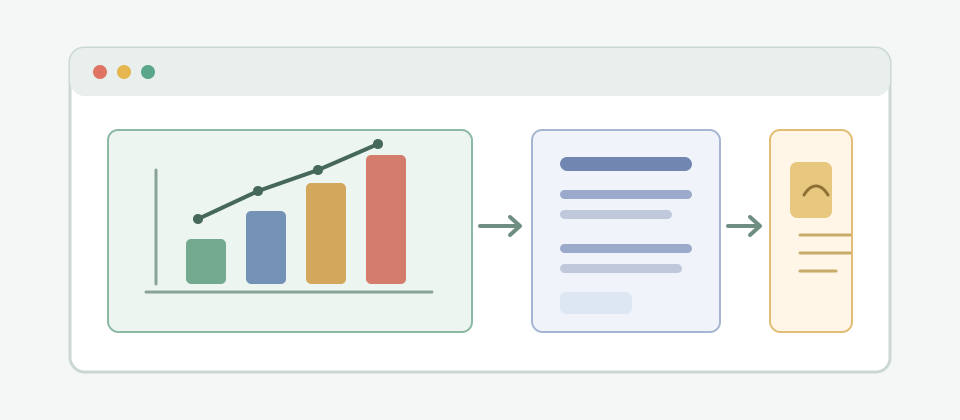
A chart is a straightforward example. A page can draw bars, lines, labels, or a map-like view to help someone understand a set of information. The important product question is not merely whether the drawing appears. It is whether the user can understand the values, distinguish relevant categories, and access the same conclusion in another form when a bitmap is not suitable. A visual result should serve the task rather than become the only place where its meaning exists.
Animation is another ordinary use. A page can update a scene over time to communicate change, show movement, or make an interaction feel responsive. Motion can clarify a transition, but it can also distract or create discomfort. A responsible experience gives users a way to pause or reduce nonessential motion and avoids making essential instructions depend only on watching an animation. The interface should remain understandable when motion is stopped.
Games and interactive illustrations use Canvas to redraw a scene as a person acts. The visual surface may include a playfield, moving objects, or a changing score. Controls and state still need an understandable interface around that surface. A person should know how to start, pause, resume, and understand the result. If keyboard interaction matters, the page needs a meaningful mapping between the visible interactive regions and focusable controls, rather than assuming that pixels alone provide access.
Canvas can also participate in photo or real-time video experiences. A page may display a frame, apply a visible effect, or place graphics over media. The user-facing purpose should be clear, especially when media is captured, transformed, or saved. Explain when the page is using camera input, when processing is active, and whether a result is stored or sent elsewhere. Do not make a person infer these facts from the presence of a moving image.
In each case, begin with the output and the action the user expects. Ask whether the visual needs to change continuously, whether users need to select or manipulate parts of it, and whether a static image or semantic HTML would be simpler. Canvas is useful when drawing or repeated updates fit the task. It is not automatically the right choice for content that can be expressed clearly as text, a table, or ordinary page elements.
This purpose-first choice also makes it easier to explain the feature, test its alternatives, and decide which user-provided inputs need to remain available after the interaction ends.
Make the visual result accessible
Canvas content is fundamentally a bitmap. A browser can display the pixels, but the drawing does not automatically expose the meaning of its individual objects to assistive technology. A chart made entirely of pixels may look clear while presenting no usable values to a screen reader. Text drawn into a bitmap can also be difficult to enlarge, select, translate, or restyle. Plan an equivalent representation as part of the feature, not as a repair after the visual is complete.
For a chart, provide the underlying values or a concise textual summary in the page. A data table can make exact values available, while a short explanation can state the main pattern or conclusion. These alternatives should correspond to the same information shown in the drawing and remain current when the drawing changes. If users can filter the chart, ensure the text or table reflects the selected view rather than describing a different state.
For a map or diagram, identify the relationships that matter instead of relying on visual position alone. A short description can explain the route, grouping, or change a user should notice, while a list or structured set of details can expose individual items. Keep those alternatives synchronized with selection and zoom controls. Users should not have to reconstruct the purpose of the graphic from a decorative label or from color differences that are not explained elsewhere.
For a game or interactive scene, identify the actions and outcomes a person needs to access. The HTML Standard calls for a one-to-one mapping between interactive regions in a canvas and focusable areas when the canvas is interactive. In practical design, visible targets should have understandable controls and feedback. Keyboard users need a route to reach the same meaningful actions, and focus should be visible. A score, warning, or completion result should not exist only as a color or brief visual change.
Use semantic HTML for labels, instructions, buttons, and status messages wherever it fits. Canvas can provide the custom visual layer while ordinary elements provide structure and accessible names. This division also helps when the drawing fails to load, a script is unavailable, or a user relies on a tool that does not interpret the bitmap. An accessible page does not ask every person to perceive the same visual surface in the same way.
Consider contrast, text size, color dependence, motion, and scaling. Distinguish chart series with more than color alone, and keep important labels legible at the size people actually use. Let users pause animation and preserve essential controls when the drawing is resized. For real-time experiences, expose the state and actions in a way that does not require a person to track a constantly changing scene. These are product decisions around the drawing, not capabilities supplied automatically by Canvas.
Test with the interaction methods and assistive technologies relevant to the audience. Check that the nonvisual description matches the current graphic, keyboard actions are discoverable, focus order makes sense, and changes are announced when needed. A static accessibility review may miss a problem that appears only after filtering, resizing, pausing, or completing a task. Repeat checks after meaningful changes to the drawing or its controls.
Provide useful fallback content
Fallback content is the alternative the page provides when the canvas’s visual representation is unavailable. The HTML Standard defines how a canvas can represent its fallback content when the element cannot be rendered as a bitmap. This content should be useful in its own right: it can explain the purpose of the visual, provide essential data, or link to an equivalent experience. A blank region or a generic message does not preserve the task.
Keep fallback information aligned with the live drawing. If a chart reflects updated data, the alternative text, table, or summary should not remain at an earlier state. If an animation is paused, the page should still communicate the relevant state. If a game scene changes after an action, its accessible controls and status should describe the current result. Treat alternative content as another presentation of the feature, with the same ownership and update path as the canvas itself.
Fallback content and accessibility are related but not identical. Content that appears only when Canvas is unsupported may not be available to a screen reader when the canvas successfully renders. Conversely, an accessible name for the canvas does not necessarily describe the detailed chart or interactive scene inside it. Provide the appropriate alternative for both cases: meaningful fallback behavior and an equivalent experience for people who cannot use the bitmap as presented.
Think through more than one failure condition. A page may load without its drawing script, a rendering context may be unavailable, a media source may be missing, or an essential resource may be blocked. The user should still be able to understand what the feature does and what action is possible next. If no equivalent interactive experience can be offered, explain the limitation and avoid presenting a nonfunctional surface as though it were complete.
Fallbacks are also useful for low-bandwidth or constrained devices, print views, and workflows where a graphic is not the most practical representation. A textual summary can communicate the main point quickly; a downloadable table may support further work; a static image may be sufficient for a noninteractive illustration. Choose alternatives according to the user’s task rather than treating one format as suitable for every situation.
Keep user choice visible when the visual has optional behavior. A person may prefer a static view, reduced motion, a simpler representation, or a pause control. Remembering a preference can improve continuity, but explain where that preference applies and make it possible to change later. Do not infer a broad preference from one action when a more limited choice would meet the immediate need.
Respect browser security boundaries
Canvas operates within the web platform’s origin model. When a page draws certain cross-origin content without the required permission from that resource, the canvas bitmap is no longer considered origin-clean. The HTML Standard restricts access to that bitmap and its serialization in this state. This boundary helps prevent a page from using a canvas as an unrestricted way to inspect content from another origin.
This restriction is not an incidental rendering bug to work around. It is part of the security model for content drawn from different origins. If a feature needs an image or media resource from another origin, use a supported sharing arrangement where the resource owner explicitly permits the intended access. Otherwise, keep the experience to operations that do not require access the browser disallows, and explain the limitation when it affects the user’s task.
Design the workflow around the resource’s origin and permission expectations. A page may be able to display media while not being allowed to treat its pixels as locally readable or exportable data. Those are distinct capabilities. Explain what the page will do with a resource, obtain the permissions required by the platform, and avoid promising that any media displayed in the page can also be transformed or saved.
For photos and video, explain the user-visible stages: selecting or providing media, previewing it, applying an effect, and saving or sharing a result. If the experience uses live input, provide a clear start and stop path and communicate when it is active. Keep processing aligned with the purpose the user requested, and do not retain or transmit a result unless that behavior is part of the explained task.
Make it easy to tell whether an action affects an original or a separate result. Previewing an effect should not silently replace a user-provided file, and saving should make the destination and format understandable. If a task can be cancelled, provide a clear way to stop before the result is saved or shared. These details help users make informed choices about their media without requiring them to understand the rendering implementation.
When a resource is blocked or cannot be used under the applicable origin rules, fail clearly. Offer an alternative that respects the resource owner’s policy, such as asking the user to choose a local file when that meets the task, or showing a noninteractive preview when appropriate. Do not imply that the browser’s restriction can be bypassed by a page-level design choice. Security boundaries should be treated as constraints for product design, not obstacles to defeat.
Design and maintain Canvas features responsibly
Start feature planning with a short description of the user-visible outcome. Identify why Canvas is appropriate, which data and media inputs the task requires, whether the result changes over time, and what non-Canvas representation is available. This makes the feature’s scope understandable to designers, developers, and users. It also keeps privacy discussion connected to the real task instead of vague claims about a technology.
Prefer the least complex presentation that serves the purpose. A table or semantic HTML chart may be easier to inspect and adapt than a custom bitmap. A dynamic drawing may be appropriate for a game, animation, or interactive visualization. The decision should account for interaction, responsiveness, accessibility, and maintenance, not just visual style or implementation convenience.
Make input and retention choices explicit. Tell people when a feature needs a selected image, camera or video input, or saved preferences. Distinguish processing needed to show a requested result from optional storage or sharing. Keep the user in control of starting and ending media use, and provide a clear explanation before information leaves the browser or remains available afterward.
Keep the interface coherent across visual and alternative presentations. Labels, controls, status, and fallback content should use consistent names and describe the same state. When the visual updates, its textual equivalent and interaction feedback should update too. If a user pauses an animation or changes a view, communicate that state without relying on pixels alone.
Review the feature after changes to its purpose, media sources, user controls, or browser support. Test the ordinary success path, a blocked-resource path, and the relevant accessibility paths. Confirm that fallback content remains useful, origin restrictions are respected, and the user can understand whether media or results are active, local, saved, or shared. These checks support a responsible feature; they do not establish that every possible privacy concern has been eliminated.
Canvas is a flexible way to create browser graphics, but a good implementation is more than a bitmap that happens to render. Connect the drawing to a clear user purpose, provide equivalent access to its meaning, preserve useful fallbacks, respect origin-clean boundaries, and explain what happens to user-provided input and results. That gives people a usable feature without overstating what the API or its privacy properties can guarantee.
Public sources
Related Articles
Take BotBrowser from research to production
The guides cover the model first, then move into cross-platform validation, isolated contexts, and scale-ready browser deployment.