WebNN Availability, Backends, and Browser Privacy
Understand what WebNN does, why browser support and execution choices vary, and how to test machine-learning features without turning capability checks into telemetry.
Want the structured docs for Fingerprint?
This article lives in the editorial library. For step-by-step setup, reference material, and ongoing updates, jump into the docs section.
WebNN is a web platform API for expressing machine-learning computations as graphs that a browser can execute. It can support local inference without making an application’s entire model workflow depend on a remote service. Availability remains implementation-dependent, so applications need a fallback and should not interpret API presence as a promise about speed or hardware.
What WebNN represents
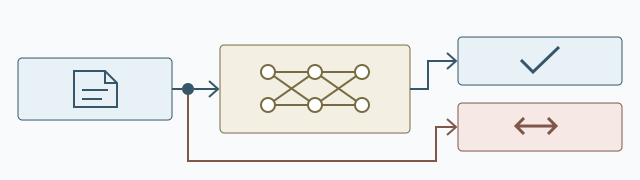
An application describes operations and data flow, then asks the browser to construct, compile, and execute a graph. The API is intended to let the user agent map that work to available computing resources while keeping the application’s graph model separate from a particular device vendor interface (W3C programming model).
WebNN is distinct from graphics rendering. For graphics compute and rendering, see WebGPU and browser privacy. The existence of one API does not imply that the other is available.
A product should describe the user task rather than the API name: a photo feature may need an image graph, a transcription feature may need an audio graph, and a document feature may need a text graph. Each task can have a different model, input shape, output interpretation, and fallback. Keeping those decisions separate avoids presenting one broad capability label when only one feature has been tested.
Separating tasks also makes support messages clearer because a user can be told which feature is unavailable while unrelated parts of the page continue to work. A graph can be valid while the surrounding application is unsuitable for a particular input, such as an image with an unexpected color layout or a document that contains unsupported text. Validate the input path as well as the graph and explain which part of the workflow needs attention. A user should not have to understand the browser's execution model to choose a supported action.
Availability and execution choices
Support depends on browser implementation maturity, release channel, operating system, hardware, and configuration. A browser may expose only part of the intended functionality, or may not expose it at all. The spec provides an operator-support query through opSupportLimits() and does not expose the selected device (operator support, privacy considerations); API availability alone does not show which backend executes a graph.
These choices can change between releases. They are implementation details that affect compatibility and performance, not a stable contract for identifying a machine. A browser update can add an operation, remove an experimental path, or change how a supported graph is scheduled. An operating-system update can change the resources available to the browser without changing the application's code. Managed installations can also restrict features for administrative reasons.
Record the browser release, operating-system family, application version, model revision, and graph requirement when a result matters. That record helps an owner decide whether to adjust the application, keep a fallback, or defer a feature. It does not justify a conclusion about a user's physical device.
The same graph may be accepted in one release and rejected in another because an operation was not yet available or because the application relied on a behavior outside its support policy. Record that as a compatibility result, not as a statement about a person or a particular machine. A release review can compare the user task, model, graph, and fallback while leaving implementation choices to the browser.
Privacy questions
Local inference can reduce the need to send some input data to a service, but it does not automatically make an application private. The application still controls what it stores, transmits, and logs. A page can also learn whether a capability is available. Treat that result as a feature-selection signal, not as a user identity or an unsupported hardware claim. Local computation does not establish the surrounding application's network behavior; as an application data-flow check, inspect whether it separately uploads source data, results, or telemetry (W3C privacy considerations). The W3C privacy statement describes input processing by WebNN; an application independently uploading data is a separate data path.
Keep capability checks tied to a user-facing need, request no more information than the feature requires, and review telemetry before recording it. Privacy depends on the complete data flow, not merely on where computation runs. A local graph can keep an input on the device, but the application may still store a source image, cache a model, export a result, or send an error report. A remote fallback may require an upload, an account, and a different retention policy. Explain that choice before moving the data. If a support record is needed, prefer a small outcome such as feature available, fallback selected, or task incomplete rather than retaining the full capability object. Source data may contain faces, voices, documents, or other personal details, so it needs a separate access and deletion policy. The browser's execution decision does not answer those product-level questions.
Compatibility testing
Test the application’s required graph and expected result on each supported browser family. Include a path for browsers without WebNN, and verify that switching to the fallback does not lose user data or leave a partially completed task. Validate functional results separately from performance expectations.
Avoid making a release decision from a single workstation. Maintain a compact record with browser version, operating system, feature outcome, and fallback outcome; do not turn elapsed time into a release rule or device label. Use representative, non-sensitive fixtures to test normal and invalid inputs, missing model data, unavailable operations, cancellation, and results the interface cannot present. Judge output meaning separately from whether the graph ran, and review accessibility, memory stability, interaction quality, and user correction as distinct product criteria. Keep checks feature-specific when models support different graphs rather than creating one global ready state. Record the user task, input class, completion state, and visible fallback outcome, but do not retain a permanent description of the browser.
Managing release changes
When browser support changes, rerun graph tests and confirm the fallback remains available. Treat changes to outputs or resource behavior as compatibility events, but do not infer an execution backend from a public capability check. The browser release review provides a repeatable comparison; WebNN can also evolve independently of WebGPU support.
For a release candidate, test the supported browser build and model revision against the same fixtures, including cached-model update behavior. Distinguish an unavailable interface, unacceptable output, and an incomplete run; each needs a specific next step such as an alternate path, a model or build change, or recoverable cancellation. Record outcomes for the user task without retaining detailed capability objects or inferring hardware. A candidate should cover each supported browser family and operating-system range the product claims to support.
Fix the application revision, model, and fixture set for the comparison so a result change can be attributed to the browser release or to an intentional model update. Keep optional features independent: an unavailable graph should not disable unrelated page functions. Document the tested task, observed result, and supported range; do not promise identical output or speed on every machine.
When investigating a changed result, vary one release input at a time where practical. Compare a browser-only update with the same model and preprocessing first, then evaluate a model-only update on a known browser build. This separates changes in graph acceptance, input conversion, model behavior, and fallback selection instead of treating them as one undifferentiated browser result.
For image work, check color layout, orientation, alpha handling, and resizing before the graph runs; a mismatched layout can produce a valid but misleading answer. Use fixtures for the shapes and ranges the model accepts, including an image with transparency and one requiring resizing. For audio, vary sample rate and channel count, and include silence, clipping, speech with background sound, and short versus long clips. Check that resampling and channel conversion follow the model's declared preprocessing instead of silently changing the input.
For text, cover empty and long input, unusual punctuation, multiple scripts, and a document whose language differs from the selected model. Across all three, include malformed and boundary values, then distinguish validation, preprocessing, graph creation, execution, postprocessing, and presentation failures. Assess whether the result is semantically useful, not merely whether the graph ran, and compare functional acceptance separately from latency and memory.
A repeat run with the same input can reveal accidental state carried over from a previous task; a second fixture can check that changing model or language selection updates the output path as expected. Report input problems in terms the user can fix, such as choosing another file or language; do not blame a browser update when the input falls outside the model's supported range.
Use synthetic fixtures where possible and record their model and preprocessing revisions so later comparisons use the same inputs.
For each model, document the expected input and output shapes, value ranges, normalization, and label mapping beside its fixtures. Include values just inside and outside supported ranges, and verify rejected data receives an input-specific message before graph execution. Compare outputs against task-level acceptance criteria rather than requiring identical low-level values across implementations. The fixture manifest should identify the model and preprocessing revisions, input class, expected result, and whether a person is expected to review or correct that result.
For classification, verify label mapping and treat a score as advisory unless the model defines its meaning. For transcription, check omitted speech and language handling; for summaries, compare key claims with the source. State the acceptance criteria for each result type. Model delivery needs explicit lifecycle rules. Keep the active reference on a known working revision while its replacement downloads, verify the new asset with a basic task before selecting it, and recover cleanly from an interrupted download. Tag cached assets with model and preprocessing revisions plus a compatibility note, distinguish complete assets from partial downloads, and verify that an older language or preprocessing asset is not reused after activation. If the connection drops or storage fills, remove only the incomplete temporary asset, retain the usable revision, and make retry or later download an explicit choice. When storage is limited, explain which asset would be removed and offer a smaller model or a service route; never delete the only working local model before its replacement passes that check. Record any license constraint with the asset. A model update may change labels, confidence interpretation, language coverage, or accessibility text even when graph operations stay the same, so explain those user-visible changes and let users continue with the previous version when policy and storage allow. Test the fallback as a complete user journey with the task and fixture that exposed the unsupported or failed graph. A non-inference route may allow manual transcript editing, ordinary document search, or a filter without classification; a smaller model should state its input or quality limits, while a service route may require an account and upload. Preserve the original input until the user accepts the result, provide cancellation, and leave a recoverable state after network loss, denied permission, full storage, or navigation away. Make clear whether an unfinished request was cancelled, can be resumed, or left a partial result, and do not show that result as complete. Before any upload, identify the service and its retention policy and obtain explicit confirmation. On retry, show whether processing remains local or crosses that service boundary. A user must be able to back out without losing the source or granting an unrelated permission; never switch silently from local processing to upload because a graph is unavailable. Accessibility checks belong in the same release record. A predicted label should have text that a screen reader can reach, a color-only indicator should have another signal, and a user should be able to correct or ignore an advisory result. Progress information should be announced clearly and remain understandable when the page is zoomed or when focus moves to a cancel button. Test keyboard-only operation from input selection through result correction and cancellation; verify that focus is not lost when a model or fallback changes. For speech or image features, explain whether the result is a suggestion, a transcription, or a final export. Keep a manual route available when the inference result is uncertain or when the user cannot grant the requested permission. These checks make the fallback usable for people who rely on keyboard navigation, captions, reduced motion, or assistive technology. For operational records, keep only the browser release, operating-system family, application and model revisions, graph requirement, input class, failing stage, and expected versus visible outcome needed to reproduce the issue. Prefer an outcome code and synthetic fixture over raw images, recordings, documents, or full graph objects. A support case can record whether the user chose local processing or a service path and remove temporary fixtures and diagnostics when it closes. Set a retention period and tell users which fields are collected when they choose to report a problem. If original media is necessary, obtain it through the support process's separate consent and deletion controls. Compare completed, fallback, cancelled, and incomplete tasks across supported versions without building a permanent browser profile. Keep unrelated page functions usable when a browser change affects only an optional feature, and explain the affected task.
Review privacy whenever an application's data path or model behavior changes. Local inference describes where the graph runs; it does not establish whether the application stores or transmits source inputs, results, or telemetry. Review those separate paths: a selected image may be cached locally, an output may be exported, and a diagnostic report may be sent even when the graph stays on-device. A WebNN capability answer is a feature-selection signal, not identity or proof of a particular backend; do not combine detailed capability objects with account identifiers when an aggregate outcome is sufficient.
Treat collection for feature operation separately from support: inference may need a short-lived input, while telemetry may need only whether a feature completed, used a fallback, or was cancelled. Keep support diagnostics user-chosen and limited to what reproduces the task, state the purpose and retention period, and provide a deletion path for records, cached models, and temporary outputs.
For reproducibility, track browser, application, and model revisions alongside preprocessing, postprocessing, cache invalidation, input handling, and exported results where the task depends on their combination. Review these components separately when an update changes only one layer. Evaluate functional results, memory stability, interaction quality, and accessible explanations as separate concerns.
Tell users when a result is advisory and how to correct it, and remove a fallback only after the same task has been retested across its supported range. A managed installation may have different feature policy from a personal browser, so document supported configurations and retain a usable route when administrators disable an optional graph.
Claim-to-source map
- The graph programming model and browser construction/execution boundary are defined in the W3C programming model.
- Per-operator availability is the question answered by
opSupportLimits(); it is not a backend or hardware disclosure. - The qualified capability and input-processing privacy boundary is documented in the W3C privacy considerations; application uploads, storage, and telemetry remain separate product data flows.
- The WebNN specification is the reference for graph validation, execution, and compatibility claims; test results in this article are application-level acceptance checks, not normative browser guarantees.
Public sources
Related Articles
Take BotBrowser from research to production
The guides cover the model first, then move into cross-platform validation, isolated contexts, and scale-ready browser deployment.