WebCodecs Browser Capabilities and Privacy
How WebCodecs exposes media-processing support, why results vary by browser and platform, and how to review compatibility without collecting extra data.
Want the structured docs for Fingerprint?
This article lives in the editorial library. For step-by-step setup, reference material, and ongoing updates, jump into the docs section.
WebCodecs gives web applications lower-level access to audio and video encoding and decoding (W3C definition). Its VideoFrame interface can also accept supported image sources, so image-derived frames can enter a video-processing path (W3C VideoFrame). This is not a general still-image codec API. Reported support helps choose a media path, but it is not a complete description of a device and should not be treated as one. Support can vary with the browser build, operating system, available codecs, and execution context.
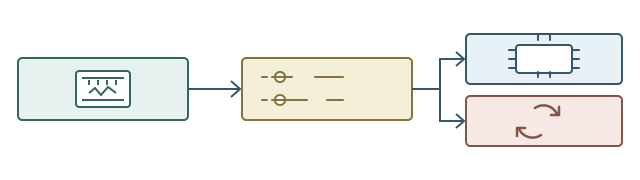
What WebCodecs exposes
The API represents media work as encoded chunks and codec-specific configurations. Applications can ask whether a configuration is supported before committing to a processing path.
That answer helps avoid starting work the current browser cannot perform; it does not promise a particular speed or quality outcome. This scope differs from a file-type declaration or a real-time call negotiation.
The W3C specifies that encoded media here is not containerized (codec string); WebCodecs also does not define network transport, so packaging and transmission are separate application concerns. For adjacent topics, see MIME and codec support and WebRTC codec behavior. An application describes a codec and relevant parameters, then uses the browser's answer to decide whether to offer that route. A positive support answer is a planning input, not a guarantee that every input will decode, a profile will produce a desired result, or an encoder will meet quality goals. The asynchronous operation can still fail, with processing errors reported separately (processing model, error callback).
Support is not operational readiness. Creating a codec object can still fail because of resource pressure or a changed execution context.
The answer applies to the complete submitted configuration, which may include a codec profile, dimensions, frame rate, sample rate, and other format parameters; query only the configuration for the user's job, not an inventory of unrelated combinations (configuration support).
Processing is asynchronous, so track queue sizes, output completion, errors, and resources as well as the initial answer. The specification exposes encode/decode queue sizes and dequeue events, and work may accumulate while an implementation is saturated (processing model). Bound outstanding work and apply backpressure: pause new input when downstream work cannot keep up instead of silently dropping frames the user expects to retain. Release VideoFrame and AudioData objects when they are no longer needed (system resources, VideoFrame.close()). These are application responsibilities, not reasons to profile a device. Show whether a job is waiting, processing, paused, or ready; a support answer does not describe a job already in progress. A preview may use a smaller representation than a source-quality export, but make that choice clear. On application cancellation, stop accepting input, release task resources, and preserve the source so the user can choose another path.
Queue counts need careful interpretation. The specification defines saturation by an implementation-specific maximum, which can even be unlimited. When saturated, further encode or decode requests are buffered and increase the corresponding queue size; no portable queue count predicts speed or guarantees completion across implementations.
A dequeue event can guide bounded resubmission, but it does not mean output callbacks or the downstream container writer have finished. Track those later queues separately. A codec may hold outputs internally until more input arrives, while flush() requires pending codec outputs to be emitted (pending output). This is why the final frames and chunks need the same delivery checks as earlier output.
Media objects also carry timing and ownership details. VideoFrame.timestamp and duration are expressed in microseconds, so preserve the media timeline instead of substituting callback arrival time. Frames expose color-space information, and their initialization can include a visible rectangle, rotation, and flip; check that conversions and export packaging do not silently discard metadata (VideoFrame). AudioData and VideoFrame can hold CPU memory, GPU memory, or exclusive codec hardware resources, which the specification warns can be exhausted quickly. Close each object after its consumer is finished, and define ownership when a renderer, queue, or muxer retains it. On cancellation, close frames that have not reached a consumer; do not close an object while another part of the pipeline still owns its work (system resources).
Treat queue state, callback state, and file state as separate measurements in the application workflow, not as device properties. A queue becoming shorter is not an export-complete signal, and callback arrival time is not a substitute for media timestamps. This keeps support reporting tied to a reproducible task outcome instead of a browser or hardware profile.
Why support differs
WebCodecs is an interface, not a guarantee that every codec is available everywhere. Support depends on which features a browser release implements and which codecs the operating system or media stack makes available. Hardware acceleration may affect whether a requested configuration can be used, while a supported configuration does not establish that processing will be accelerated. The support landscape changes as standards and browser implementations evolve, and a result from one browser version or platform should not be generalized to every release. The browser may add a feature, correct an implementation, or adjust its operating-system integration; the operating system can update media services independently; and an administrator can choose a managed configuration that changes available features. Recording the browser version and platform context makes a compatibility report useful without attempting to infer unobserved hardware details.
The same version number does not necessarily imply the same media environment on every operating system. Browser distributions may rely on system libraries or platform codecs, and their support can follow the release cadence of those components. Two systems can return the same support answer while having different performance characteristics, so support describes compatibility rather than a benchmark. Some processing may use specialized hardware, but this depends on implementation and current conditions.
Measure the actual task on representative supported systems when acceleration matters, and keep that result separate from privacy or identity claims. Browser updates can change availability without a standards change, so check when the application needs to select a path instead of treating an old answer as permanent device metadata. A managed workstation may restrict a media feature for policy reasons, while a personal installation may expose it, and both outcomes can be valid within their respective support ranges. Record the environment that produced the result, including the browser release, operating-system family, application version, and media requirement. Do not turn a single result into a universal statement about a platform. When a browser uses a system media service, a system update can alter the available path without a visible change to the application.
A release note can describe the user task that was retested and the fallback that remains available. It should not claim that a browser release guarantees one quality level on every machine. A compatibility table is most useful when it says what was tested, what was observed, and what a user can do next. It is also useful to record whether the test used an imported file, a live source, or a generated sample, because each input path has different permissions and data handling. A test that succeeds with a short sample may not cover a long export, a variable frame rate, a multichannel audio track, or an interrupted download. The application can document those boundaries while keeping low-level implementation details out of user documentation.
When a task is not supported, the interface can offer a different format, a local alternative, or an explicit service upload. The choice should be visible before the user commits time or data. This keeps a capability decision connected to an understandable product action. It also helps to test the first-use flow, where a user selects a file, grants a needed permission, chooses an output, and waits for completion. A failure at any step should leave the source available and describe the next action without asking the user to repeat an unrelated permission decision.
For a recurring workflow, a product can remember a format preference without retaining a complete capability record. A remembered preference should be easy to change when a browser update changes the available path. This balance keeps the interface convenient while respecting the difference between a user choice and a browser observation.
Privacy and compatibility boundaries
The W3C says a codec capability profile is very unlikely to be uniquely identifying on its own, but it can be combined with other metrics to create a fingerprint (privacy considerations).
Do not turn that qualified statement into a guarantee that an answer cannot contribute to identifying a person or device. Privacy risk grows when applications retain unnecessary observations or combine them with other information. Ask only about configurations needed for the media task and avoid storing raw results when a simple playback decision is enough. WebCodecs does not grant access to arbitrary media without the permissions and inputs required by surrounding browser APIs. Keep choosing a supported processing path separate from reading user media. A media editor, conferencing client, or transcoding application usually needs only a yes-or-no answer for its immediate task, not a durable copy of the entire configuration object. If support information is collected for a user-reported problem, explain the purpose, collect only fields needed to reproduce it, and set a suitable retention period.
Local processing describes where codec work runs, not whether the application sends media or telemetry elsewhere. As application-level privacy guidance, not a WebCodecs guarantee, review the data flow for separate uploads of the original file, a generated preview, an error report, or derived information. Users should know which steps stay in the browser and which send content to a service. The ability to process a frame does not itself provide a camera, microphone, or file; those inputs have separate permissions and expectations. Request input only when needed, explain it in context, and distinguish imported files from live capture.
Compatibility checks should be proportionate: an audio editor may need to decode an import and encode an export, but it need not ask about unrelated video settings. Narrow checks reduce complexity and keep collection aligned with functionality. A product can also separate capability selection from account identity, so a media decision does not become a hidden profile field.
If telemetry is necessary for support, prefer an aggregate outcome such as completed, unavailable, or used fallback, and explain why the record is retained. Avoid retaining full configuration objects when a small status is enough to improve the feature. Source media can include voices, faces, locations, or private documents, so it should follow a separate access and deletion policy. A local preview should not be described as private if the original is later uploaded for export. Likewise, a remote conversion should disclose the service boundary before the upload begins. These distinctions help users make an informed choice and give support teams a clear way to explain what the browser did.
Reviewing a release
For compatibility work, compare the same application and media task across supported browser releases. Record whether the user workflow completes, uses a fallback, or changes after an update. Start with visible requirements: input, expected output, supported fallback, and representative media. Test through output handling rather than stopping at a successful configuration query. Keep functional acceptance separate from quality measures such as visual fidelity, synchronization, latency, memory use, and export size. When results differ, retain a minimal reproduction with application revision, browser build, operating-system version, input type, requested configuration, and observed result, without collecting unrelated environment details. The browser release review treats the browser and tested configuration as one release unit.
Organize tests around user jobs, not every codec combination: opening a recording, trimming a clip, exporting it, then playing the result back. Note the input container and tracks, expected output, and where cancellation is available. Prefer synthetic samples; a representative long sample can expose queue growth, timestamp gaps, and memory pressure without including personal media. Test file selection separately from camera or microphone permissions, and confirm that denying live capture leaves imported-file workflows usable. A page navigation, backgrounding event, or device sleep must not produce a false success state. Record whether an interrupted export removed a partial file, made it recoverable, or never exposed it. A retry should use a known input and must not silently switch a user-selected local operation to a remote service.
Inspect output container metadata, track order, duration, frame ordering, rotation, subtitles, and color interpretation; for audio, listen for clipped starts, missing channels, and drift after seeking. Exercise unsupported configurations, malformed input, resource failures, cancellation, and incomplete output separately. Check timestamp continuity after seeking and verify that any frames intentionally dropped from a preview are not dropped from archival output. These checks establish whether a user task works without building a broad capability inventory.
Codec callbacks deliver encoded chunks or frames; they do not create a playable container. The application owns muxing, writing, and deciding whether a partial file is removed or kept for recovery. Treat cancellation as an application state transition: stop reading input, cancel work where possible, mark incomplete output, and preserve the source. Do not show “ready” while callback handling, muxing, or storage remains pending. A live preview may drop stale frames by design; an archival export may not. Before starting a media task, check whether this browser version is supported and which fallback is available if its codec configuration is not. Local and remote alternatives change the data path, so present any upload choice before transmission. Remove an older path only after the replacement passes the same task checks and the support policy permits it. For support, retain only the browser and operating-system versions, app revision, task, and outcome needed for the report, under a documented retention period.
The codec lifecycle methods are not interchangeable. flush() is available to a configured encoder, completes its queued control messages, and requires pending codec outputs to be emitted; its promise does not mean the application has durably stored those outputs (AudioEncoder.flush()). reset() immediately clears codec state, configuration, queued control messages, and pending callbacks, so a reused object needs configuration again (AudioEncoder.reset()). close() immediately aborts pending codec work and releases system resources; it is final, so a later attempt needs a new object (AudioEncoder.close()). A reset() or close() cannot roll back file bytes already written by the application. For a VideoDecoder, flush() also requires the next input to be a key chunk, which matters when resuming after a seek or restart (VideoDecoder.flush()). Keep cancellation, codec output delivery, and file completion as separate user-visible outcomes.
Claim-to-source map
- Configuration support is defined by the submitted codec configuration in configuration support, not by a broad device inventory.
- Encoded chunks are not containerized and queue/output behavior follows the codec string and processing model.
VideoFramemetadata and resource ownership follow VideoFrame and system resources.- The qualified fingerprinting boundary is stated in privacy considerations; application uploads and telemetry are separate data-flow decisions.
- Lifecycle claims about
flush(),reset(), andclose()are tied to the encoder methods and decoder flush.
Public sources
- W3C WebCodecs: configuration support
- W3C WebCodecs: codec strings and non-containerized media
- W3C WebCodecs: codec processing model and queues
- W3C WebCodecs: pending codec output
- W3C WebCodecs: privacy considerations
- W3C WebCodecs: VideoFrame and system resources
- W3C WebCodecs: flush, reset, and close
- W3C WebCodecs: decoder flush and key chunks
- MDN: WebCodecs API
Related Articles
Take BotBrowser from research to production
The guides cover the model first, then move into cross-platform validation, isolated contexts, and scale-ready browser deployment.