Browser Compatibility Review for Web Components
Review custom elements and Shadow DOM across browser releases with a controlled fixture, visible assertions, and a clear release decision.
BotBrowser Team
Want the structured docs for Platform?
This article lives in the editorial library. For step-by-step setup, reference material, and ongoing updates, jump into the docs section.
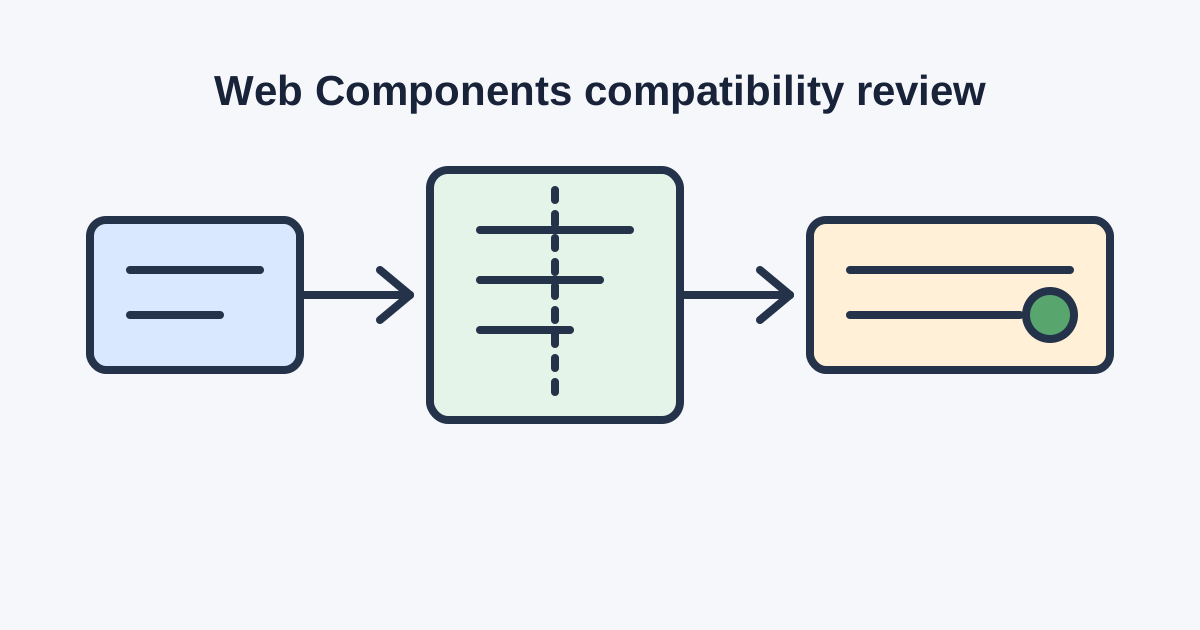
Web Components let a team ship reusable elements without tying every screen to one framework. A compatibility review is the work of proving that a custom element still registers, renders, accepts input, exposes meaningful semantics, and survives its supported browser matrix. The review is evidence for a release decision, not a promise that every application behaves identically everywhere.
Define the component contract
Start with the public contract. Name the custom-element tag, required attributes, reflected properties, emitted events, slots, form behavior, focus order, and the browsers and releases that the component supports. Record whether the element is autonomous or extends a built-in element. A consumer should be able to tell which behavior is intentional and which behavior is an implementation detail.
Treat the component and its dependencies as one review unit. Record the bundle version, polyfills, CSS strategy, localization data, icon assets, and any framework adapter. A browser may support custom elements while a dependency still assumes a different event, parser, or lifecycle detail. Review the shipped bundle rather than a source-only demo.
Write the acceptance question in observable language. For example: “After the approved route loads, the date-picker element is defined, its button is reachable by keyboard, and selecting a permitted date updates the visible value.” A statement like “Web Components work” is too broad to reproduce or to debug.
Build a controlled compatibility fixture
Use one small route that exercises registration, upgrade, rendering, slots, events, forms, focus, and teardown. Keep the fixture data synthetic and the route owned or explicitly authorized. Load the same bundle, profile, locale, permissions, viewport, and data state for every comparison. A stable fixture makes a browser difference visible without mixing it with an account, network, or content change.
Include a native HTML fallback where the product needs one. The fallback is not proof that the custom element is compatible, but it gives the product a deliberate behavior when the required feature or dependency is unavailable. Test the transition from fallback to upgraded element and record whether user-entered values survive the transition.
Keep an explicit stop condition. Stop after the named assertions, after the approved number of interactions, or when unexpected customer content appears. Do not turn a compatibility fixture into an unrestricted crawler. Save a short run identifier, browser release, profile class, and assertion result instead of copying page content into a ticket.
Review registration and lifecycle
Verify that the tag is registered exactly once and that an element already present in the document upgrades predictably. Test a dynamically inserted instance, a removed instance, and a reinserted instance. Exercise connected, disconnected, and adopted lifecycle paths when the component uses them. A passing first render can hide duplicate listeners or stale state that appears only after navigation.
Check attribute changes and property changes separately. Confirm which values reflect, which values are parsed, and what happens for an empty, invalid, or missing value. For events, verify name, target, bubbling, composed behavior, and event data shape at the boundary that consumers actually use. A shadow root can change event visibility even when the component looks correct.
Slots deserve explicit assertions. Test the default slot, named slots, empty slots, and slotchange behavior. Confirm that light-DOM content keeps the expected semantics and that a slotted interactive control remains reachable in the intended order. Styling should not be treated as a substitute for a semantic assertion.
Test rendering and accessibility
Review the shadow tree as a user experiences it. Check visible labels, names, roles, states, focus indicators, keyboard actions, reduced-motion behavior, and error messages. Test a component with long translated text, high zoom, narrow width, and forced colors where those conditions are in scope. A screenshot can support the record, but a visible assertion and an accessibility check should carry the decision.
Verify form-associated behavior if the component participates in a form. Check value, disabled, required, reset, validation, and form submission behavior. Confirm that the host element and internal control do not expose contradictory names or states. A custom control that looks like a native control but submits different data needs an explicit product decision.
Compare the component at the supported browser releases using the same route and input. Record whether a mismatch is caused by registration, rendering, event delivery, layout, input, or the test environment. Do not collapse all failures into “browser incompatibility”; the distinction determines who owns the next action.
Use a worksheet and decision table
Component and owner:
Tag, version, bundle, and dependencies:
Supported browser releases and profile class:
Route and synthetic data:
Registration, rendering, event, form, focus, and fallback assertions:
Locale, viewport, permissions, and feature flags:
Observed result and evidence identifier:
Decision: approve | narrow | pause | reject | unknown:
Owner, next action, stop condition, and review date:
| Evidence | Decision | Bounded next action | Do not claim |
|---|---|---|---|
| Registration, visible behavior, input, semantics, and teardown match the baseline | Approve | Promote the reviewed bundle to the named release group | Universal compatibility |
| One supported route or browser release differs | Narrow | Limit support and file an owner-assigned fix | That every component is broken |
| The fixture or browser state is not controlled | Pause | Stabilize route, profile, data, and assertions | That an inconclusive run is a pass |
| The component loses required semantics or user input | Reject | Restore the accepted bundle or redesign the component | That a fallback hides the defect |
| Evidence conflicts or an owner is missing | Unknown | Assign an owner and a stop condition | That a screenshot proves lifecycle correctness |
Keep BotBrowser evidence bounded
BotBrowser can repeat an authorized Web Components fixture in controlled browser contexts and compare visible registration, rendering, input, and accessibility outcomes. BotBrowser cannot certify standards compliance, guarantee accessibility, control application dependencies, or prove that production traffic behaves like a lab fixture. Keep the browser receipt separate from application logs and the release decision.
Use the same declared profile, browser release, route, viewport, permissions, and synthetic data when comparing runs. If the result changes, record the changed input before attributing the difference to the browser. The documented advanced features can support a controlled setup; they do not replace the component owner’s review.
Connect evidence to a release decision
Assign one owner for the component contract, one for the browser matrix, and one for the release decision when those roles differ. Record the accepted baseline and the exact bundle that produced it. Promote one change at a time so a failure can be returned to the last accepted pair instead of being hidden inside a combined update.
Re-review after changes to the custom-element implementation, Shadow DOM structure, dependency bundle, polyfill, browser release, profile, locale, input schema, or accessibility requirement. Keep the prior decision available for comparison. If several inputs changed together, mark the result combined and do not claim a single cause without evidence.
The review should identify the first observable failure, not only the final broken screen. If registration fails, record the tag name and the point at which the definition was expected. If registration succeeds but rendering is wrong, capture the visible assertion, computed state, and route conditions. If rendering succeeds but interaction fails, record the input, event boundary, and expected state transition. This sequence keeps a browser report useful to both component and platform owners.
Shadow DOM boundaries make ownership especially important. A closed root can limit inspection, while an open root can expose implementation details that consumers should not depend on. Test the public host contract and user-visible behavior first. Use internal inspection only to explain a failed assertion, and do not turn an implementation snapshot into a compatibility promise.
Use a small matrix that separates browser release, operating environment, profile, and component bundle. A row should name one combination and one result. Do not infer that two browsers are equivalent because they share a rendering engine, and do not infer that different host systems explain every mismatch. The matrix is a record of tested combinations, not a claim about untested combinations.
When a dependency uses feature detection, record the branch that executed. A fallback branch may be correct behavior, but it should be visible in the decision. Test missing APIs, delayed definitions, module loading errors, and a slow network only when those conditions are authorized parts of the product contract. Otherwise, keep them in a separate resilience exercise so compatibility evidence remains interpretable.
Localization is part of compatibility. Long labels can change shadow-tree layout, accessible names, focus order, and validation messages. Repeat the key assertions in each supported locale or document the locales that share a verified layout. Keep translations in the fixture data and avoid using a language change as an accidental browser change.
Form behavior deserves a server-side check when the component submits data. A browser-visible value is not enough if the form owner receives a different name, value, or disabled state. Use synthetic records, verify the request at the owned test boundary, and remove the record after the run. Do not include customer credentials or production form data in a compatibility fixture.
Test navigation and re-entry. A component that works on a first load may retain a listener after client-side navigation or fail to restore state after back-forward cache use. Record the route transition, the expected cleanup, and the final visible state. If the application does not support a transition, state that boundary instead of silently treating it as a browser defect.
Release decisions should include a rollback condition. For example, pause promotion when two supported releases disagree on a required keyboard assertion, when a form value is lost during upgrade, or when an accessibility name disappears. Restore the last accepted bundle, rerun the same fixture, and assign the component owner a bounded follow-up. A rollback is an evidence-preserving action, not an admission that every environment is incompatible.
Keep screenshots and traces proportional to the question. A named screenshot can show a visual regression, but a text assertion is usually better for registration, event, and form checks. If a trace is needed, redact account data, keep its retention short, and link it by a run identifier. The compatibility record should remain readable without opening raw customer material.
Review the browser console only as supporting evidence. A warning may be harmless, while a clean console does not prove that a component exposes the right semantics. Record the user-visible assertion and the contract field it covers. This prevents console noise from becoming the release criterion.
Coordinate ownership across teams. The component owner fixes lifecycle and semantics, the application owner fixes route and data setup, the browser matrix owner confirms release coverage, and the release owner decides whether to promote. A clear handoff lists the failed assertion, tested combination, current baseline, and next stop condition. It should not require a reviewer to reconstruct the run from an unbounded trace.
Before accepting a new browser release, compare it with the accepted release using the same profile and bundle. Change one variable at a time. If the result is different, first repeat the failed assertion, then narrow the cause with a smaller fixture. Do not publish a broad compatibility claim from one successful route.
The component contract should also say what is intentionally unsupported. A team may support autonomous custom elements but not customized built-ins, or support keyboard interaction but not a particular legacy input method. Explicit boundaries help consumers choose the right fallback and stop the test matrix from expanding without an owner.
Finally, write the decision so it can be read six months later. Include the browser release, component version, fixture revision, locale, profile class, visible assertions, evidence identifier, decision, owner, and review trigger. A concise record makes the next compatibility review a comparison against an accepted baseline rather than a new argument about what the previous run meant.
Investigate a mismatch without widening scope
When a row fails, reproduce only the failed assertion before adding more browsers or more routes. Keep the component bundle and fixture revision fixed, then change one suspected input. This order distinguishes a browser regression from a stale test, a dependency branch, a route problem, or an environment difference. It also keeps the evidence small enough for the owner to inspect.
Check the component boundary before inspecting internals. Confirm the host tag, public attributes, reflected properties, events, slots, and form value that a consumer is allowed to use. If the public contract is correct but the shadow tree differs internally, the difference may be harmless. If the visible name, keyboard path, or submitted value changes, it is a product-impacting result even when the screenshot looks similar.
Use the same assertion wording in every matrix row. “The date picker opens, exposes a name, accepts an allowed date, and returns focus to its trigger” is testable. “The date picker works” is not. Store the assertion with the run identifier so a later reviewer can understand what passed without opening a trace.
Account for asynchronous definition and loading. A component can be present before its definition is registered, and a module can resolve after the first paint. Test the supported loading order, then state whether delayed or failed loading is inside the product contract. Do not convert a timing-sensitive fixture into a browser claim until the route and dependency behavior are controlled.
Review error handling as part of compatibility. A rejected update, invalid attribute, missing slot, failed form validation, or unavailable feature should produce the documented fallback and an understandable message. The fallback must not silently submit stale data or leave focus trapped. Record the expected recovery state as a separate visible assertion.
If the component is used inside another shadow tree, test that composition explicitly. Verify event composition, slotted content, inherited styles, focus navigation, and accessible naming at the outer boundary. A component that passes alone may fail when nested, but nesting should be a named supported scenario rather than an accidental expansion of the matrix.
Treat browser support statements as dated decisions. A support row names a browser release, component version, profile class, fixture revision, and assertion set. When one of those changes, open a new review or record a scoped update. Never let a green result from an older bundle silently approve a new dependency or a new accessibility requirement.
The final handoff should answer four questions: what was tested, what was observed, what remains outside scope, and who owns the next action. Include the accepted baseline and rollback condition. This makes compatibility work useful to release engineering without turning a controlled browser run into a blanket promise about every consumer application.
Document the review cadence as well. A small component may need a review at each browser release, while a stable internal element may be reviewed only when its bundle or accessibility contract changes. The cadence belongs in the release record so an old pass cannot be mistaken for current evidence.
For related guidance, read browser API compatibility and feature fallbacks and browser update regression triage. Teams validating an authorized workflow can also use automation consistency.
Sources
Related Articles
Take BotBrowser from research to production
The guides cover the model first, then move into cross-platform validation, isolated contexts, and scale-ready browser deployment.