From Browser Standards to Implementation Status
Trace a web standard from public intent to bounded browser evidence without confusing availability with quality.
BotBrowser Team
Want the structured docs for Platform?
This article lives in the editorial library. For step-by-step setup, reference material, and ongoing updates, jump into the docs section.
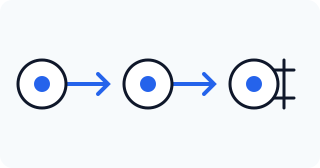
BotBrowser can repeat an authorized browser observation in a declared release and profile context. It cannot certify that a browser implements every requirement, prove that a feature is high quality, or replace public standards evidence. A useful implementation-status review therefore separates four questions: what a public standard intends, what a browser documents, what a bounded test observes, and what decision the evidence supports.
Start with the public standard
Begin with the normative source. W3C standards explain a technology's purpose, lifecycle, and requirements; WHATWG specifications define living platform behavior; MDN translates browser-facing concepts into practical documentation. Record the exact document, section, retrieval date, and status vocabulary. “Proposed,” “candidate,” “living,” “experimental,” and “deprecated” are not interchangeable. A standard can describe intended behavior before any browser ships it, and a browser can expose a partial implementation while the specification continues to change.
Do not treat a tracker label as the standard itself. A tracker is a useful index, but its status needs a public source and a scope. Write down whether the claim concerns an API shape, a permission requirement, a default behavior, an interoperability requirement, or a quality expectation. These are different claims. A source that establishes the API shape cannot by itself establish performance, accessibility, security, or consistency across operating systems.
Map intent to implementation evidence
Create a small evidence chain: specification clause, browser documentation, release and platform scope, feature-detection result, and visible behavior. Browser documentation may describe support notes or known limitations, but it is not a guarantee for every build. Compatibility data can show a reported status, while a local test shows what happened in one declared context. Preserve both the positive result and the missing evidence.
Use one vocabulary for availability. “Documented” means a public source describes the behavior. “Exposed” means the page could observe the relevant surface. “Working” means the declared assertion passed. “Quality” requires additional evidence such as timing, accessibility, error recovery, or interoperability. Avoid collapsing these into a single green check. A feature can be exposed but incomplete, documented but disabled by permission, or available while failing the application's quality requirement.
Run a bounded verification
Use one browser release, one operating environment, one declared profile, and one controlled page. Record the route, permission state, expected result, observed result, and test date. Change one dimension at a time when comparing releases or platforms. A passing assertion supports the tested context; it does not prove universal support. A missing or reduced result is evidence of a boundary, not proof that the standard is wrong.
Keep the fixture proportional. Test the feature decision rather than collecting unrelated browser properties. If the question is whether a permission gate appears, assert the gate and its fallback. If the question is whether an API method is callable, assert the documented error and success paths. Do not infer implementation quality from a single call, and do not turn a compatibility check into an identity claim.
Status worksheet
| Field | Record | Do not infer |
|---|---|---|
| Public source | Document, section, status, and retrieval date | Deployment in every browser |
| Implementation scope | Browser release, platform, permission, and profile | Universal availability |
| Visible assertion | Expected and observed state | Quality beyond the assertion |
| Missing evidence | Untested paths, accessibility, performance, or recovery | That the feature is defective |
| Review trigger | Specification, release, policy, or route change | Permanent validity |
BotBrowser can provide repeatable declared contexts and compare the same authorized assertion across configurations. It cannot certify standards compliance, control third-party site behavior, or establish that an implementation is accessible, secure, or production-ready. Keep those conclusions with the evidence that actually supports them.
Sources
For adjacent reading, see browser API compatibility data and feature fallbacks and browser feature support versus feature quality.
The review should name what it did not test: other releases, operating systems, permissions, assistive technology, performance under load, server behavior, and third-party integrations. Refresh the worksheet when a cited specification changes or a browser release changes the observed result. This keeps implementation status useful without turning a narrow observation into a universal product claim.
Standards work is often reported as a sequence, but each link answers a different question. A standards page can establish that a concept exists and define its required behavior. An implementation note can explain where a browser intends to support it and which conditions apply. A feature check can show that a surface is exposed in one context. A product test can show whether the application handled the success, denial, fallback, and error cases that matter to its users. Keeping these stages separate makes a status report easier to update when either the specification or the browser changes.
The lifecycle also affects the language of a claim. A draft may be useful for research while remaining unsuitable as a dependency. A candidate recommendation can be stable enough for planning while still needing implementation evidence. A living standard can change without a versioned release, so the review date matters. A deprecated feature can remain present for compatibility while no longer being a good choice for new work. Write the status and the decision together: “documented, tested in the declared release, and retained as a fallback” is more useful than a single label such as supported.
Implementation status is not only a browser question. Operating system permissions, user settings, hardware, enterprise policy, embedder choices, and secure-context requirements can change the visible result. Record those conditions beside the browser version. If a result differs, change one condition at a time and report the difference before explaining it. A comparison that changes several conditions can identify a follow-up question but cannot establish causation.
Quality deserves its own evidence. A feature can return the expected value while producing an inaccessible control, an unstable rendering path, a misleading error, or an unusable performance profile. Add a quality assertion only when the decision needs it, and state the measurement boundary. A short interaction test may support a usability decision; it does not establish long-term reliability. A timing sample may support a budget check; it does not prove performance for every device. This discipline prevents “works once” from becoming “works well.”
Public documentation should remain the primary reference for the reader. Do not reproduce private tracker records, internal thresholds, customer identifiers, or operational launch recipes. Link to the public clause, explain the declared test, and describe the safe assertion. A reader should be able to understand the reasoning without receiving private data or relying on an undocumented process. BotBrowser is useful here as a repeatability boundary, not as a substitute for public evidence.
When the result is published, preserve the review trigger. A new browser release, a specification edit, a permission-policy change, an operating-system update, or a route change can make an old observation stale. The owner should know which condition starts a new review and what would count as a meaningful difference. An expired observation is not automatically a failure; it is a signal to refresh the evidence before using it for a product decision.
The strongest status reports also name the decision owner. One person may own the standards interpretation, another the browser fixture, and another the application fallback. If those responsibilities are unknown, record that uncertainty. Ownership keeps a compatibility note from being mistaken for a security guarantee and keeps a privacy boundary from being lost when an implementation changes. A small, dated worksheet with public links is usually more durable than a large undifferentiated tracker export.
A useful status record is reproducible without pretending to be universal. Give the observation a short identifier, the exact browser release, the operating-system family, the declared profile, and the fixture revision. Store the expected result next to the observed result, including the negative path. For an API that requires permission, record whether permission was granted, denied, or never requested. For an API that depends on a secure context, record how that context was established. These details prevent a later reader from mistaking an omitted precondition for a browser defect.
Separate evidence collection from interpretation. The collector should report what the page could observe, which branch ran, what error surfaced, and when it ran. The reviewer can then compare that record with the public requirement and decide whether the result is sufficient for the product decision. Keeping those roles distinct reduces confirmation bias: a reviewer is less likely to reinterpret an unexpected result merely to preserve an earlier status label. It also makes a disagreement actionable because the disputed step is visible.
Use a comparison table when more than one release or platform matters. Each row should change one meaningful variable and retain the same fixture, route, permissions, and assertion. If two variables must change together, say so and mark the result as a combined observation rather than a causal experiment. A difference between releases can be real while its cause remains unknown. The next test should narrow that uncertainty instead of silently upgrading the first difference into an explanation.
Consider privacy and security boundaries while designing the fixture. A standards check should expose only the signals needed for the decision. Do not collect a broad fingerprint when the question is a permission prompt, a serialization rule, or an error contract. Redact account data, user content, and unique identifiers before sharing evidence. A stable test harness is valuable because it limits incidental data collection as well as because it makes the result easier to repeat.
Implementation status should also describe what happens after a failure. If the feature is unavailable, identify the supported fallback and the point at which the application stops. A fallback can preserve a user workflow without reproducing the same semantics, so label it as a product choice rather than evidence that the browser implements the standard. If no fallback exists, say whether the route is blocked, degraded, or informational. This makes the status useful to product and support teams, not only to standards specialists.
Recheck on meaningful triggers rather than on an arbitrary calendar. A browser release, a specification change, a permission-policy edit, a new embedder, or a change to the application route can invalidate an observation. Record the trigger that caused the review and compare the new result with the old record. If nothing changed, close the review with the same evidence boundary. If something changed, update the claim and its limitations together so that an old sentence cannot survive after its supporting context has disappeared.
Finally, publish the distinction between “not tested” and “failed.” Not tested means the worksheet has an explicit gap; failed means the declared assertion produced an unexpected result. “Unknown” is often the most accurate status while a browser is experimental or a specification is still moving. A careful status vocabulary gives readers a way to act without overstating certainty, and it leaves room for later evidence to improve the result rather than forcing every row into pass or fail.
The same discipline applies to browser privacy and fingerprint-related observations. A browser surface can be technically exposed while still being constrained by permission, partitioning, anti-tracking policy, or the embedding context. A test that sees a stable value therefore does not establish that the value is unique, durable, or suitable for identification. Conversely, a value that changes between contexts does not automatically indicate a defect; it may be the intended protection boundary. State which property was observed and which privacy conclusion remains out of scope.
When comparing an implementation with a specification, quote the requirement at the level that matters. “The API exists” is weaker than “the API rejects this input with the documented error,” and neither statement says whether a user can complete the task. For privacy-sensitive behavior, the relevant question may be whether access is gated, whether values are partitioned, or whether a permission prompt is clear. Keep the assertion narrow enough that a reader can reproduce it without collecting unrelated identity signals.
Teams also benefit from an explicit evidence expiration rule. A status can be valid for a declared release and still be stale for the next release. Put the expiry trigger beside the claim: new major version, permission-policy change, specification revision, or a change to the privacy model. Do not silently carry a green label forward. A short recheck with the same fixture is usually cheaper and more trustworthy than a broad new survey built from memory.
This approach makes a standards tracker useful without turning it into a hidden source of product promises. Public sources explain intent, bounded observations explain what happened, and the product decision explains what the team will do next. BotBrowser fits at the observation boundary: it can help repeat an authorized comparison in a declared context, while the public specification and the application's own acceptance criteria remain responsible for the final interpretation.
For readers maintaining a compatibility matrix, the practical outcome is a smaller and clearer record. Keep one row for the public requirement, one for the browser observation, and one for the product decision. Link each row to the source or fixture that supports it. Mark assumptions explicitly, especially when a permission, policy, embedder, or assistive technology is involved. When a row is copied to another release, copy its limits as well as its result. The matrix then remains useful to engineers, privacy reviewers, and support teams without implying that an isolated browser observation is a complete conformance report.
Before sharing a result, ask three final questions: can another reader find the public requirement, can they identify the exact context that produced the observation, and can they see what the result does not establish? If any answer is no, keep the status provisional and improve the record. That pause helps prevent a compatibility note from becoming an unsupported promise about privacy, security, or browser quality.
This record is especially valuable when a feature sits between browser behavior and application policy. A browser may expose an API, while the site blocks it with Permissions Policy; an operating system may expose a device, while the user or enterprise policy denies access; a browser may return a value, while anti-tracking protections partition it by site. These layers are not contradictory. They are separate gates, and the status should identify the gate that was actually observed. When a result is shared with a product team, include the next action: enable the route, show a fallback, request permission, or leave the feature unavailable until the public requirement and the local evidence agree.
Do not use a standards tracker as a substitute for release notes or a security review. A tracker answers where a requirement and an implementation observation meet. Release notes answer what changed for a particular build. A security review asks about abuse cases, data exposure, and operational controls. Linking these records is useful, but merging them into one status field hides the different owners and evidence standards. The clearest report keeps the public source, browser observation, and product decision adjacent while preserving their distinct meanings.
Related Articles
Take BotBrowser from research to production
The guides cover the model first, then move into cross-platform validation, isolated contexts, and scale-ready browser deployment.