Fetch Metadata Headers: CSRF Context and Privacy Boundaries
Use Sec-Fetch-* request context to make narrow server decisions without treating browser metadata as identity, authentication, or a privacy guarantee.
BotBrowser Team
Want the structured docs for Network?
This article lives in the editorial library. For step-by-step setup, reference material, and ongoing updates, jump into the docs section.
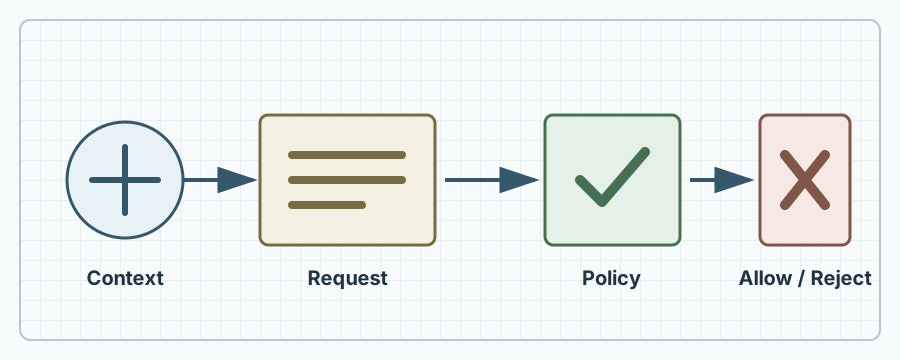
BotBrowser can replay an authorized, synthetic request journey with a declared browser release, profile, route, and assertion. It cannot make Sec-Fetch-* headers trustworthy identity, replace authentication, infer a person's intent, or prove that every browser and intermediary sends identical metadata. The safe answer is to use Fetch Metadata as one bounded server signal for request-context policy, while keeping CSRF tokens, cookies, authorization, and privacy review separate.
TL;DR
- Fetch Metadata headers describe browser request context such as site relationship, destination, mode, and user navigation; they are not credentials.
- A server can use
Sec-Fetch-Siteand related fields as a defense-in-depth CSRF policy, especially to reject unexpected cross-site state changes. - Missing, altered, or unsupported headers need an explicit fallback. A policy that assumes presence can break non-browser clients and older browsers.
- The headers can reveal coarse relationship and navigation information to a server. Minimize logging and never turn them into a fingerprint or account identity.
- Test a small matrix of same-origin, same-site, cross-site, top-level navigation, and non-browser requests; record the expected decision and the reason.
Contents
- What Fetch Metadata describes
- What each header means
- Build a CSRF policy
- Handle missing and unusual clients
- Privacy and observability boundaries
- A copyable policy fixture
- Test with BotBrowser
- Practical conclusion
- FAQ
What Fetch Metadata describes
The W3C Fetch Metadata specification defines request headers that let a server inspect the context in which a browser initiated a fetch. The browser may send Sec-Fetch-Site, Sec-Fetch-Mode, Sec-Fetch-User, and Sec-Fetch-Dest. They answer questions such as “did this request come from the same origin or another site?” and “is this a navigation or an image fetch?” They do not answer who is behind the browser, whether a user approved a particular action, or whether the request came from a trusted account.
The distinction matters because context and identity are different dimensions. A request can be same-origin but made by an already-compromised page. A cross-site request can be legitimate, such as a public image, a documented OAuth redirect, or a payment return. A request can omit the headers because it came from a native client, a privacy tool, an older browser, a service worker path, or an intermediary that did not forward them. Treat the fields as hints about a request path, not as an assertion signed by a user.
The browser-generated prefix is a useful operational cue. Application code should not try to set Sec-Fetch-Site with fetch(); forbidden request-header rules and user-agent behavior mean a script cannot manufacture a trustworthy browser context. A server should still expect an attacker to send arbitrary HTTP requests outside a browser. Authentication and authorization must reject those requests when they lack valid credentials, even if the header values look favorable.
What each header means
Sec-Fetch-Site classifies the relationship between the request origin and the target origin. MDN documents values including same-origin, same-site, cross-site, and none. same-origin is narrower than same-site: two origins can share a registrable domain while differing by scheme, port, or host. none commonly represents a user-initiated top-level navigation, but it is still context, not proof of a human click. Compare the value with your deployment's origin and site boundaries; do not assume a wildcard subdomain is safe.
Sec-Fetch-Mode indicates the fetch mode, such as navigate, cors, no-cors, or same-origin. Sec-Fetch-Dest describes the destination category, such as document, image, script, or empty. Together they can prevent a JSON mutation endpoint from accepting a request shaped like a subresource load. They do not validate the request body, response origin, or application permission.
Sec-Fetch-User is sent with a value of ?1 for a user-activated navigation in the cases covered by the specification. Its absence is not a negative identity signal. Browser UI, redirects, automation, keyboard activation, and navigation timing can affect whether it appears. Never use it as a login shortcut, a payment approval, or a replacement for an explicit confirmation.
Header support and exact combinations vary by browser release and request type. Read MDN's Fetch metadata request header glossary and MDN's Sec-Fetch-Site reference alongside the W3C algorithm. Record the observed release and route instead of publishing a universal claim.
Build a CSRF policy
Start with the endpoint's state transition. A request that changes an email address, transfers value, deletes a record, or rotates a credential needs authentication, an authorization check, and an anti-CSRF design appropriate to its session model. Fetch Metadata can add an early context check: reject a cross-site state-changing request unless a documented integration explicitly requires it. Keep a CSRF token or equivalent same-site authorization mechanism for cookie-authenticated actions; the header is not a token.
Write the policy as a decision table before writing middleware. For example, a same-origin POST with a valid session and CSRF token may proceed; a cross-site POST to a mutation route should be rejected or challenged; a cross-site GET for a public image can proceed because it has no state transition. A top-level cross-site navigation to a public page may be allowed. A missing header should follow a compatibility branch, such as requiring a token and normal authorization, rather than automatically allowing a mutation.
Apply the policy at the trust boundary and log only the decision category. Check method, route class, authentication, CSRF token, origin or referer where appropriate, and Fetch Metadata together. Use an allowlist for documented cross-site callbacks with a nonce or signed state value. Do not add a blanket “same-site is trusted” rule when sibling subdomains have different owners or can host untrusted content.
The policy should fail closed for high-risk state changes when the application can require modern browser behavior, but it should fail safely for public and compatibility routes. A rejected request needs a deterministic status and an accessible user-facing recovery path. Returning a generic 403 is often safer than revealing which header combination triggered a rule. The server can keep an internal reason code without storing a full URL, cookie, or body.
Handle missing and unusual clients
Fetch Metadata is primarily a browser signal. Mobile applications, command-line clients, web views, test harnesses, and older browsers may not send it. If an API is intentionally non-browser, authenticate it with a token, mTLS, a signed request, or another documented mechanism and make that route's contract explicit. Do not ask every client to copy browser headers merely to pass a gate; that creates a misleading imitation of browser context.
Proxies and gateways can remove, normalize, or reject unknown headers. Verify forwarding behavior at the edge and at the application, and make sure a trusted proxy cannot be confused with an untrusted client-supplied value. If a gateway adds a header, document that it is an infrastructure assertion with a different trust model. The origin server should know which hop is responsible for each decision.
Redirects deserve a separate test. A navigation can begin cross-site and arrive at a same-origin endpoint, while a subresource can follow a redirect to a different destination. Evaluate the request that reaches the protected endpoint and bind any state-changing flow to an explicit nonce or CSRF token. Do not infer that a final same-origin value makes the original initiator safe.
Service workers, prefetching, retries, and browser extensions can produce combinations that are uncommon in a manual test. Classify them as observed or unknown. If a feature relies on a particular Sec-Fetch-Mode or Sec-Fetch-Dest, test the exact browser release and provide a non-header fallback. Never tell a user to disable privacy protections or install an extension to satisfy a server policy.
Privacy and observability boundaries
Fetch Metadata can improve privacy when it prevents an application from processing an unexpected cross-site request, but the headers themselves are request metadata. A server can learn a coarse relationship between the initiator and target, a destination category, and sometimes a user-activation hint. Minimize retention, aggregate metrics, and avoid joining these values with account identifiers unless the purpose is documented and necessary. Do not publish raw header logs containing private paths or tokens.
The values are not a stable fingerprint. Browser version, request type, redirects, privacy settings, extensions, and non-browser clients change the combination. A rare combination may look identifying in a log, but rarity is not identity and does not justify tracking. Keep the fields out of analytics dimensions that follow a person across sites. If an incident requires correlation, use a short-lived server request ID and delete the detailed context on the stated schedule.
BotBrowser can provide repeatable synthetic observations of these headers in an authorized test route. It cannot see every network intermediary, prove what a third-party server retained, or certify the privacy impact of a production logging pipeline. Use the custom HTTP headers documentation for supported test configuration, and keep test values synthetic. A successful observation means only that the declared browser context produced the recorded request under the named route and profile.
Keep the observation close to the question it answers. If the question is whether a mutation route rejects a cross-site request, the fixture needs one synthetic session, one token state, and one expected status. It does not need a real customer account, a complete browser inventory, or a long-lived header archive. If the question is whether an edge gateway forwards the context, capture a redacted edge result and a redacted origin result separately. The difference belongs to the gateway owner; it is not evidence that the browser changed its behavior. This separation makes a privacy review practical: delete the raw receipt after the decision while retaining the short policy reason and test revision.
A copyable policy fixture
The following pseudocode demonstrates a narrow choice rule. It intentionally requires normal authentication and CSRF validation; Fetch Metadata only selects an additional context branch. Adapt status codes, callback routes, and proxy trust to the application rather than copying the example as a universal security control.
function contextDecision(req) {
  const changing = ['POST', 'PUT', 'PATCH', 'DELETE'].includes(req.method);
  const site = req.headers['sec-fetch-site'];
  const mode = req.headers['sec-fetch-mode'];
  const dest = req.headers['sec-fetch-dest'];

  if (!changing) return { action: 'continue', reason: 'read-only' };
  if (!req.user || !validCsrfToken(req)) {
    return { action: 'reject', reason: 'authentication-or-csrf' };
  }
  if (site === 'cross-site') {
    return { action: 'reject', reason: 'unexpected-cross-site' };
  }
  if (site === undefined) {
    return { action: 'challenge', reason: 'missing-context' };
  }
  if (mode === 'no-cors' || dest === 'image' || dest === 'script') {
    return { action: 'reject', reason: 'subresource-shape' };
  }
  return { action: 'continue', reason: 'declared-context' };
}
The expected result is not “all requests with a friendly header pass.” A same-origin mutation with a valid session and token can continue; a cross-site mutation is rejected; a missing header is challenged; and a request that looks like a subresource is rejected even when the site value is not cross-site. The server still validates the body, authorization, replay controls, and business invariants. The fixture is useful because each branch has an owner and a testable reason.
Test with BotBrowser
Create a synthetic endpoint that returns a redacted decision record rather than echoing cookies or private request bodies. Fix the browser release, profile boundary, top-level origin, target origin, method, destination, and expected response. Run at least these cases: same-origin navigation, same-site subdomain request, cross-site mutation, cross-site public image, a top-level navigation, and a request from a client that omits Fetch Metadata. Add a negative run with a valid session but an invalid CSRF token.
For every case, record the declared input, observed header presence and values, server decision, HTTP status, and limitation. “Header absent” is a useful observation; it is not proof that the browser is old or that a user is hidden. If an edge proxy changes the result, record both edge and origin observations and assign the discrepancy to the network owner. Repeat after browser upgrades or policy changes, keeping the fixture stable so differences remain interpretable.
The test must not collect real account data, credentials, full production URLs, or a broad browser inventory. A profile or proxy does not authorize access to a third-party service. Keep the result scoped to the owned route and publish the policy, not operational instructions for evading controls. If the route cannot safely expose a decision, store a short synthetic receipt in the test system and publish the expected matrix instead. This narrow receipt is useful because it gives an operations owner a repeatable before-and-after comparison without exposing production traffic. Keep the route synthetic, document its expiry, and delete temporary values after the review.
Practical conclusion
Use Fetch Metadata as a narrow description of browser request context. Combine it with authentication, authorization, CSRF tokens, origin checks, route semantics, and explicit callback contracts. Define how missing or unusual clients behave before enabling enforcement. Log the smallest reason code needed for operations and set a retention limit. The safe next action is to build one synthetic decision matrix, run it in a declared browser context, and have the service owner approve every exception. Do not claim that Sec-Fetch-* proves a person, a trusted browser, consent, or privacy.
FAQ
Can Sec-Fetch-Site replace a CSRF token?
No. It is a browser-supplied context signal that may be absent, changed by request paths, or irrelevant to a non-browser client. Keep a CSRF token or another documented anti-CSRF mechanism for cookie-authenticated state changes, and use Fetch Metadata as defense in depth.
Does same-origin mean the request is authenticated?
No. A same-origin request can come from an untrusted page running under a compromised session, an injected script, or a client that simply sends the same text. Validate the session, authorization, token, and business rules independently.
Should a server reject every request without Fetch Metadata?
Usually not. Public resources, older browsers, native clients, and integrations may omit the fields. Choose a route-specific compatibility branch. High-risk mutations can require a stronger token or challenge, while read-only routes can continue.
Are these headers a fingerprint?
They are not a stable identity. Combinations can vary by browser, navigation, redirects, extensions, and intermediaries. Minimize logs and do not use the fields for cross-site tracking or account classification.
How can BotBrowser validate a policy?
Use an authorized synthetic route and a fixed browser/profile context to observe the request and server decision. BotBrowser can repeat that declared journey, but it cannot prove third-party retention, universal browser behavior, or the legality of a production policy. Keep the receipt beside, not above, the server's security review.
Sources
Related Articles
Take BotBrowser from research to production
The guides cover the model first, then move into cross-platform validation, isolated contexts, and scale-ready browser deployment.